10 Mobile Security Myths Debunked
Dangerous misconceptions about smartphone security that leave Hong Kong users unnecessarily exposed — each myth examined, the truth explained, and the correct action to take.
Dangerous misconceptions about smartphone security that leave Hong Kong users unnecessarily exposed — each myth examined, the truth explained, and the correct action to take.
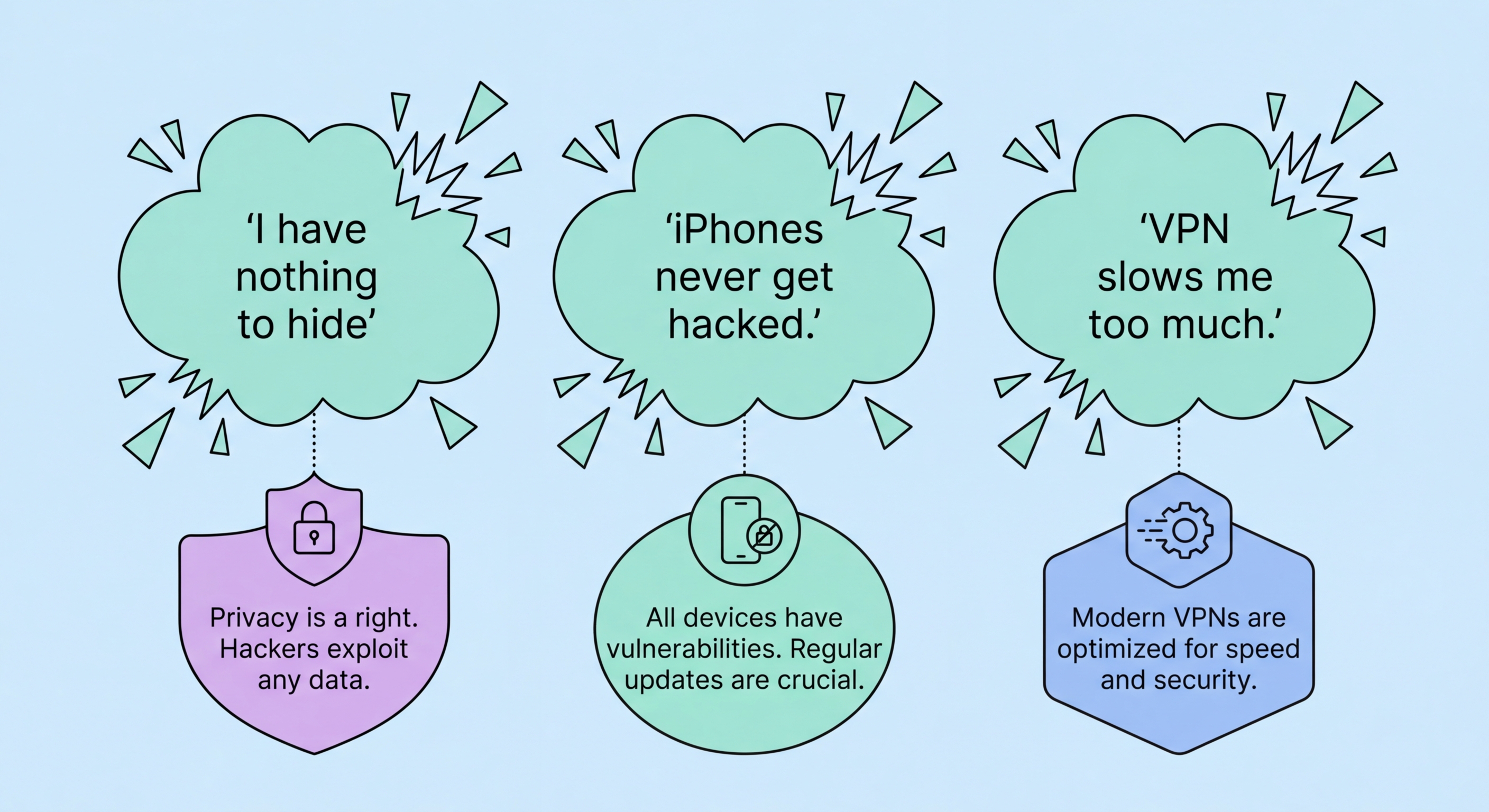
Myth 1: "iPhones can't get viruses or malware." This is perhaps the most dangerous mobile security myth in to Do If Your Phone Is Lost or Stolen in Hong Kong">Hong Kong. While iOS's closed ecosystem and mandatory App Store review process significantly reduce the malware risk compared to Android, iPhones are absolutely not immune. Apple's own security bulletins regularly patch critical vulnerabilities. Zero-click exploits — like those used by Pegasus spyware — have compromised iPhones without any user interaction. Apps that pass App Store review have been caught doing malicious things after a delayed activation period. And sophisticated phishing sites targeting iPhone users can harvest credentials just as effectively as on Android. The correct framing is: iOS provides structural advantages that reduce (not eliminate) malware risk. Security settings, updates, and vigilance are still essential.
Myth 2: "Android is fundamentally less secure than iOS." Android's security architecture — SELinux, Verified Boot, Titan M2 chip on Pixel devices, Android Enterprise — is sophisticated and comparable to iOS. The security gap between the platforms is not architectural but practical: Android's openness allows sideloading, creating a malware distribution channel that doesn't exist on iOS; and Android's fragmentation means many Android devices receive infrequent or no security updates. A Google Pixel 9 Pro running the latest Android and security patches is highly secure. A HK$800 Android phone running Android 11 with no security patches since 2022 is not. The device and manufacturer matter enormously.
Myth 3: "Jailbreaking/rooting How to Spot and Avoid Attacks on Your Phone">your phone doesn't affect security." Jailbreaking (iOS) and rooting (Android) fundamentally compromise the security model of the operating system. These processes bypass the verified boot chain, disable system integrity protections, and allow any app to gain root access to the entire device — including reading all other apps' data, accessing the encryption keys stored in the Secure Enclave or Trusted Execution Environment, and disabling security features. Jailbroken and rooted devices cannot be considered secure and should not be used for banking, corporate access, or any security-sensitive purpose. Additionally, jailbroken iPhones cannot receive standard iOS security updates.

Myth 4: "An app on the App Store or Google Play is safe." Both app stores perform security screening, but neither is foolproof. Malicious apps periodically pass both Apple's and Google's review processes, using techniques like delayed activation of malicious code (activating the harmful behaviour only after the app has been approved), disguised malware using obfuscated code, and apps that are initially benign but add malicious functionality via remote configuration after approval. Google's Play Store has historically had more issues than the App Store, but both have published malicious apps. Checking an app's developer reputation, privacy policy, review authenticity, and permission requests before installing is always warranted regardless of the app source.
Myth 5: "HTTPS means the website is safe." The HTTPS padlock icon tells you only that the Difference and the Connection">the connection between your browser and the server is encrypted in transit — it says absolutely nothing about whether the website is legitimate, whether it will steal your credentials, or whether the server it connects to is controlled by an attacker. Phishing sites use HTTPS routinely and easily — obtaining a free SSL certificate from Let's Encrypt takes minutes. In 2026, the majority of phishing websites use HTTPS. The padlock is a necessary but far-from-sufficient indicator of a site's legitimacy; always verify the actual domain name, not just the padlock status.
Myth 6: "Public WiFi is safe if I don't do anything sensitive." The definition of "sensitive" is broader than most users appreciate. While avoiding online banking on public WiFi is sound advice, most internet usage involves some sensitive data: social media sessions have authentication tokens that can be hijacked, email apps maintain persistent login sessions, messaging apps may expose contact lists if traffic is unencrypted, and even browsing history is information you may not want to share. Additionally, simply connecting to a malicious access point can expose your device to network-level attacks that don't require you to take any specific action. Using a VPN on all public WiFi networks is the correct approach — not just when performing explicitly sensitive tasks.

Myth 7: "Fingerprint and Face ID are enough — I don't need a strong passcode." Biometric authentication is convenient and provides a good balance of security and usability, but it's not the primary security mechanism for your device's data. Your passcode is the root credential from which your device's encryption keys are derived — biometrics are simply a shortcut that bypasses passcode entry for convenience. The strength of your passcode directly determines the strength of your encryption. A 4-digit PIN used as the underlying passcode for Face ID means your device's encryption is only as strong as a 4-digit PIN — attackers who can compel biometric authentication (e.g., via "rubber hose cryptanalysis") can also potentially brute-force a weak PIN forensically if they obtain the device.
Myth 8: "SMS two-factor authentication makes my account secure." SMS 2FA is better than password-only authentication, but it's the weakest form of 2FA and has significant documented vulnerabilities in Hong Kong's context. SIM swapping attacks — where an attacker transfers your phone number to their SIM by social engineering your carrier — bypass SMS 2FA entirely. Real-time phishing proxies relay your SMS codes to the attacker instantaneously. SS7 network vulnerabilities can allow SMS interception without carrier involvement. For any account of real value — banking, email, cloud storage — migrate from SMS 2FA to an authenticator app (TOTP) as a minimum standard, with hardware security keys or passkeys as the highest-security option.
An important related misconception: "I don't need 2FA because I have a unique password for each account." Unique passwords are excellent practice and prevent credential stuffing, but they don't protect against phishing (which captures your correct password directly), keyloggers, or data breaches that expose password hashes which can be cracked offline. Two-factor authentication adds an independent second layer that remains effective even when the first layer (the password) has been compromised. Both unique passwords and 2FA are necessary — neither alone is sufficient.

Myth 9: "A factory reset completely removes all data from my phone." This is partially true for current devices but was notably false for older Android devices. On modern iPhones (with Secure Enclave) and modern Android devices using file-based encryption, a factory reset does effectively destroy your data by cryptographically shredding the encryption keys — the data physically remains on the storage chips but is permanently unreadable without the destroyed keys. However, several caveats apply: data that has been backed up to cloud services (iCloud, Google Drive) is not deleted by the phone reset; data shared with third-party apps that have their own cloud storage is not deleted; and on older Android devices (pre-2015 without hardware encryption), factory reset left data recoverable by specialist forensic tools.
Myth 10: "I need a mobile antivirus app to stay safe." On modern iOS, third-party "antivirus" apps cannot actually scan the device for malware — Apple's sandboxing model prevents any app from accessing other apps' data or the system file structure in the way a real antivirus scanner needs to. iOS antivirus apps are essentially marketing products that offer VPN, phishing URL checking (which Safari already does), and password management features rebranded as security. On Android, Google Play Protect is a real, continuously updated malware detection system built into the OS — for most users, this combined with good app hygiene (install only from Play Store) provides adequate protection. Third-party Android antivirus apps from reputable vendors (Malwarebytes, Bitdefender) provide marginal additional benefit for average users but are legitimate products unlike their iOS equivalents.
A final myth worth addressing: "I have nothing to hide, so I don't need to worry about mobile security." This argument conflates privacy (a right) with criminality. Your smartphone data enables fraud, identity theft, blackmail, and physical harm — not because you're a criminal, but because your data is valuable to criminals. The photos on your phone, your banking details, your location history, your private messages, and your authentication credentials all have significant value to malicious actors regardless of the content's legal status. Privacy and security are about protecting your interests and safety, not hiding wrongdoing.

