Best Secure Messaging Apps for Hong Kong Users in 2026

A comprehensive comparison of Signal, Telegram, WhatsApp, and iMessage — their encryption models, metadata policies, and practical privacy protections for Hong Kong residents.

Secure messaging apps comparison Hong Kong 2026
1Signal — Best for Privacy

Signal: The Gold Standard for Private Messaging

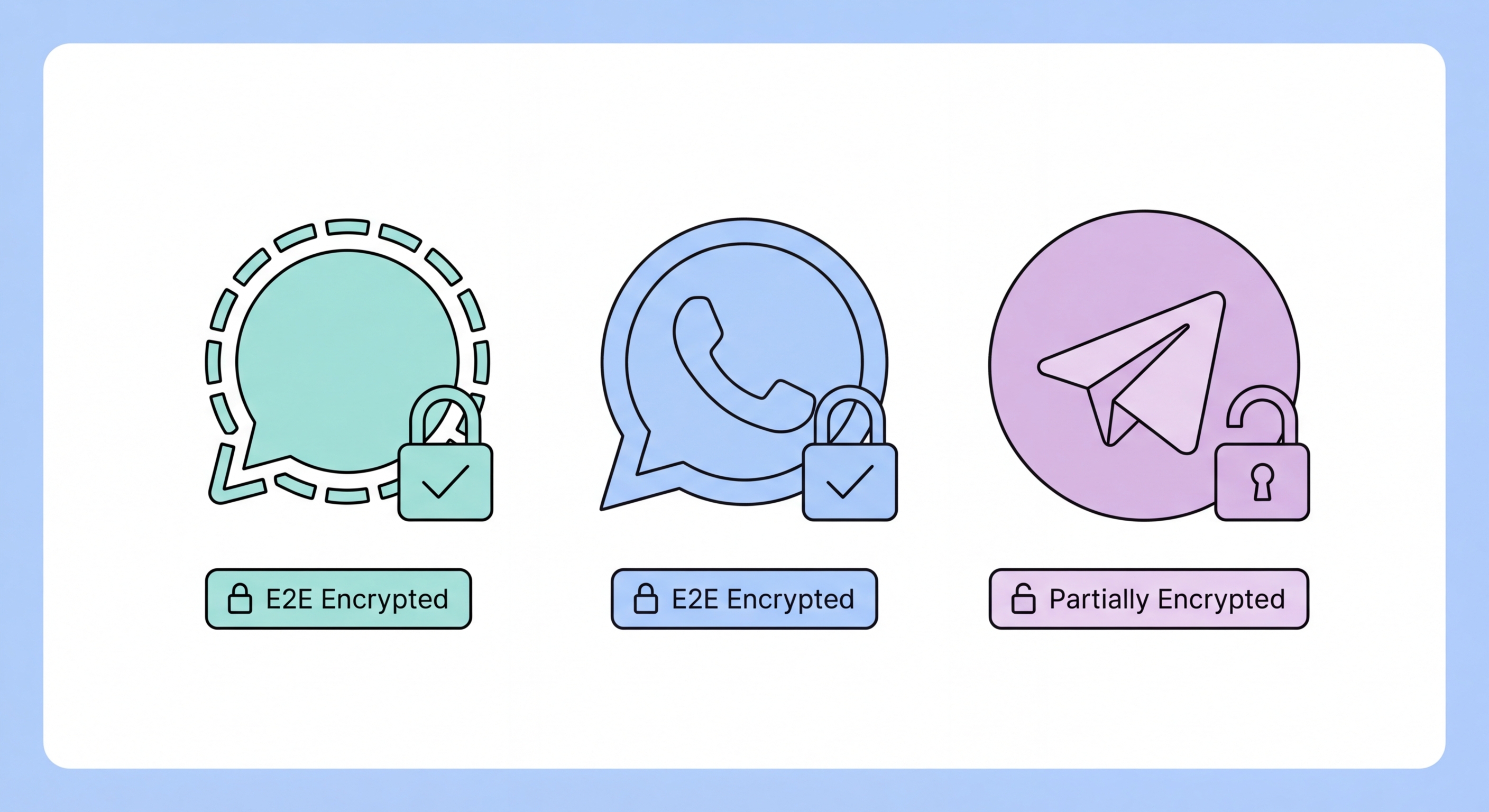
Signal is universally regarded by security researchers, cryptographers, and privacy advocates as the most secure mainstream messaging application available. Built by the non-profit Signal Foundation, it is the only major messaging app whose entire codebase — client and server — is open source, allowing independent security researchers to audit and verify every aspect of its security implementation. The Signal Protocol, which forms the cryptographic foundation of Signal's encryption, has been adopted by WhatsApp, Facebook Messenger, and Google Messages — a testament to its security.

Signal's end-to-end encryption applies to all messages, voice calls, video calls, and file transfers by default. Unlike WhatsApp, Signal does not collect metadata about your communications — it cannot see who you're messaging, how often, or at what times. Signal has demonstrated this in practice: when served with a US federal subpoena in 2016, Signal was able to produce only two data points: the date the account was created and the date of the last connection. Every other piece of data either does not exist on Signal's servers or is end-to-end encrypted and inaccessible to Signal.

Key Signal features for to Do If Your Phone Is Lost or Stolen in Hong Kong">Hong Kong users include disappearing messages (configurable from 30 seconds to 4 weeks), Note to Self for encrypted personal notes, sealed sender (which hides who is sending a message to prevent metadata collection), and a registration lock that prevents attackers from re-registering your account even with your SIM. Signal works over Tor for users who want to hide their use of Signal from their network provider, and can be configured to use Signal as a proxy for users in regions where Signal is censored.

  • End-to-end encrypted by default: All messages, calls, and files are E2E encrypted — Signal itself cannot read any of your communications.
  • Minimal metadata collection: Signal collects only your phone number, account creation date, and last login date — nothing about your communications.
  • Open source: Both client and server code are publicly available for independent security audit.
  • Disappearing messages: Configure messages to automatically delete after a set time — essential for sensitive communications.
  • Sealed sender: Hides the sender's identity from Signal's infrastructure even in the event of a server compromise.
  • Registration lock: Prevents account takeover via SIM swap by requiring a PIN to re-register your phone number.
Learn more about protecting your mobile privacy →
Signal messaging app security features
2WhatsApp and iMessage

WhatsApp and iMessage: Secure Enough for Daily Use?

WhatsApp is the dominant messaging platform in Hong Kong, used by the vast majority of the population for both personal and professional communication. It uses the Signal Protocol for end-to-end encryption of individual messages and calls, which provides strong content-level security. However, WhatsApp is owned by Meta (formerly Facebook), and the metadata it collects — who you talk to, how often, at what times, your approximate location — is significant and is used for advertising targeting. WhatsApp's privacy policy allows sharing of metadata with Meta's advertising infrastructure.

iMessage, Apple's built-in messaging system for iPhone and Mac, uses end-to-end encryption for messages between Apple devices. Messages sent via iMessage (shown in blue bubbles) are encrypted end-to-end; SMS messages (green bubbles) are not. A critical caveat: if either party has iCloud Backup enabled without Advanced Data Protection, their iMessages are backed up to iCloud in a form that Apple can access. Enabling Advanced Data Protection (see our encryption guide) makes iCloud iMessage backups truly end-to-end encrypted.

For Hong Kong users who need to balance privacy with the practical reality that most contacts use WhatsApp, a reasonable approach is: use Signal for your most sensitive communications (with family, close friends, and professional contacts who are willing to use it); use WhatsApp for everyday communication while enabling disappearing messages and being mindful of the content you share; and treat iMessage as secure for content but be aware of the metadata Apple retains.

  • WhatsApp message content is encrypted: Individual WhatsApp messages use the Signal Protocol — the content is secure, but metadata is collected by Meta.
  • WhatsApp metadata risk: Meta knows who you communicate with, when, and how frequently — this data profile is used for advertising and can be subpoenaed.
  • iMessage requires both parties on Apple: Blue bubble = iMessage (encrypted); green bubble = SMS (not encrypted) — verify before sending sensitive content.
  • Enable Advanced Data Protection: Without ADP, iMessage backups in iCloud are accessible to Apple — enable ADP to truly secure backed-up messages.
  • WhatsApp disappearing messages: Enable default disappearing messages in WhatsApp Settings → Privacy → Default message timer.
  • Two-step verification (WhatsApp): Enable Settings → Account → Two-step verification to prevent account takeover via SIM swap.
Spot phishing attacks in WhatsApp and messaging apps →
WhatsApp and iMessage security comparison
3Telegram — Widely Misunderstood

Telegram: Popular in HK but Frequently Misunderstood

Telegram is extremely popular in Hong Kong, particularly among professional, business, and activist communities. However, it is one of the most widely misunderstood apps in terms of privacy and security. A common misconception is that Telegram is a "secure" app comparable to Signal — this is not accurate. Standard Telegram chats (the overwhelming majority of Telegram usage) are not end-to-end encrypted. Messages are stored on Telegram's servers and are encrypted in transit and at rest using Telegram's own encryption, but Telegram can read and access all regular chat content.

Telegram does offer "Secret Chats" which are end-to-end encrypted and not stored on Telegram's servers. However, Secret Chats are device-specific (they cannot be accessed on multiple devices), cannot be forwarded, and are not available in group settings. The vast majority of Telegram users — including those in Hong Kong using Telegram for what they believe are private communications — are using regular chats where Telegram has access to their message content. Telegram's privacy record has also been questionable: in 2024, Telegram's founder Pavel Durov was arrested in France, and the company subsequently disclosed that it had complied with significantly more law enforcement data requests than previously acknowledged.

From a security standpoint, Telegram has other weaknesses relevant to Hong Kong users. It has been actively used as a distribution channel for phishing attacks, malware-infected APK files, and fraudulent investment scheme recruitment ("pig butchering"). Users who receive app download links, investment opportunities, or suspicious files via Telegram should treat them with extreme scepticism — these are among the most common scam vectors reported to the HKPF CSTCB.

  • Regular chats are NOT end-to-end encrypted: Telegram servers can read all standard chat messages — do not share sensitive information in regular Telegram chats.
  • Use Secret Chats for sensitive content: Start a Secret Chat (+ button → New Secret Chat) for genuinely private conversations — these are device-specific and E2E encrypted.
  • Beware APK distribution: Telegram channels distributing APK files are a major malware vector in Hong Kong — never install apps from Telegram links.
  • Scam recruitment: Telegram is the primary channel for pig butchering and fake investment scheme recruitment in HK — be extremely cautious of unsolicited messages from strangers.
  • Two-factor authentication: Enable Telegram's two-step verification (Settings → Privacy and Security → Two-Step Verification) to protect account access.
  • Active sessions: Regularly review Settings → Privacy and Security → Active Sessions and terminate any sessions on unrecognised devices.
How to identify scams and phishing in messaging apps →
Telegram security misconceptions and risks
4Choosing the Right App

Which Messaging App Should You Use in Hong Kong?

The right messaging app depends on your threat model — who you're protecting your communications from, the sensitivity of the content, and the practical reality of which apps your contacts use. No single app is perfect for every situation, and most Hong Kong users will end up using multiple apps for different purposes. The key is to understand what each app protects and what it doesn't, and to make conscious choices about what you share where.

For the most sensitive communications — conversations with lawyers, doctors, journalists, or family members about private matters — Signal is the clear choice. For everyday communication with the broad network of contacts who use WhatsApp, enabling disappearing messages and avoiding sharing genuinely sensitive personal or financial information directly in the chat keeps the risk manageable. For iMessage users on iPhone, enabling Advanced Data Protection in iCloud settings significantly improves the security of your message history.

Beyond the choice of messaging app, a few universal practices apply regardless of which platform you use: enable two-step or two-factor verification on every messaging account; use a strong, unique password for your account; regularly review active sessions and log out of unused devices; and treat any unsolicited contact from strangers — regardless of platform — with the same scepticism you'd apply to cold calls. In Hong Kong, unsolicited messages from unknown contacts promoting investment opportunities, part-time job offers, or romantic connections are almost universally scams.

  • Signal: Best choice for private, sensitive communications — install it for family, close friends, and trusted colleagues even if WhatsApp remains your everyday app.
  • WhatsApp: Acceptable for everyday use — enable disappearing messages and two-step verification; avoid sharing genuinely sensitive data.
  • iMessage: Secure for content between Apple devices — enable Advanced Data Protection for backup security; be aware of green bubble SMS messages.
  • Telegram: Treat standard chats as non-private; use Secret Chats for sensitive content; be highly suspicious of any files or investment links received via Telegram.
  • Universal best practices: Enable 2FA on all messaging accounts; review active sessions regularly; never open unexpected files or links from any messaging platform.
  • Work communications: Sensitive business communications should use corporate-approved, IT-managed messaging platforms with full audit capability — not consumer apps.
Protect your complete mobile communications privacy →
Choosing the right secure messaging app
Messaging Security Is Part of Broader Mobile Privacy

Messaging Security Is Part of Broader Mobile Privacy

Your choice of messaging app is just one element of mobile privacy. Our complete guide covers how to limit data collection across all apps and services on your phone.

Related VPN Articles