DNS over HTTPS Explained: Encrypting Your DNS Queries
What DNS-over-HTTPS is, why unencrypted DNS is a serious privacy risk in Hong Kong, and step-by-step instructions to enable DoH in Chrome, Firefox, Brave, and Edge.
Published: March 29, 2026
What DNS-over-HTTPS is, why unencrypted DNS is a serious privacy risk in Hong Kong, and step-by-step instructions to enable DoH in Chrome, Firefox, Brave, and Edge.
Published: March 29, 2026
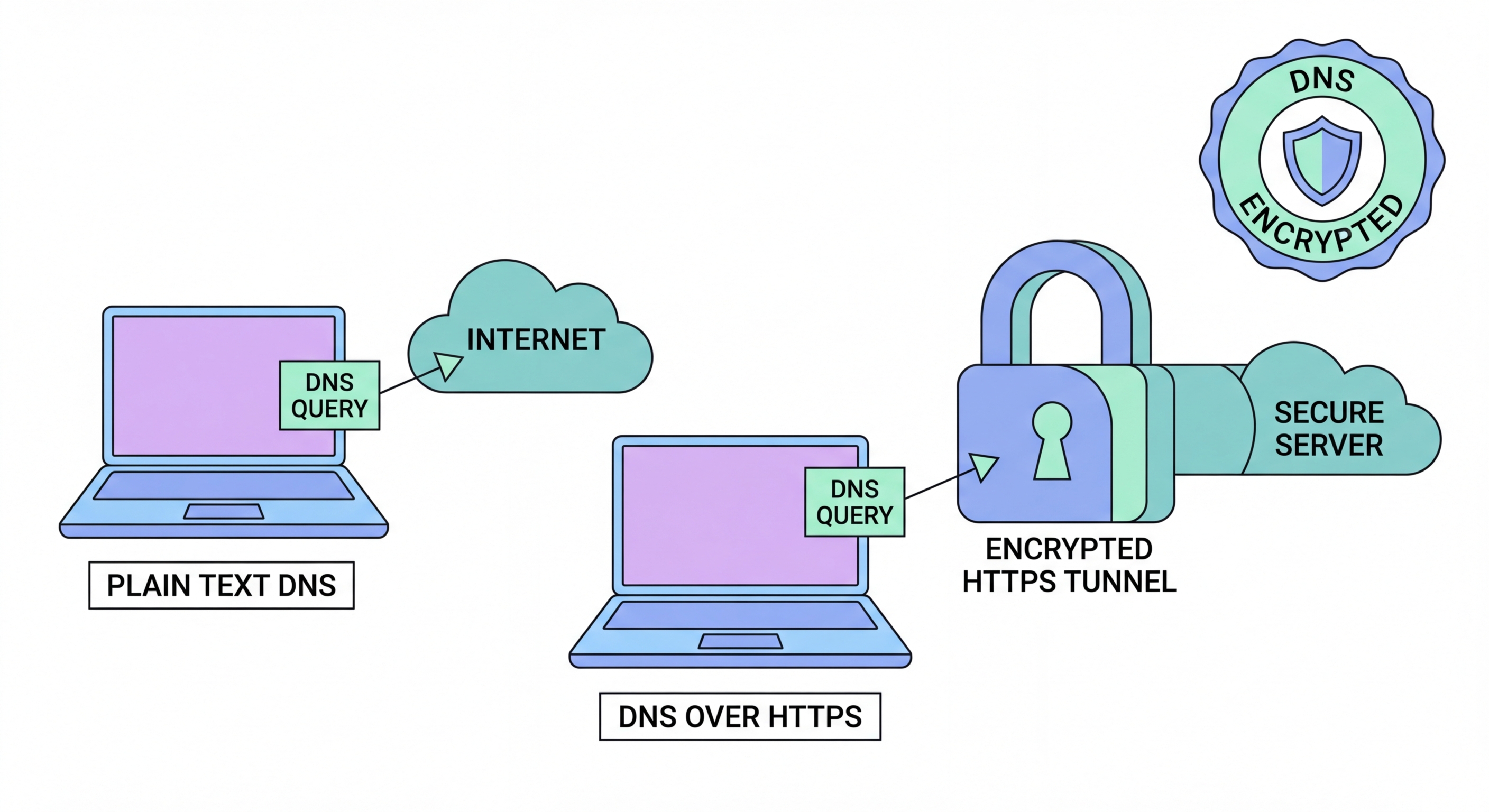
Every time you visit a website, your device first sends a DNS (Domain Name System) query to translate the domain name — such as google.com — into the IP address your computer needs to connect. By default, this query is sent in plain text over UDP port 53, unencrypted and visible to anyone on the network path between your device and the DNS resolver. In practical terms, this means your ISP can see a complete log of every domain you query, even if the subsequent HTTPS connection to the website is fully encrypted.
In Hong Kong, ISPs are subject to legal obligations that can require them to retain and disclose connection data. Even without active government requests, ISPs routinely sell anonymised browsing data to analytics firms and advertisers. Your DNS query log is eff ↗ectively a detailed diary of your online interests, health concerns, financial research, and personal communications — all transmitted in plain text with your full IP address attached. This is a significant privacy vulnerability that most users are completely unaware of.
Beyond ISP surveillance, unencrypted DNS is also vulnerable to man-in-the-middle attacks and DNS spoofing. An attacker on the same network as you — a café WiFi network, a hotel connection, or a compromised router — can intercept and manipulate your DNS responses, redirecting you to fake websites that look identical to the legitimate sites you intended to visit. This technique, called DNS cache poisoning, is used in sophisticated phishing campaigns and can be executed without any visible warning signs.

DNS over HTTPS (DoH), standardised in RFC 8484, solves the plain-text DNS problem by sending DNS queries inside standard HTTPS connections. Instead of sending a plain-text UDP packet on port 53, DoH wraps the query in an encrypted HTTPS request to a DoH resolver on port 443. To any network observer — your ISP, a café router, or a government monitoring system — this traffic appears identical to ordinary web browsing traffic. The domain names you query are completely hidden within the encrypted TLS stream.
DNS over TLS (DoT) is an alternative encryption standard that uses a dedicated TCP connection on port 853. DoT provides similar privacy benefits to DoH but is slightly more distinguishable as DNS traffic because it uses a unique port. Both standards are supported by major resolvers including Cloudflare, Google, and Quad9. For most users, DoH is easier to configure because it works within browsers and standard HTTPS infrastructure — no firewall changes are typically required.
It is important to understand what DoH does and does not protect. DoH prevents your ISP from reading the specific domain names you query. However, your ISP can still see the IP addresses you connect to after the DNS resolution. For comprehensive privacy, DoH should be combined with a VPN, which encrypts all IP-level connection data. DoH also shifts trust from your ISP's DNS resolver to your chosen DoH provider, so selecting a trustworthy provider with an audited no-logs policy — such as Cloudflare 1.1.1.1 — is essential.

Enabling DoH in Firefox is straightforward: navigate to Settings, scroll to "Network Settings" at the bottom of the General tab, click "Settings," and check "Enable DNS over HTTPS." Select "Cloudflare" or "NextDNS" from the provider dropdown, or enter a custom DoH resolver URL. Firefox also allows you to set DoH to "Max Protection" mode, which refuses to resolve domains if DoH is unavailable — preventing silent fallback to unencrypted DNS. Firefox has offered DoH since version 73 and has made it increasingly default for US and UK users.
In Chrome and Edge, navigate to Settings > Privacy and security > Security, and enable "Use secure DNS." You can select from Google (8.8.8.8), Cloudflare (1.1.1.1), or enter a custom provider. Chrome's implementation is slightly less strict than Firefox's — it will fall back to unencrypted DNS if DoH is unavailable rather than failing the Difference and the Connection">the connection. Brave, being Chromium-based, has the same DoH configuration path but with Brave's resolver preferences as an additional option. Safari on iOS 14+ and macOS 11+ supports DoH through system-level configuration profiles rather than browser settings.
For the strongest protection, configure DoH at the operating system or router level rather than just in the browser. On Windows 11, DoH can be set in Settings > Network & Internet > Ethernet/WiFi > DNS server assignment. On macOS, system-wide DoH requires a configuration profile or a third-party DNS client like Cloudflare's 1.1.1.1 app. Router-level DoH configuration — available on many modern routers through a firmware setting — protects every device on your network simultaneously, including smart home devices and IoT gadgets that have no browser-based privacy settings.

Cloudflare's 1.1.1.1 is the most popular DoH resolver and a strong default choice for Hong Kong users. Cloudflare operates servers in Hong Kong and across the Asia-Pacific region, providing very low query latency — typically under 5 milliseconds from within Hong Kong. Cloudflare's privacy policy for 1.1.1.1 commits to never logging querying IP addresses to disk and never selling DNS data. This policy has been independently audited by KPMG, making it one of the most credible privacy commitments in the DNS space.
Quad9 (9.9.9.9) takes a different approach by adding a security filtering layer — it blocks DNS resolution for domains listed in its threat intelligence ↗ database, preventing accidental access to known malware distribution sites, phishing pages, and command-and-control servers. For Hong Kong business users and families who want both privacy and an additional layer of malware protection, Quad9 is an excellent choice. Quad9 is operated by a Swiss non-profit organisation and is not subject to US data retention laws, which may be relevant for users with specific legal jurisdiction concerns.
NextDNS is the most feature-rich option, offering customisable filter lists, detailed analytics about your DNS queries, parental controls, and device-level configuration. NextDNS's free tier allows up to 300,000 monthly queries, which is more than sufficient for most individuals. Paid plans start at approximately HK$38 per month. For power users and privacy enthusiasts who want visibility into their DNS traffic and the ability to customise blocking behaviour, NextDNS provides capabilities that Cloudflare and Quad9 do not match. All three providers support standard DoH and DoT protocols and are fully compatible with all major browsers.
