Best Privacy Browsers for Hong Kong in 2026
Brave, Firefox, Tor Browser, LibreWolf, and more — a detailed comparison for privacy-conscious Hong Kong internet users who want the strongest protection with the least friction.
Published: March 29, 2026
Brave, Firefox, Tor Browser, LibreWolf, and more — a detailed comparison for privacy-conscious Hong Kong internet users who want the strongest protection with the least friction.
Published: March 29, 2026
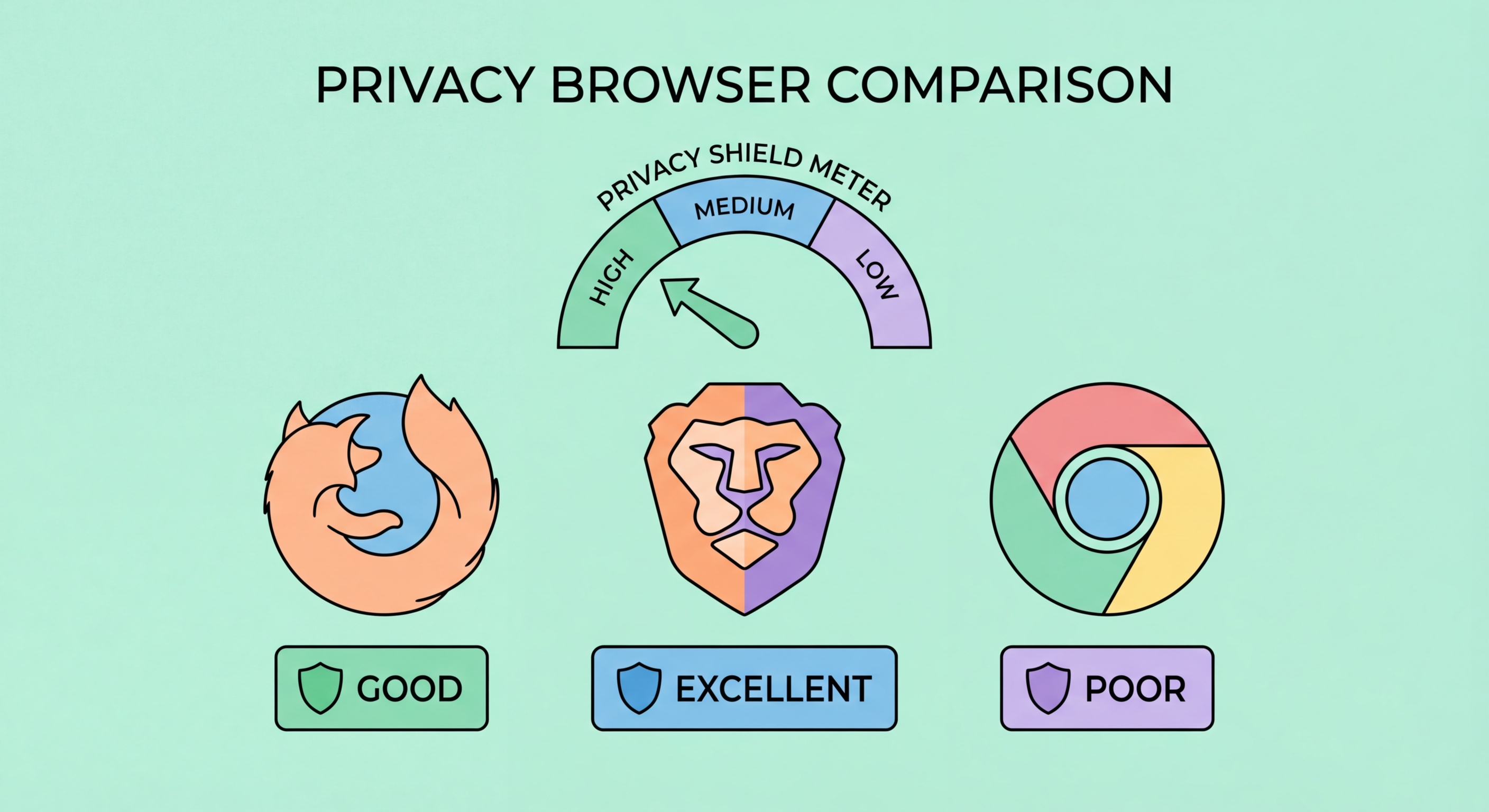
Brave is our top recommendation Hong Kong Businesses: Implementation Guide">for Hong Kong Online Banking: What You Need to Know">for Hong Kong Online Banking: A Complete Guide">for Hong Kong SMEs: Where to Start">for Hong Kong users who want strong privacy protection without sacrificing the convenience and site compatibility of a Chromium-based browser. Built on the same engine as Google Chrome, Brave is compatible with the vast majority of Chrome extensions and works seamlessly with every major website and web application. The crucial difference is that Brave blocks ads, tracker ↗s, cross-site cookies, and browser fingerprinting attempts by default — no extensions required, no configuration needed for most users.
Brave Shields, the browser's built-in protection system, operates at a level that would require several extensions to replicate in Chrome. On a typical Hong Kong news website or e-commerce platform, Brave Shields blocks dozens to hundreds of tracking requests per page load, reducing both privacy exposure and page load time simultaneously. Brave also includes a built-in VPN (paid), Tor integration in private windows, and a privacy-focused search engine called Brave Search, making it a comprehensive privacy platform rather than just a browser.
For Hong Kong users specifically, Brave's fingerprinting randomisation is particularly valuable. Unlike browsers that attempt to reduce your fingerprint by standardising values, Brave slightly randomises the data it exposes to websites on each session, making it significantly harder for trackers to link your browsing across different sessions or websites. Combined with Brave's built-in ad blocking and its use of HTTPS-by-default, this makes Brave the most comprehensively protected out-of-the-box browser available in 2026.

Firefox remains the strongest choice for privacy-focused power users who want maximum control over their browser's behaviour and access to the full capabilities of extensions like uBlock Origin. Mozilla's browser is built on its own Gecko engine, independent of Google's Chromium project, which is significant because it means Firefox's development priorities are not influenced by Google's advertising business interests. Mozilla's revenue comes primarily from search partnerships rather than advertising surveillance, making Firefox's privacy incentives more genuinely aligned with users.
Firefox's Enhanced Tracking Protection (ETP) in Strict mode blocks a broad range of cross-site tracker ↗s, social media tracking pixels, fingerprinting scripts, and cryptomining scripts out of the box. When combined with uBlock Origin — which works best in Firefox because Mozilla still supports Manifest V2, the extension API that allows uBlock Origin's most powerful blocking capabilities — Firefox provides exceptional tracker coverage. The Firefox Multi-Account Containers extension enables sophisticated session isolation, allowing you to maintain separate cookie jars for different activities and websites.
For Hong Kong users interested in maximum configuration, Firefox's about:config allows deep customisation of privacy settings that are not exposed through the standard interface. Settings like resistFingerprinting, network.cookie.cookieBehavior, and privacy.trackingprotection.fingerprinting.enabled can be fine-tuned to significantly harden Firefox beyond its already strong defaults. Mozilla also releases a hardened Firefox configuration called the "arkenfox user.js" project, which provides a comprehensive, community-maintained set of privacy settings for advanced users.

The Tor Browser is the strongest available tool for online anonymity, routing your traffic through a network of volunteer-operated relays that obscure the origin, destination, and content of your connections from any single observer. For journalists, activists, and individuals with serious threat models, Tor provides a level of anonymity that no other browser can match. All Tor Browser users present an identical fingerprint to websites, making individual identification through fingerprinting effectively impossible. Cookies and site data are deleted automatically at the end of every session.
The trade-off with Tor is speed. Because traffic is routed through multiple relays — typically three — page load times are significantly slower than a standard browser, often 5–20 seconds for initial connections to sites. Tor is therefore best suited for specific high-sensitivity browsing tasks rather than everyday use. For Hong Kong users, Tor's ability to access .onion hidden services and its built-in bypass of many forms of internet filtering makes it a valuable tool in specific contexts even if it is not a daily driver.
LibreWolf is a Firefox fork that ships with the arkenfox privacy configuration pre-applied, along with uBlock Origin pre-installed and many telemetry and data collection features removed. It is an excellent choice for users who want maximum Firefox privacy hardening without the manual configuration work. LibreWolf sacrifices some convenience — sync features are disabled, and some sites may behave unexpectedly with strict settings — but provides Firefox-based privacy protection at a level that rivals or exceeds Brave for technically minded users who understand the trade-offs involved.

Google Chrome is the world's most popular browser by far, but it is one of the worst choices for privacy-conscious users. Chrome sends extensive telemetry to Google, integrates tightly with Google Account data, and — as Google has progressively restricted Manifest V2 extensions — has become increasingly hostile to powerful ad blockers. Chrome's transition to Manifest V3 extensions significantly limits the blocking capabilities of uBlock Origin, making Chrome a poor choice for anyone who cares about tracker blocking effectiveness. Microsoft Edge shares many of these concerns, adding its own telemetry and data collection on top of Chromium.
Safari is a better privacy choice than Chrome for iPhone and Mac users, as Apple has invested in Intelligent Tracking Prevention (ITP) and does not monetise user data through advertising. However, Safari is only available on Apple devices, lacks the extension ecosystem of Firefox and Chrome, and Apple is not immune to government data requests for iCloud data. For Hong Kong users on iPhone who do not want to switch browsers, enabling Safari's Advanced Tracking and Fingerprinting Protection is a worthwhile improvement over the defaults.
When choosing a browser, consider your threat model. For most Hong Kong users — concerned about commercial tracking and ISP surveillance but not facing state-level threats — Brave provides the best combination of protection, convenience, and site compatibility. Users who want more control and are comfortable with some configuration should choose Firefox. Those facing higher-risk situations should consider LibreWolf or Tor Browser for sensitive tasks. Whichever browser you choose, enabling DNS-over-HTTPS and installing uBlock Origin will dramatically improve your privacy compared to out-of-the-box defaults.
