What Is a Proxy Server? The Complete Guide
A proxy server acts as a gateway between your device and the internet, routing your requests through an intermediary to mask your IP address and control access to online content.
Published: March 29, 2026
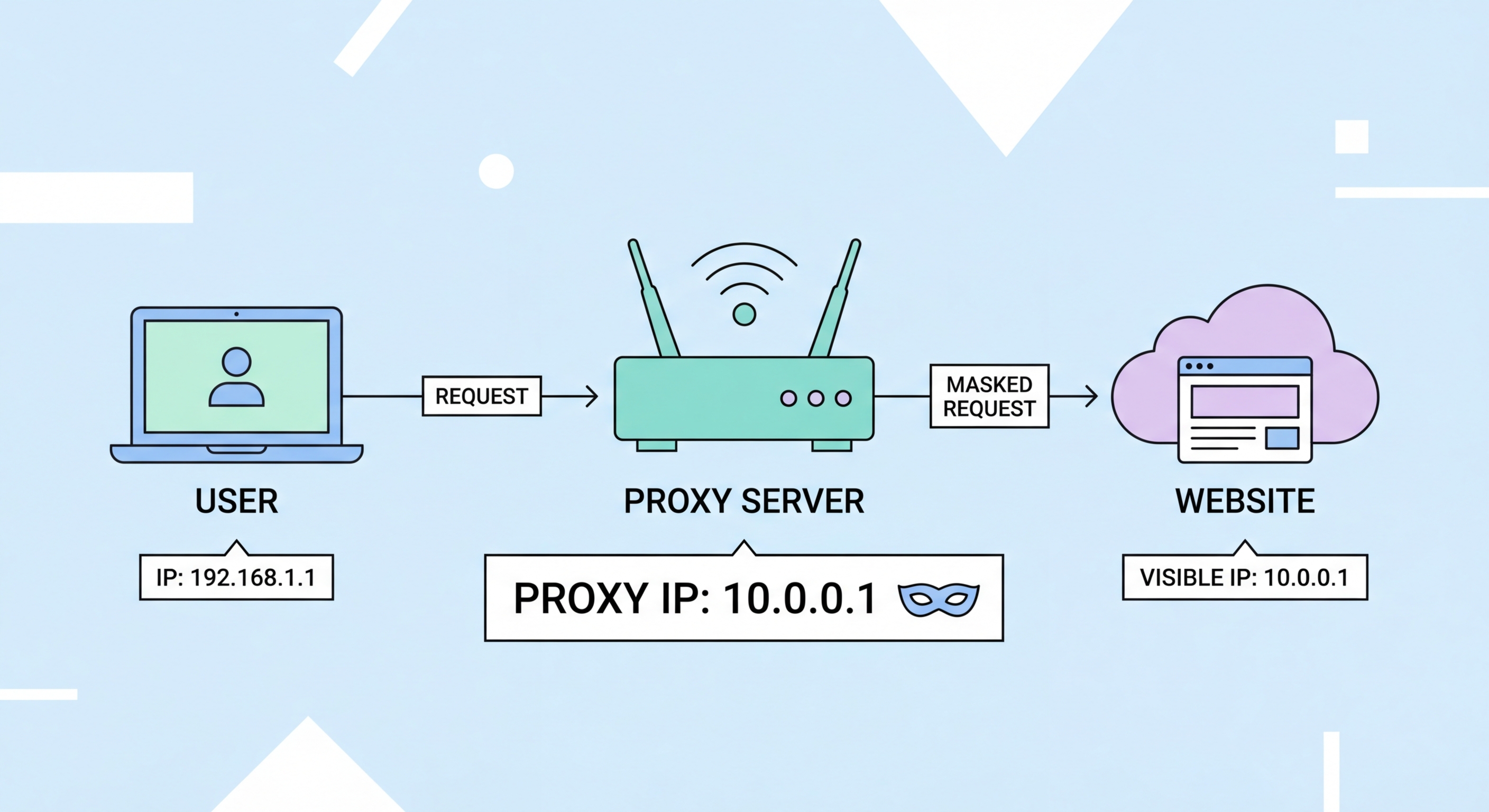
A proxy server acts as a gateway between your device and the internet, routing your requests through an intermediary to mask your IP address and control access to online content.
Published: March 29, 2026
A proxy server is a computer system or application that sits between your device and the internet, acting as an intermediary for all your web requests. When you type a URL into your browser, instead of your device connecting directly to that website's server, the request first goes to the proxy. The proxy then makes the request on your behalf, receives the response, and forwards it back to you. From the perspective of the destination website, the request came from the proxy server's IP address, not yours.
This seemingly simple routing change has profound implications. It means the website never learns your real IP address, which is the digital equivalent of your home address on the internet. It also means the proxy can inspect, filter, cache, or modify traffic as it passes through — capabilities that make proxies invaluable for everything from corporate network security to large-scale web data collection.
The word "proxy" comes from the legal term for someone authorised to act on behalf of another person. That etymology is fitting: a proxy server acts on behalf of your device, making requests to the internet in your name. Unlike a VPN, which encrypts all traffic at the operating system level, a proxy typically operates at the application level — usually just your web browser — and adds no additional encryption beyond what HTTPS already provides.

Proxy servers predate the modern web. In the early 1990s, as the internet began expanding beyond academic institutions, bandwidth was scarce and expensive. Network engineers at universities and corporations began deploying proxy caches — servers that stored copies of frequently accessed web pages so that multiple users could retrieve them locally rather than fetching the same content repeatedly from distant servers. The first widely deployed caching proxy was CERN httpd, created at the same Swiss lab that invented the World Wide Web itself.
As internet access became more widespread in the late 1990s and 2000s, proxy servers evolved from bandwidth-saving tools into access control mechanisms. Corporations deployed them to block employees from visiting non-work websites. Schools used them to filter inappropriate content. Governments in some countries used them as censorship tools, blocking access to politically sensitive websites at the national ISP ↗ level.
The modern proxy industry emerged in the 2010s as businesses discovered the commercial value of web data. Companies like Bright Data (then Luminati) pioneered the concept of residential proxy networks — pools of millions of real consumer IP addresses that could be rented by businesses for data collection without triggering website anti-bot measures. Today, the commercial proxy market is valued at over $3 billion annually and continues to grow rapidly, driven by the explosion of e-commerce, digital advertising, and AI training data requirements.

The term "proxy server" encompasses a remarkably diverse range of technologies. At the most basic level, proxies are categorised by their anonymity level: transparent proxies pass your real IP along with requests and offer no privacy; anonymous proxies hide your real IP but identify themselves as proxies; elite (or high-anonymity) proxies hide both your real IP and their own proxy status, making you appear as a regular internet user. For most privacy use cases, only elite proxies provide meaningful anonymity.
IP source is the second major axis of classification. Datacenter proxies use IP addresses assigned to commercial server infrastructure — they're fast, cheap, and available in vast quantities, but many websites recognise and block datacenter IP ranges. Residential proxies use IP addresses assigned by ISP ↗s to real home broadband users — they're trusted by websites as legitimate consumer traffic and are much harder to block, but are significantly more expensive. Mobile proxies use IP addresses from mobile network carriers and are the most trusted and hardest to detect type available.
Protocol type is the third dimension. HTTP proxies handle only web traffic over port 80. HTTPS proxies add support for encrypted TLS connections on port 443. SOCKS proxies — particularly the SOCKS5 standard — are protocol-agnostic: they can handle any type of TCP or UDP traffic, making them suitable for applications like torrent clients, game launchers, VoIP software, and custom scripts that don't speak HTTP.

Proxies are the right tool when you need to manage IP addresses at scale, route traffic through specific geographic locations, or integrate intermediary routing into scripts and automation pipelines. For a business running thousands of concurrent data collection requests across different websites, proxies are the only practical solution — no other technology provides the combination of scale, geographic specificity, and per-request IP rotation that commercial proxy networks offer.
For individual users, the choice between a proxy and a VPN usually comes down to what you're trying to achieve. If you want to unblock a specific website in your browser while leaving everything else on your device unaffected, a browser-level proxy or proxy extension does this cleanly and quickly. If you need to torrent files privately, a SOCKS5 proxy configured in your torrent client protects that specific application. If you want comprehensive privacy protection for all your device's traffic with encryption, a VPN is the better choice.
Be cautious about the many situations where proxies are the wrong tool. For accessing corporate networks remotely, a VPN is required — proxies do not provide Does a VPN Work? Inside the Tunnel">the tunnel-and-encrypt capability needed for secure remote access. For activities requiring strong anonymity where metadata is sensitive, proxies without encryption leave significant footprints that determined adversaries can trace. And free proxy services should be avoided entirely, as most monetise their users' traffic data.
