Juice Jacking: Why Public USB Charging Is a Security Risk

The hidden danger in charging stations at Hong Kong airports, MTR stations, and shopping malls — how juice jacking works, why USB ports are different from power sockets, and how to protect yourself.

Juice jacking public USB charging security risk
1What Is Juice Jacking

What Is Juice Jacking and How Does It Work?

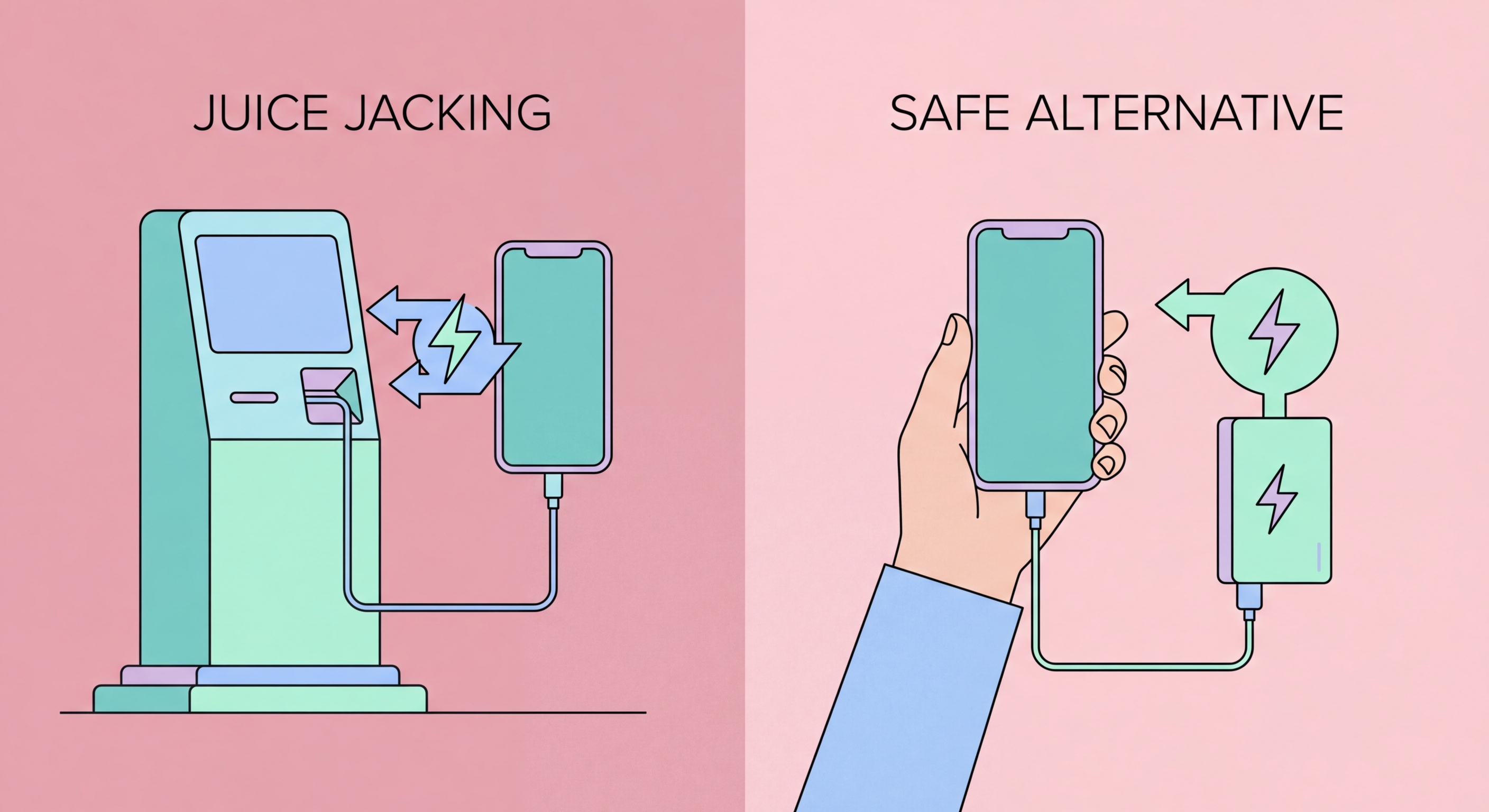
Juice jacking is a cyberattack that exploits the dual-purpose nature of USB ports. Unlike a standard electrical power socket that only transfers electricity, a USB port transfers both power and data simultaneously over the same physical connector. When you plug How to Spot and Avoid Attacks on Your Phone">your phone into a public USB charging station, the port can simultaneously charge your device and communicate with it as a data connection — and if that charging station is malicious or has been compromised, it can attempt to access your phone's data or install malware.

The attack vector is deceptively simple. A threat actor modifies or replaces a standard USB charging station with one that contains hidden hardware capable of either exfiltrating data from connected devices or injecting malicious payloads. The hardware can be concealed within what appears to be a completely normal charging station — the USB cable slot looks identical, the charging proceeds normally, and the victim sees nothing to indicate anything is wrong. The attack can occur in seconds, completing data exfiltration before the victim even notices their phone has fully charged.

Two variants of juice jacking exist. The first — data theft — involves the malicious station querying the connected device for files: contacts, photos, messages, documents, and authentication tokens stored in accessible file system locations. The second — malware installation — involves pushing malicious software to the device, which can then operate persistently after the device is disconnected from the charging station. On both iOS and Android, modern protections require user consent for data transfers, but vulnerabilities in these systems have been exploited in the past.

  • USB transfers both power and data: Unlike a standard power outlet, every USB port can communicate with connected devices — this is why charging via USB is risky.
  • Invisible attack: The compromised charging station looks and functions exactly like a legitimate one — you'll charge normally with no visible indication of attack.
  • Two attack types: Data exfiltration (stealing files, contacts, photos) and malware injection (installing persistent software on the device).
  • Speed of attack: Automated tools can exfiltrate significant amounts of data in seconds — faster than a typical charging session.
  • High-risk locations: Airports, transit stations, hotel lobbies, shopping mall charging areas, and public co-working spaces are preferred targets due to high victim volume.
  • Malicious cables: Specially modified USB cables (like the O.MG Cable) can perform juice jacking attacks even when used with legitimate charging equipment.
See all mobile threats facing HK users →
How juice jacking attacks work
2Platform Protections

How iOS and Android Protect Against Juice Jacking

Both Apple and Google have implemented protections against USB-based attacks, though the comprehensiveness of these protections varies. On modern iPhones running iOS 11.4.1 and later, USB Restricted Mode prevents any USB accessories from accessing data if the iPhone has been locked for more than one hour. This means that a malicious charging station cannot perform a data transfer attack as long as your phone has been locked for at least an hour before being plugged in. The station can still charge the device but cannot communicate with it as a data connection.

iOS's "Trust This Computer?" prompt provides an additional layer. When you connect an iPhone to any USB device with data capability (including computers), iOS displays a prompt asking whether you trust the connected device. Selecting "Don't Trust" (or simply ignoring the prompt) blocks all data transfer while allowing charging to continue. Critically, if you've previously trusted a computer and its trust certificate hasn't expired, that device retains data access automatically — review trusted devices in Settings → General → Transfer or Reset iPhone → Reset → Reset Location & Privacy periodically.

Android provides similar protections. When connecting via USB, Android defaults to "Charging Only" mode — the USB connection does not enable data transfer by default. To enable data transfer (MTP), the user must explicitly select it in the notification that appears when plugged in. However, older Android versions (prior to Android 6) defaulted to data transfer mode, and some Android implementations have had vulnerabilities that allowed data access to bypass the user consent requirement. Keeping Android updated is therefore essential to maintaining these protections.

  • USB Restricted Mode (iOS): Verify it's enabled at Settings → Face ID & Passcode → "USB Accessories" toggle — should be OFF (restricts USB data access).
  • Don't Trust unknown connections: If your phone prompts "Trust This Computer?" when connected to a public charger, always select "Don't Trust."
  • Android charging-only mode: When connecting to USB, verify the notification shows "Charging" not "File Transfer" — tap to change if needed.
  • Trusted devices list (iOS): Periodically reset your trusted devices list to prevent old authorisations from being exploited.
  • Keep OS updated: USB data protection vulnerabilities are patched in OS updates — outdated devices may lack current protections.
  • Lockdown Mode (iOS): When enabled, Lockdown Mode blocks all USB accessories unless the device is unlocked — the strongest available USB protection.
Configure USB security settings on iPhone →
iOS Android USB data protection
3Risk Locations in Hong Kong

Where Juice Jacking Is Most Likely in Hong Kong

While no location is definitively confirmed to have active juice jacking stations in to Do If Your Phone Is Lost or Stolen in Hong Kong">Hong Kong, the environments that present the highest risk — based on attack feasibility, victim volume, and documented attack patterns globally — are international transit points, major shopping malls, and tourist areas. Hong Kong International Airport handles tens of millions of passengers annually and has numerous public USB charging stations in departure lounges, terminal connectors, and transit zones. Travellers are frequently low-battery and under time pressure, making them less likely to question public charging options.

MTR station charging facilities, available at various stations, are another environment to be cautious about. The MTR system handles approximately five million journeys per day, giving any compromised station extraordinary exposure to potential victims. While the MTR Corporation maintains its infrastructure, any publicly accessible USB port — whether installed by the venue or added unofficially — represents a potential attack surface. The same applies to charging stations in libraries, community centres, and government facilities that are accessible to the general public.

Hotel rooms present a subtler risk. Many modern hotel rooms include USB charging ports built into the bedside lamp, desk lamp, or power strip. These ports are part of the hotel's installed infrastructure and could theoretically be modified by someone with access to the room's electrical systems. Business travellers who frequently stay in different hotels and charge overnight should be particularly aware of this risk. The safest habit is to always use the standard wall power outlet with your own charger, or carry a power bank as the primary charging method.

  • HKIA and cruise terminals: High passenger volume, multiple public USB charging stations in departure and arrival areas — highest risk of targeted installations.
  • MTR charging stations: Millions of daily commuters using transit-area charging infrastructure make MTR stations attractive targets for juice jacking.
  • Major shopping malls: Times Square, IFC Mall, Pacific Place, and Harbour City all have public charging areas that could be targeted in a high-traffic attack.
  • Hotel USB ports: Built-in bedside USB ports in hotel rooms may be compromised — use wall power outlets and your own charger when possible.
  • Co-working spaces: Public co-working spaces and business centres with communal USB ports are also medium-risk environments.
  • Rental power banks: Third-party power bank rental services (common in mainland China) represent a specific risk — a rented power bank could contain offensive hardware.
Protect all your mobile connections with a VPN →
Juice jacking risk locations Hong Kong
4Prevention

How to Protect Yourself from Juice Jacking

The most effective protection against juice jacking is simple: never plug your phone into a public USB port for charging. Instead, carry a portable power bank of sufficient capacity for your travel needs. A modern 10,000 mAh power bank will charge most smartphones two to three times and weighs less than 200 grams — small enough to fit in any bag or jacket pocket. When you need to top up from a public power source, plug your personal charger adapter into a standard AC power outlet rather than a USB port.

If avoiding public USB ports entirely isn't practical for your situation, use a USB data blocker — a small pass-through adapter that sits between your cable and the USB port. A data blocker (sometimes called a USB condom or charge-only adapter) physically connects only the power pins of the USB connector, disconnecting the data lines entirely. This allows electricity to flow for charging while making it physically impossible for data to be transferred in either direction. Data blockers cost approximately HK$30–100 and are available at electronics shops throughout Hong Kong and online.

Additionally, review your device settings to maximise USB security. On iPhone, ensure USB Restricted Mode is enabled (Settings → Face ID & Passcode → USB Accessories should be disabled/toggled off). Always select "Don't Trust" if your phone displays a trust prompt when plugged into any unfamiliar device. On Android, check that your USB preference defaults to "Charging only" at Settings → Connected Devices → USB. These software protections combined with a data blocker provide robust defence against juice jacking attacks.

  • Carry a power bank: The ultimate protection — a good quality power bank means you never need to rely on public USB charging.
  • Use AC power outlets: Plug your own charger adapter into a standard wall outlet rather than using USB charging stations.
  • USB data blocker: An inexpensive adapter that passes power but blocks all data lines — use one whenever public USB charging is unavoidable.
  • USB Restricted Mode (iOS): Confirm the setting is active — this prevents data transfer via USB when your phone has been locked for over an hour.
  • Always select "Don't Trust": If prompted to trust a connected device on your iPhone, always decline unless it's your own known computer.
  • Wireless charging: Where available, use wireless (Qi) charging pads instead of USB — wireless charging has no data connection capability.
Follow the complete smartphone security checklist →
Juice jacking prevention USB data blocker
One Data Blocker Can Prevent a Juice Jacking Attack

One Data Blocker Can Prevent a Juice Jacking Attack

A HK$50 USB data blocker provides complete physical protection against juice jacking — pair it with the software security settings in our guides for comprehensive defence.

Related VPN Articles