SOCKS5 Proxy Explained: The Most Versatile Proxy Protocol
SOCKS5 is the most capable and flexible proxy protocol available. It handles any type of internet traffic, supports authentication, and works with applications that HTTP proxies cannot.
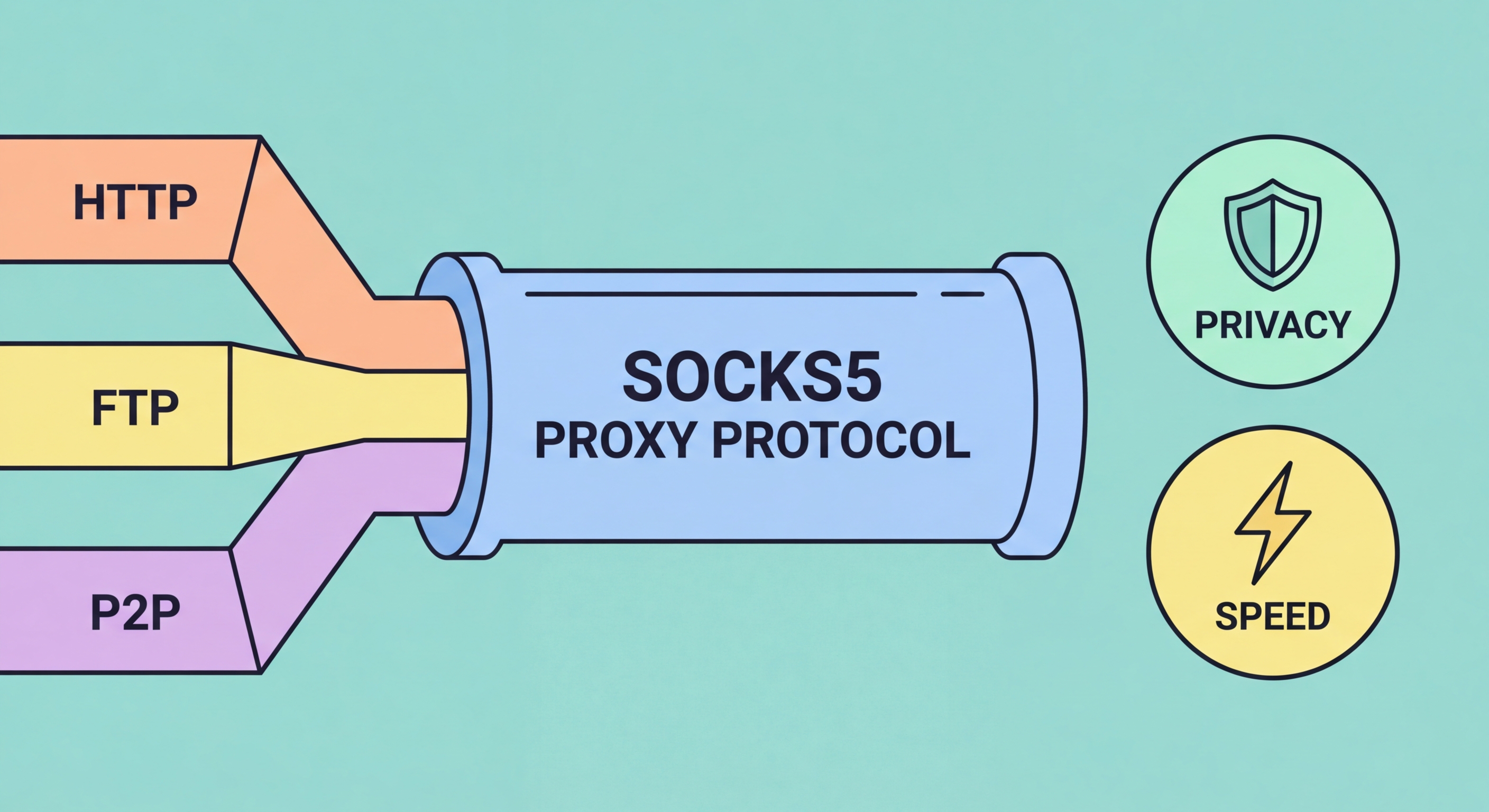
SOCKS5 is the most capable and flexible proxy protocol available. It handles any type of internet traffic, supports authentication, and works with applications that HTTP proxies cannot.
SOCKS stands for Socket Secure, a network protocol that routes network packets between a client and a server through a proxy server. The protocol was originally developed in the early 1990s at MIPS Computer Systems, with successive versions adding capabilities over time. SOCKS4 added TCP proxying; SOCKS4a added DNS resolution at the proxy; SOCKS5, defined in RFC 1928 and published in 1996, added UDP support, IPv6 compatibility, and built-in authentication — making it the definitive version still in widespread use today.
The key architectural difference between SOCKS proxies and HTTP proxies is that SOCKS operates at a lower level in the network stack. HTTP proxies understand HTTP and HTTPS — they can read, modify, and cache HTTP traffic because they speak the same application-layer protocol. SOCKS proxies operate at the session layer (Layer 5 of the OSI model) and are completely protocol-agnostic: they simply relay TCP connections or UDP datagrams between the client and destination without understanding the higher-level protocol being used.
This protocol-agnostic design is what makes SOCKS5 so versatile. Any application that can be configured to use a SOCKS proxy can have its traffic routed through it — not just web browsers, but email clients, torrent software, game clients, database connections, SSH sessions, and custom scripts. The proxy doesn't need to understand the protocol; it just needs to establish the connection and relay the data.

HTTP proxies are optimised for web traffic and can only handle protocols they understand — principally HTTP and HTTPS via the CONNECT method. They inspect HTTP headers, can modify requests and responses, and can cache content. For browsing the web, this is perfectly functional. But the moment you need to proxy traffic from a non-HTTP application, HTTP proxies fail. A BitTorrent client, an IMAP email connection, a game using a custom UDP protocol — none of these can be routed through an HTTP proxy.
SOCKS5 handles all of these transparently. A SOCKS5 proxy doesn't care whether you're making an HTTP request, initiating a BitTorrent peer connection, or running a custom application protocol. It establishes the requested TCP connection (or UDP association) and relays data bidirectionally until the connection closes. This makes SOCKS5 proxies the standard choice for torrent clients, gaming clients, and any non-browser application that needs proxy support.
There is one important trade-off: SOCKS5's protocol agnosticism means it cannot cache content or intelligently filter requests in the way HTTP proxies can. For a corporate filtering proxy that needs to block specific websites, an HTTP proxy is more appropriate. For an individual user routing specific applications through a specific IP address for privacy or geographic purposes, SOCKS5 is usually the superior choice. Most commercial proxy providers offer both types, and many premium services offer SOCKS5 alongside HTTP/HTTPS options.

Torrenting involves the BitTorrent protocol, which uses a complex mix of TCP connections (to trackers and peer exchange) and UDP communications (DHT network announcements and some client implementations). An HTTP proxy can't handle UDP at all, making it incompatible with BitTorrent. A SOCKS5 proxy handles both TCP and UDP natively, making it the standard recommendation for users who want to torrent privately without the overhead of a full VPN connection.
Major torrent clients including qBittorrent, Deluge, and uTorrent all include built-in SOCKS5 proxy configuration. When configured, the client routes all its peer connections through the SOCKS5 proxy, so other BitTorrent peers and trackers see the proxy's IP address rather than yours. Importantly, because the proxy configuration is per-application, your other internet activity continues directly without the proxy overhead — only torrent traffic is affected.
For streaming, SOCKS5 proxies can work within applications that support them, but most video streaming services (Netflix, Disney+, YouTube) are accessed through web browsers rather than standalone apps that support SOCKS5 directly. Streaming through an HTTP or HTTPS proxy configured in a browser is more practical for most users. That said, some streaming clients and IPTV applications do support SOCKS5, and for these, a SOCKS5 proxy can provide geographic access to region-locked content efficiently without requiring a VPN subscription.

SOCKS5's built-in authentication support is one of its practical advantages over SOCKS4. When you purchase a SOCKS5 proxy from a commercial provider, you'll typically receive an IP address, a port number, a username, and a password. The authentication step ensures that only authorised clients can use the proxy — preventing abuse and protecting the provider's IP addresses from unauthorised use. Some providers use IP whitelisting instead of username/password, allowing connections only from pre-authorised client IPs.
Configuring SOCKS5 in most applications is straightforward. In qBittorrent, navigate to Tools → Options → Connection and enter the proxy details. In Firefox, go to Settings → General → Network Settings and select Manual proxy configuration. In Python scripts using the requests library, you can specify a SOCKS5 proxy via the proxies parameter, though you'll need to install the requests[socks] extra package. In curl, use the --socks5 flag followed by host:port.
One critical configuration detail is DNS resolution mode. By default, some applications resolve DNS locally and then send the IP address to the SOCKS5 proxy — this creates a DNS leak where your actual DNS server logs the domain names you've visited even though the connection itself is proxied. Configure your application to use "remote DNS" or "proxy DNS" mode (called "Proxy DNS when using SOCKS v5" in Firefox) so that DNS queries are resolved by the proxy server, not your local DNS resolver. This is especially important when using SOCKS5 for privacy purposes.
