What Is Phishing? The Complete Beginner's Guide

Phishing is the most common cyber threat in Hong Kong — responsible for billions in fraud losses each year. Understanding what it is and how it works is your first line of defence.

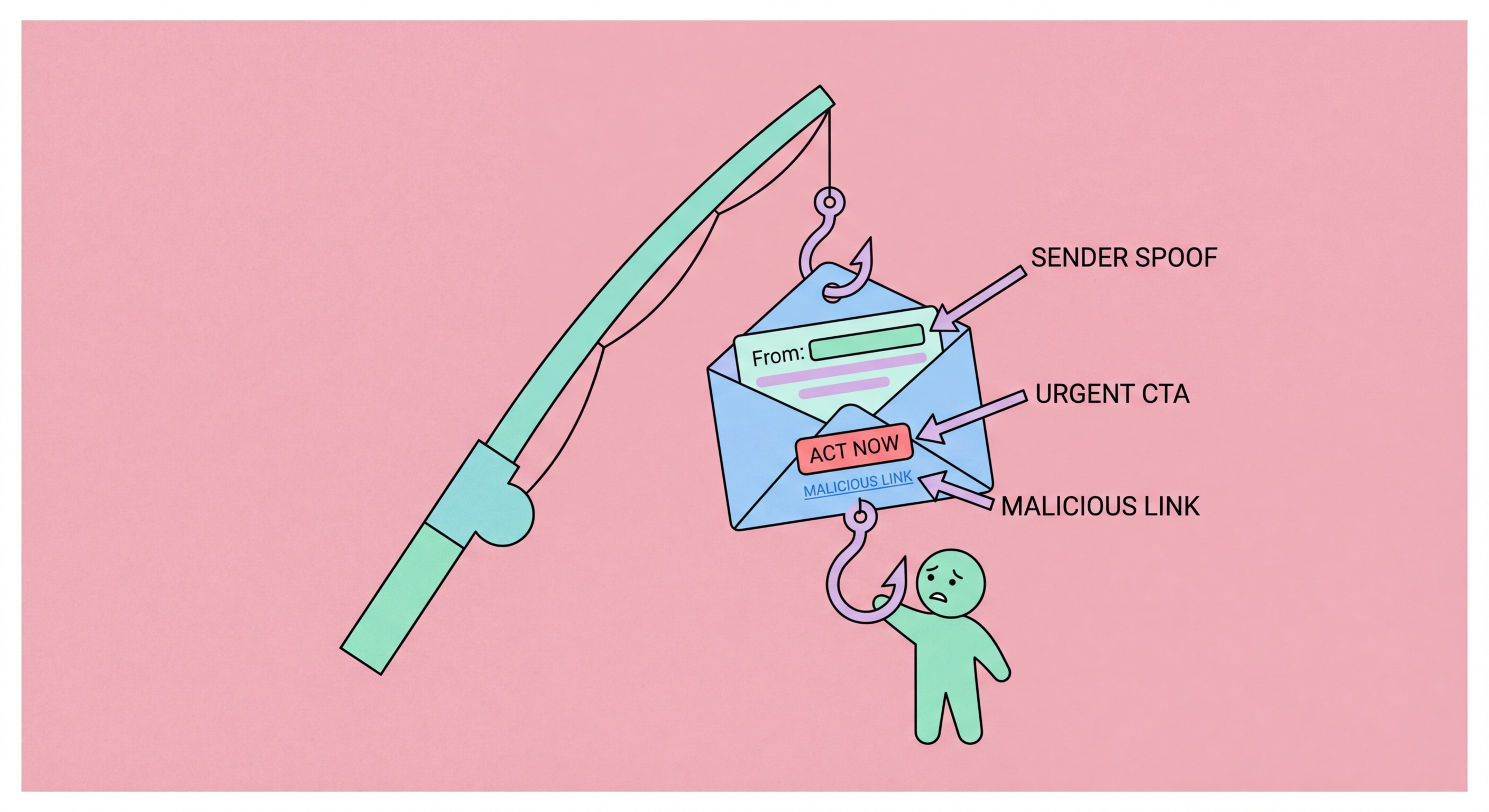
What is phishing attack illustration
1Definition

What Is Phishing? A Clear Definition

Phishing is a type of cyberattack in which criminals impersonate trusted entities — banks, government agencies, employers, delivery services, or friends and family — to deceive victims into revealing sensitive information, transferring money, or installing malware. The term originates from the analogy of "fishing" with bait: attackers cast deceptive messages at large groups of potential victims and wait for enough people to take the bait to make the campaign profitable.

Phishing attacks are delivered through multiple channels: email (the most traditional and still most common), SMS (smishing), phone calls (vishing), social media messages, QR codes, and increasingly through messaging apps like WhatsApp — which is particularly relevant in Hong Kong where WhatsApp is nearly universally used. Each channel has its own characteristics and typical attack patterns, but all share the fundamental mechanism of impersonation and deception.

Despite decades of security awareness campaigns, phishing remains the most successful initial attack vector in data breaches. The reason is simple: it targets human psychology rather than technical vulnerabilities. Emotions like fear (threat of arrest, account suspension, financial loss), urgency (immediate action required), authority (message from CEO, government, police), and greed (unexpected prize, investment opportunity) override careful thinking and drive victims to act before scrutinising the message's legitimacy.

  • Core mechanism: Impersonation of trusted entities to deceive victims into harmful actions
  • Delivery channels: Email, SMS, phone, social media, messaging apps, QR codes — multiple vectors
  • Targets psychology: Exploits fear, urgency, authority, and greed rather than technical weaknesses
  • Remains most effective: Despite awareness campaigns, phishing initiates the majority of successful breaches
  • Scales efficiently: Mass phishing campaigns cost little to execute but can reach millions of potential victims
  • HK prevalence: Tens of thousands of phishing reports to HKPF annually — a major and growing local threat
Learn to recognise phishing attempts →
Phishing definition and mechanism illustrated
2Types of Phishing

The Main Types of Phishing Attacks

Email phishing is the most common form and the one that gave the category its name. Attackers send bulk emails impersonating trusted organisations — banks, courier services, streaming platforms, government departments — containing links to fraudulent websites or malicious attachments. Mass phishing emails are sent to millions of addresses simultaneously; even a very low success rate across such numbers yields thousands of victims.

Spear phishing is the targeted version: attackers research specific individuals and craft personalised messages referencing their name, employer, colleagues, recent activities, or other personal details to make the attack more convincing. A spear phishing email might reference your company name, your manager's name, or a recent business transaction to build credibility. These attacks have much higher success rates than generic mass phishing and are typically used against higher-value targets — executives, IT administrators, financial controllers.

Smishing (SMS phishing) has surged in Hong Kong in recent years, with attackers sending messages impersonating banks (HSBC, Hang Seng, Bank of China), Octopus, MTR, government departments, and package delivery services. Vishing (voice phishing) involves phone calls from apparent government officials, bank fraud departments, or IT support. WhatsApp-based phishing is increasingly common in Hong Kong, where scammers impersonate friends, family members, and employers whose accounts have been compromised or whose numbers have been spoofed.

  • Email phishing: Mass emails impersonating trusted organisations — still the most common delivery mechanism
  • Spear phishing: Targeted, personalised attacks using researched personal information — higher success rate
  • Smishing: SMS phishing — increasingly prevalent in HK with fake Octopus, bank, and government messages
  • Vishing: Phone-based phishing — fake government officials, bank fraud departments, and IT support
  • WhatsApp phishing: HK-specific threat — impersonation of contacts via compromised or spoofed accounts
  • QR phishing: Malicious QR codes in physical locations — emerging HK threat in restaurants and retail
SMS phishing and smishing in Hong Kong →
Types of phishing attacks email SMS WhatsApp
3How Attacks Work

How a Phishing Attack Works Step by Step

Understanding the mechanics of a phishing attack demystifies how people are deceived and reveals the intervention points where attacks can be stopped. A typical email phishing attack begins with target selection: either mass sending to harvested email addresses (for bulk campaigns) or reconnaissance on specific targets (for spear phishing). Attackers use data brokers, social media, LinkedIn, and leaked breach databases to gather names, job titles, employers, and email addresses.

The phishing email is crafted to appear legitimate: it copies the visual design, logos, and language of the impersonated organisation. The sender address is spoofed or uses a domain that looks similar to the legitimate one (HSBC-secure.com vs. hsbc.com; hsbcbank.hk vs. hsbc.com.hk). The message creates urgency — your account will be suspended, a payment is due, suspicious activity has been detected, you have won a prize. It directs the recipient to click a link or open an attachment.

The phishing link takes the victim to a spoofed website that mimics the legitimate site's appearance. The URL may use typosquatting (homg.hk vs. hkma.gov.hk), subdomain tricks (hsbc.com.phishing-site.com), or URL shorteners to disguise the true destination. The victim enters their credentials, which are captured by the attackers and either used immediately or sold. Some phishing sites also silently deliver malware during the visit, even without any user interaction beyond clicking the link.

  • Target selection: Email harvesting or specific target research — both approaches are inexpensive and scalable
  • Email crafting: Visual mimicry of trusted brands, spoofed sender addresses, urgency triggers
  • Domain spoofing: Lookalike domains using typosquatting, subdomains, or URL tricks to deceive URL inspection
  • Fake website: Pixel-perfect clones of legitimate sites — modern phishing kits automate entire site creation
  • Credential capture: Login forms submit credentials to attacker-controlled servers rather than the legitimate service
  • Malware delivery: Many phishing sites also silently deliver malware as a secondary payload
How to detect spoofed email senders →
How a phishing attack works step by step
4Your Defences

Building Your Defences Against Phishing Attacks

Effective phishing defence combines human awareness with technical tools. The awareness component means developing habits: scrutinising sender addresses on important emails, hovering over links to preview the actual destination URL before clicking, treating unexpected requests for credentials or financial information with scepticism regardless of how official they appear, and verifying unexpected requests through an independent channel (call back on a known-good number rather than a number provided in the suspicious message).

Technical defences include enabling two-factor authentication on all accounts — so that even if credentials are phished, the attacker cannot access the account without the second factor; using a password manager whose auto-fill will only activate on the legitimate domain (preventing credential entry on lookalike sites); keeping software and browser up to date for the latest phishing site blocking lists; and enabling anti-phishing features in your email client or using a security-focused email service that filters phishing before delivery.

If you receive a suspicious message, do not click any links or download attachments. Verify the request through an official, independently obtained contact method — call your bank on the number on the back of your card, or check government communications through the official website you navigate to directly rather than through any link in the message. Report suspicious emails to your email provider and to HKCERT. Reporting helps protect others by getting phishing infrastructure taken down faster.

  • Verify senders: Check email addresses carefully — attackers use domains that differ by one character from legitimate ones
  • Preview links: Hover over links before clicking — the actual URL is often very different from the displayed text
  • Independent verification: Call on a known-good number — never use contact details provided in a suspicious message
  • Enable 2FA: Phished credentials cannot access accounts protected by TOTP or hardware key 2FA
  • Use a password manager: Auto-fill only activates on legitimate domains — protects against lookalike phishing sites
  • Report suspicious messages: hkcert.org/report and email provider's spam/phishing reporting — protects the whole community
Best anti-phishing tools for Hong Kong users →
Protection against phishing attacks in Hong Kong

Ready to Recognise and Avoid Phishing Attacks?

Understanding what phishing is gives you the foundation — learn the specific warning signs to look for in every type of attack.

Related VPN Articles