Public WiFi Security Risks: What You Need to Know

Every public WiFi network — whether at an MTR station, hotel, or coffee shop — carries real security risks. Understanding these threats is the first step to protecting yourself on Hong Kong's thousands of hotspots.

Public WiFi security risks in Hong Kong — coffee shop hotspot with hacker monitoring traffic
1Passive Surveillance

Eavesdropping and Passive Network Monitoring

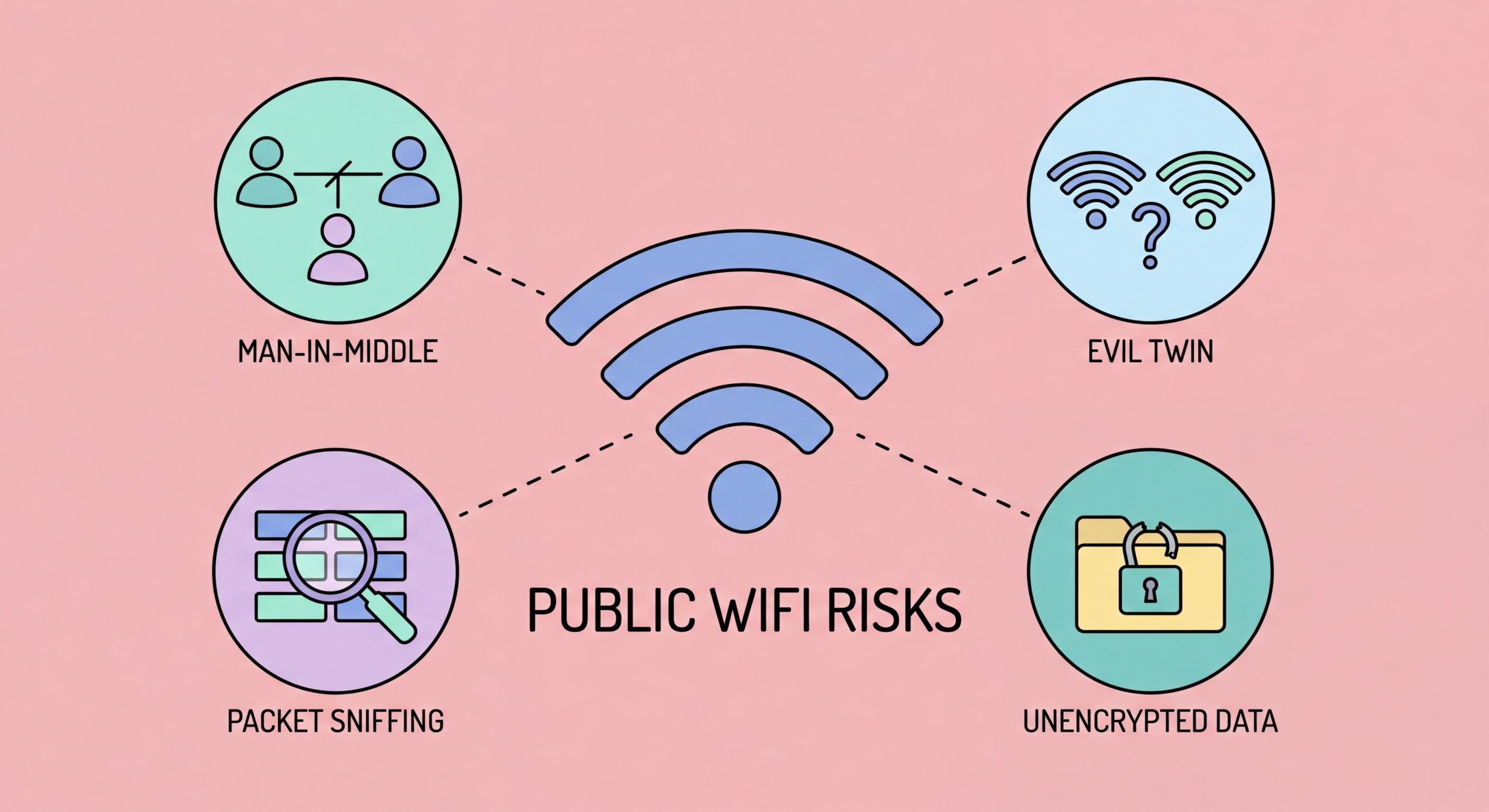
The most fundamental risk of public WiFi is that any device connected to the same network can potentially see the network traffic of other connected devices. On unencrypted or weakly encrypted networks, a device running freely available tools like Wireshark can capture and read all data packets sent over the network. This is called passive eavesdropping — the attacker simply listens without actively interfering, making it undetectable and completely silent from the victim's perspective.

The scope of what can be captured depends on how the services you use implement encryption. Modern websites using HTTPS encrypt your data end-to-end between your browser and the server, so an eavesdropper sees encrypted data they cannot read. However, DNS queries — the lookups your device makes to convert website names like "bank.com" into IP addresses — have historically been unencrypted and visible to network monitors even when you are visiting HTTPS sites. This means an eavesdropper can see which websites you visit even without reading the content of those visits.

HTTP (non-HTTPS) websites transmit all data in plaintext. While the web has largely moved to HTTPS, some websites, local services, and legacy applications still use HTTP. On a public WiFi network, any HTTP traffic you generate — including form submissions, login credentials, and page content — is entirely readable. HTTP sites also remain vulnerable to SSL stripping attacks, where a man-in-the-middle downgrades your HTTPS connection to HTTP without your awareness. A VPN addresses all these vulnerabilities by encrypting all traffic at the network layer before it ever reaches the public WiFi network.

  • Passive sniffing: Wireshark and similar tools capture all unencrypted traffic silently and invisibly
  • DNS exposure: Even on HTTPS sites, your DNS queries (which domains you visit) may be visible
  • HTTP plaintext: Any HTTP site transmits credentials, forms, and content in readable plaintext
  • SSL stripping: MITM attacks can downgrade HTTPS connections to HTTP without your knowledge
  • Session cookies: Captured cookies can be replayed to hijack your logged-in sessions
  • VPN protection: End-to-end encryption at the network layer makes all traffic unreadable to eavesdroppers
Learn how a VPN encrypts your public WiFi traffic →
Network eavesdropping on public WiFi with packet sniffing tools
2Active Attacks

Man-in-the-Middle, ARP Spoofing, and Active WiFi Attacks

Active attacks go further than passive eavesdropping — the attacker inserts themselves into the communication between your device and the internet. The most common technique on local networks is ARP (Address Resolution Protocol) spoofing. ARP is a network protocol that maps IP addresses to physical MAC addresses on a local network. An attacker can send fake ARP messages claiming that their device's MAC address corresponds to the gateway's IP address, causing all devices on the network to route their traffic through the attacker's machine before forwarding it to the real gateway. This is called a man-in-the-middle (MITM) attack.

Once positioned as a man-in-the-middle, the attacker can inspect all traffic passing through their device, inject malicious content into web pages, steal session cookies to hijack logged-in sessions, perform SSL stripping to downgrade HTTPS connections, and redirect users to phishing pages. MITM attacks are active and require some technical skill, but the tools to perform them (Ettercap, Bettercap, and similar) are freely available and widely documented. A moderately skilled attacker can set up an ARP spoofing MITM attack in minutes on an unsecured network.

DNS hijacking is another active attack common on rogue or compromised WiFi networks. Instead of forwarding your DNS queries to legitimate DNS servers, the network routes them to a DNS server controlled by the attacker. The attacker's DNS server returns malicious IP addresses for legitimate domain names — so when you type "hsbc.com.hk" in your browser, the network's DNS server returns an attacker-controlled server's IP address instead of HSBC's real server. You are seamlessly redirected to a convincing fake website that steals your credentials. HTTPS certificate warnings are the only browser-level protection against DNS hijacking, which is why you should always check SSL certificates and never proceed past browser security warnings.

  • ARP spoofing: Fake ARP messages redirect all network traffic through attacker's device
  • MITM positioning: Once in position, attacker can inspect, modify, or block any traffic
  • SSL stripping: MITM downgrades HTTPS to HTTP — steals credentials from "secure" logins
  • Session hijacking: Captured session cookies used to take over logged-in accounts
  • DNS hijacking: Rogue network returns malicious IP addresses for legitimate domains
  • Phishing redirect: DNS hijacking seamlessly redirects to convincing fake login pages
Read the detailed guide to man-in-the-middle attacks on WiFi →
Man-in-the-middle and ARP spoofing attack on public WiFi
3Rogue Networks

Evil Twin Attacks and Rogue Access Points

An evil twin attack creates a fake WiFi network that mimics a legitimate one. The attacker sets up a wireless access point broadcasting the same SSID (network name) as the legitimate network — for example, "CentralStation_WiFiHK" or "Pacific_Coffee_Free." If the attacker's signal is stronger than the legitimate network, nearby devices may automatically connect to the evil twin instead. If the device has previously connected to the real network, it may auto-reconnect to the evil twin without any user action, because it recognises the familiar network name.

Once you connect to an evil twin, the attacker controls your entire network connection. All your traffic — HTTPS or otherwise — passes through their equipment. While HTTPS protects the content of encrypted communications, the attacker can perform SSL stripping to prevent HTTPS upgrades, present fraudulent SSL certificates that trigger browser warnings (which many users ignore), and capture your DNS queries to see every site you attempt to visit. Evil twin attacks are particularly effective in high-traffic locations where legitimate free WiFi is expected: airports, MTR stations, hotels, and shopping malls in for Business Travellers: Protecting Corporate Data in Hong Kong">Hong Kong.

Rogue access points within corporate networks present a related but different threat. A rogue AP is an unauthorised wireless access point connected to a wired corporate network — potentially installed by a careless employee (a personal router brought to the office) or by a malicious insider. Rogue APs create wireless entry points into otherwise secure wired networks, bypassing all the network perimeter controls the organisation has implemented. For Hong Kong businesses, rogue AP detection (through wireless intrusion detection systems) is an important component of network security, particularly in open-plan office environments.

  • Evil twin mechanism: Fake network with identical SSID — devices may auto-connect
  • Stronger signal wins: Attackers use high-power antennas to override the legitimate network
  • Auto-connect risk: Saved networks auto-connect — previously known SSIDs are particularly dangerous
  • Total traffic control: All your traffic passes through the attacker's equipment
  • High-risk locations: MTR, HKIA, hotel lobbies, and shopping malls are prime evil twin targets
  • Defence: VPN eliminates the benefit of evil twin interception — all traffic is encrypted end-to-end
See the full guide to evil twin WiFi attacks →
Evil twin attack fake WiFi access point stealing data
4Risk Reduction

How to Reduce Your Public WiFi Risk Profile

The single most effective measure against all public WiFi risks is a VPN. By encrypting all traffic end-to-end before it reaches the public network, a VPN makes eavesdropping useless, MITM attacks yield only encrypted data, and evil twin attacks provide the attacker with nothing of value. A quality VPN running on your device effectively reduces even a hostile public WiFi network to a simple internet connection — the network can see that you are connected and how much data you are transferring, but cannot see the content of any of your communications.

Beyond a VPN, several configuration changes reduce your attack surface on public networks. Disable automatic WiFi connection on your phone and laptop — your device should not automatically join networks you have previously used without your explicit consent. On iPhones: Settings → WiFi → turn off "Auto-Join" for public networks. On Android: WiFi settings → turn off "Connect to open networks." On laptops: remove public WiFi networks from your saved networks list after use. Configure your device to use DNS over HTTPS (DoH) to prevent DNS query exposure even when you are not using a VPN.

For sensitive tasks, use your phone's mobile data connection rather than public WiFi entirely. Your 4G/5G connection is end-to-end encrypted at the network level, is not shared with other users, and is not susceptible to the MITM and evil twin attacks that affect shared WiFi networks. Many Hong Kong mobile plans include generous data allowances — using mobile data for sensitive tasks like banking, business email, and accessing sensitive files is not extravagant but is a meaningful security upgrade. Reserve public WiFi for general browsing where a VPN is active and you are not accessing sensitive accounts.

  • Use a VPN: Encrypts all traffic — renders eavesdropping, MITM, and evil twin attacks useless
  • Disable auto-connect: Prevent your device from automatically joining known network names
  • Forget old networks: Remove public WiFi networks from saved connections after each use
  • DNS over HTTPS: Prevents DNS query exposure — configure in browser or use a DoH-enabled VPN
  • Mobile data for sensitive tasks: Switch to 4G/5G for banking, business email, and file access
  • Verify network names: Ask staff for the exact network name before connecting — do not guess
See all 10 safe practices for public WiFi in Hong Kong →
Protection measures against public WiFi security risks

Protect Yourself on Every Public Network

Now you know the risks — learn the essential safe practices and how to use a VPN to protect yourself on any hotspot in Hong Kong.

Related VPN Articles