What Is Two-Factor Authentication? The Complete Guide

Two-factor authentication adds a critical second layer of security to your accounts. Even if attackers steal your password, they cannot get in without the second factor — only you have.

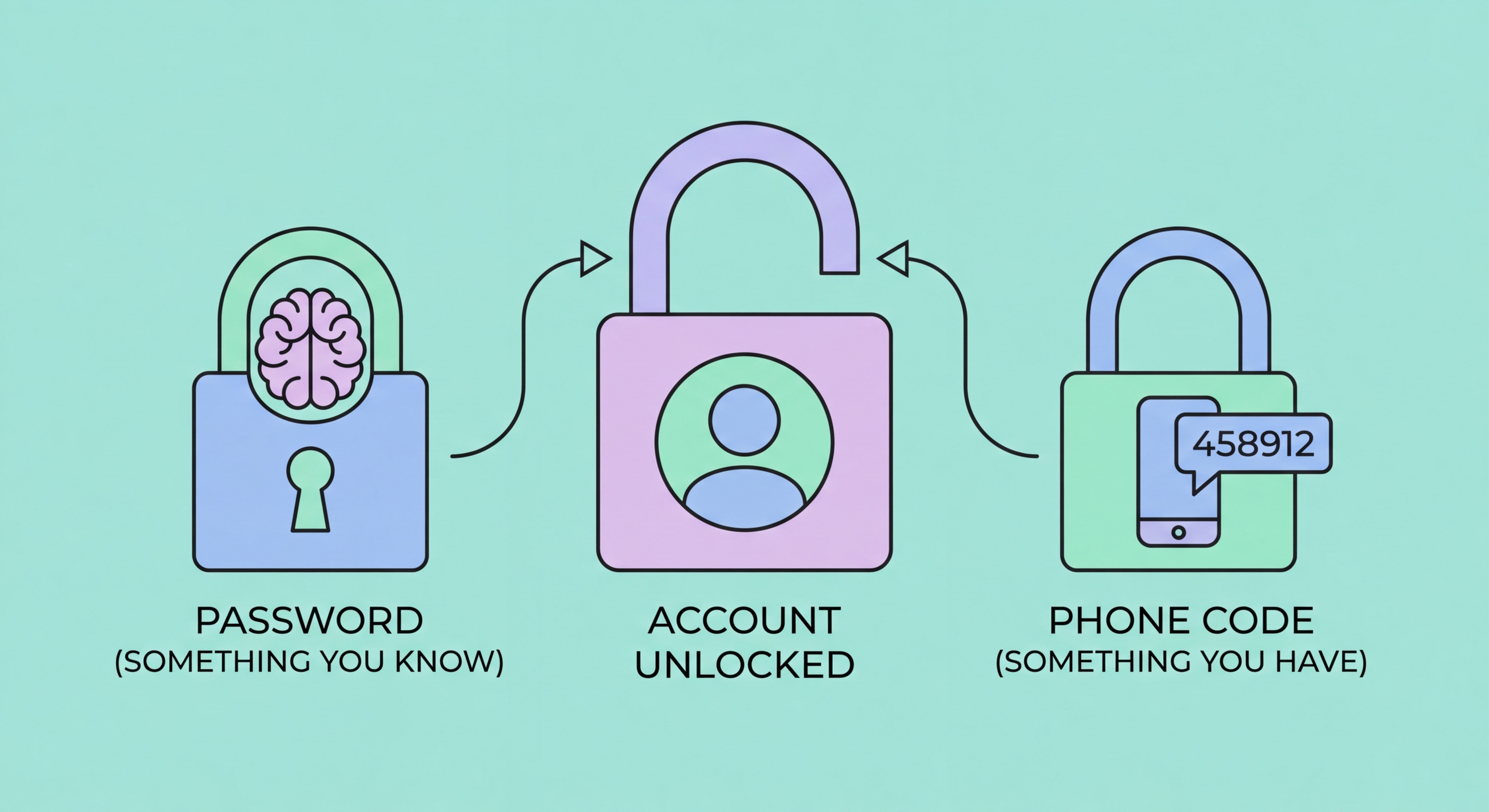
Two-factor authentication protecting an account with a second verification step
1What Is 2FA

The Definition: What Two-Factor Authentication Actually Means

Two-factor authentication (2FA) is a security process that requires you to provide two separate and distinct forms of identification before you can access an account or system. The concept is built on the idea that any single verification method — including a password — can be compromised, but requiring two independent factors simultaneously makes unauthorised access exponentially more difficult.

The three recognised categories of authentication factors are: something you know (a password, PIN, or security question), something you have (a smartphone, hardware token, or smart card), and something you are (a fingerprint, face scan, or other biometric). Two-factor authentication combines any two of these categories. The most common implementation pairs a password (something you know) with a code from to Spot and Avoid Attacks on Your Phone">your phone (something you have).

The term is often used interchangeably with "two-step verification" and falls under the broader category of multi-factor authentication (MFA). While technically distinct — 2FA specifically means exactly two factors, whereas MFA can mean two or more — in practice the terms describe the same experience for most users. What matters most is that you are adding a meaningful second barrier between attackers and your accounts.

  • Factor 1 — Something you know: A password, PIN, passphrase, or answer to a secret question
  • Factor 2 — Something you have: A one-time code from an authenticator app, SMS, or hardware key
  • Factor 3 — Something you are: Biometric data such as fingerprint or facial recognition
  • True 2FA: Requires factors from two different categories, not just two passwords
  • Not just two steps: Entering a password then a second password is not true 2FA
  • Near-universal support: Gmail, Facebook, banking apps, and thousands of services now support 2FA
See the technical mechanics of how 2FA generates codes →
2FA definition illustration showing two layers of security
2Why It Matters

Why Passwords Alone Are No Longer Enough

Passwords are fundamentally broken as a sole security mechanism. Every year, billions of account credentials are leaked through data breaches at major companies — from LinkedIn to Facebook to Adobe. These databases of stolen usernames and passwords are sold on dark web markets and used in automated "credential stuffing" attacks that try leaked credentials across thousands of websites simultaneously. If you reuse passwords — and studies show most people do — a breach of one service can cascade into account takeovers across your entire digital life.

Even strong, unique passwords are vulnerable to phishing attacks, where criminals create convincing fake login pages to steal your credentials directly. Sophisticated phishing pages now operate in real-time, instantly using your credentials to log in to the real service while showing you a fake error message. Without 2FA, there is nothing to stop this attack. With 2FA using an authenticator app, the attacker would also need access to your phone at the same moment — a dramatically harder challenge.

In Hong Kong specifically, cyberattacks have targeted banking customers, business email accounts, and government service portals. The Hong Kong Computer Emergency Response Team Coordination Centre (HKCERT) regularly reports on credential theft campaigns targeting HK residents. Enabling 2FA is the single most effective defensive step the average person can take — Microsoft research found that 2FA blocks over 99.9% of automated account compromise attacks.

  • Billions of stolen credentials: Have I Been Pwned lists over 12 billion leaked accounts
  • Credential stuffing attacks: Bots automatically test stolen passwords across thousands of sites
  • Real-time phishing: Attackers use your password immediately, but still need your second factor
  • Password reuse amplifies risk: One breach exposes all accounts using the same password
  • 99.9% attack prevention: Microsoft data shows 2FA stops almost all automated attacks
  • HK banking targets: HKCERT reports recurring credential attacks on Hong Kong financial accounts
Understand why SMS codes are the weakest form of 2FA →
Password breach statistics showing why 2FA is critical
32FA Methods

The Main Types of Two-Factor Authentication

SMS-based 2FA sends a one-time code to your mobile phone via text message. It's the most widely deployed form of 2FA and the easiest to set up. However, it has well-documented weaknesses: SMS messages can be intercepted through SS7 protocol vulnerabilities, and attackers can transfer your phone number to a device they control through SIM swapping — a social engineering attack that exploits telecoms customer service processes. SMS 2FA is better than no 2FA, but should be upgraded when possible.

Authenticator app 2FA uses the Time-based One-Time Password (TOTP) standard to generate six-digit codes that change every 30 seconds. These codes are generated entirely on your device using a shared secret established when you scan the setup QR code — they never travel through the phone network. This means no SIM swap attack can intercept them. Apps like Google Authenticator, Authy, and Microsoft Authenticator all use this standard and are interoperable with thousands of services.

Hardware security keys represent the gold standard of 2FA. Physical devices like YubiKey connect via USB or NFC and use public-key cryptography to authenticate you. Because the key cryptographically verifies that the website you're logging into is the genuine site, they are completely phishing-resistant — even if you're tricked into visiting a fake login page, the key will refuse to authenticate. Passkeys are an emerging software implementation of similar cryptographic principles, built into operating systems and browsers for a seamless experience.

  • SMS codes: Widely supported, easy to use, but vulnerable to SIM swap and SS7 attacks
  • Authenticator apps: Generate offline TOTP codes — strong, free, and practical for daily use
  • Push notifications: Tap to approve on a trusted device — convenient but requires an internet connection
  • Hardware keys: Physical FIDO2/WebAuthn devices — phishing-resistant and strongest available
  • Passkeys: Biometric-backed cryptographic credentials built into your device's operating system
  • Email codes: Better than nothing but only as secure as your email account itself
Compare the best authenticator apps for Hong Kong users →
Different types of 2FA methods comparison
4Taking Action

How to Start Using 2FA: Your Priority Checklist

The most effective approach to adopting 2FA is to prioritise by account value and attack surface. Your email account is the highest priority: because virtually every other service allows password resets by email, whoever controls your inbox effectively controls all your accounts. Enable 2FA on your primary email address first, then your mobile banking apps, then social media and shopping accounts.

When setting up 2FA, always download and safely store your backup codes before completing the process. These are emergency one-time codes that allow you to regain access if you lose your phone or authenticator app. Store them in a password manager, a secure notes app, or printed in a physically secure location. Losing access to your 2FA device without backup codes can result in permanent account lockout.

For Hong Kong users, it is also worth calling your mobile carrier (SmarTone, CMHK, 3HK, or CSL) to add a SIM lock PIN to your account. This prevents a criminal from walking into a carrier store and transferring your number to a new SIM, which is the mechanism behind SIM swap attacks. This carrier-level protection complements your 2FA setup and closes a critical gap in SMS-based authentication.

  • Priority 1 — Email: Enable 2FA on Gmail, Outlook, or your primary email immediately
  • Priority 2 — Banking: All Hong Kong banking and investment apps, including Octopus and MPay
  • Priority 3 — Social media: Instagram, Facebook, LinkedIn, and Twitter/X
  • Priority 4 — Work accounts: Microsoft 365, Google Workspace, Slack, and VPN access
  • Always save backup codes: Store them in a password manager or secure physical location
  • Add a carrier PIN: Contact your HK mobile provider to prevent unauthorised SIM transfers
Learn how to store and use 2FA backup codes safely →
Step by step guide to enabling 2FA on your accounts

Enable 2FA on Your Most Important Accounts Today

Now that you understand what 2FA is, take the next step: see exactly how it works and find the best authenticator app for your needs.

Related VPN Articles