How Hong Kong companies can centrally manage, secure, and wipe employee smartphones and tablets — covering MDM platforms, BYOD policies, Apple Business Manager, and Android Enterprise for HK organisations.
Mobile Device Management (MDM) is a technology platform that allows IT departments to centrally manage, configure, monitor, and secure all mobile devices used within an organisation. For to Do If Your Phone Is Lost or Stolen in Hong Kong">Hong Kong businesses — where employees routinely use smartphones to access corporate email, customer data, financial systems, and internal applications — MDM transforms an uncontrolled security liability into a managed, auditable asset. A lost or stolen employee phone can result in a reportable data breach under Hong Kong's Privacy (Personal Data) Ordinance; with MDM, the response takes minutes rather than days.
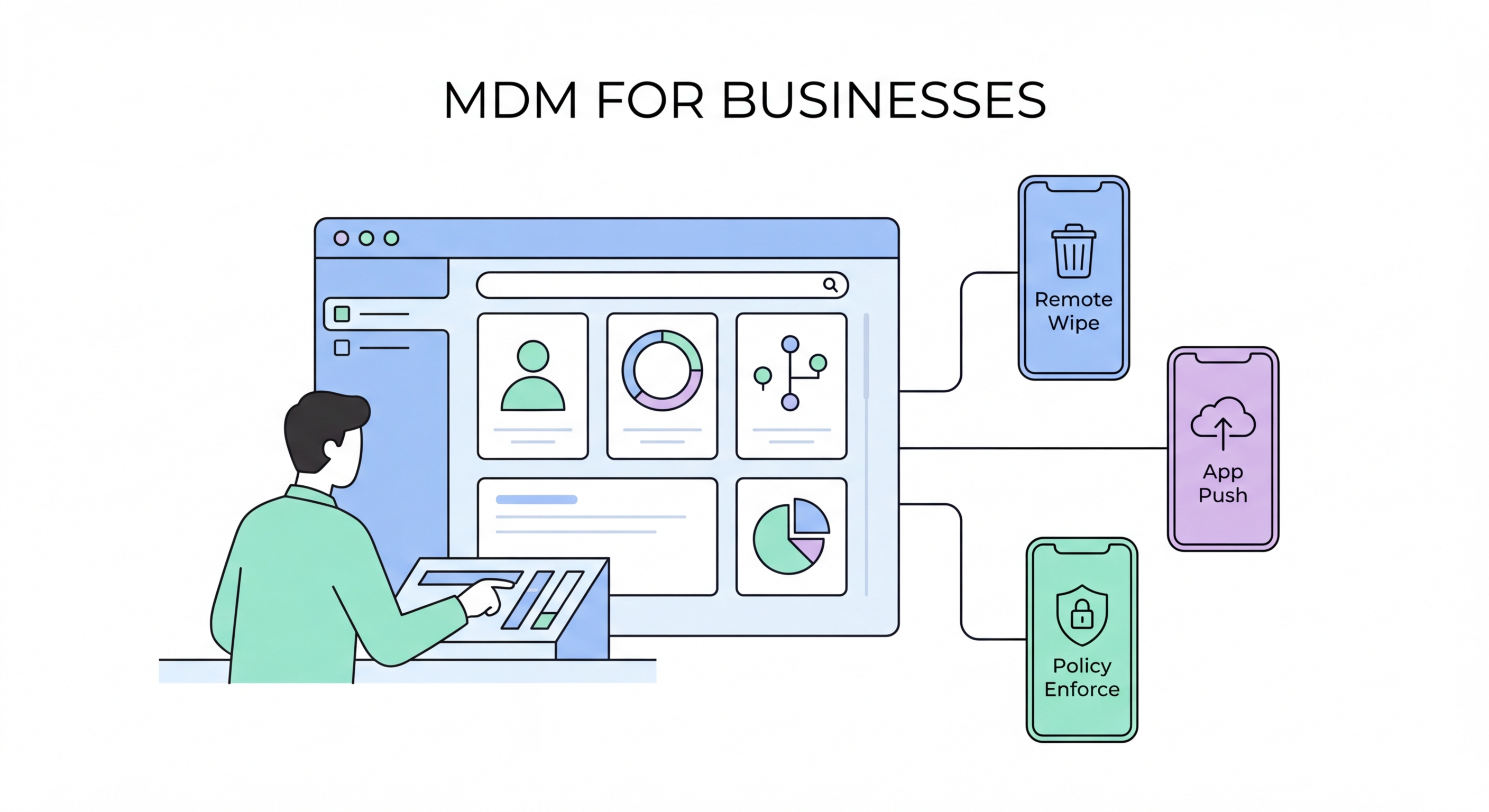
The core capabilities of an MDM platform include: device enrolment and inventory (knowing exactly which devices exist in your fleet); configuration enforcement (ensuring every device has minimum security standards — passcode complexity, encryption, VPN, etc.); app management (deploying, updating, and removing apps without user action); and remote actions (locking or wiping a lost device from a central console). Enterprise-grade MDM solutions also support conditional access — blocking a device from accessing corporate email or systems if it falls below security compliance requirements.
For Hong Kong financial services firms, law firms, healthcare providers, and other regulated industries, MDM is increasingly mandatory rather than optional. The Hong Kong Monetary Authority (HKMA) Cybersecurity Fortification Initiative 2.0 and various industry circulars explicitly address mobile device management as a control requirement. Having an MDM solution deployed not only improves security posture but also demonstrates regulatory compliance when subject to audit or examination.
Several enterprise MDM platforms are widely deployed in Hong Kong, with the dominant choice often determined by an organisation's existing Microsoft, Apple, or Google ecosystem. Microsoft Intune (part of the Microsoft 365 / Endpoint Manager suite) is the most commonly deployed MDM in Hong Kong enterprises, particularly those already using Microsoft 365 for email and collaboration. Intune manages both iOS and Android devices, integrates natively with Azure Active Directory for conditional access, and is included in most Microsoft 365 Business Premium and Enterprise plans.
Jamf Pro (for Apple-focused organisations) and Workspace ONE (VMware, now Broadcom) are also significant in the HK market. Jamf is the preferred choice for organisations running predominantly Apple hardware — Macs, iPhones, and iPads — and provides particularly deep integration with Apple Business Manager for zero-touch device provisioning. Workspace ONE offers a more platform-agnostic approach and is commonly deployed in large enterprises with diverse device ecosystems. For smaller Hong Kong businesses, more affordable options like ManageEngine Mobile Device Manager Plus, Cisco Meraki MDM, and Hexnode provide core capabilities at SME-appropriate price points.
The evaluation criteria for selecting an MDM platform for a Hong Kong business should include: supported device platforms (iOS, Android, Windows, macOS); integration with your existing identity provider (Active Directory, Azure AD, Okta); deployment model (cloud-hosted SaaS vs on-premise — important for data residency considerations); reporting capabilities for regulatory compliance demonstration; and the local support availability in Hong Kong for implementation and ongoing management.
One of the most consequential mobile security decisions a Hong Kong business makes is whether to deploy corporate-owned devices or allow Bring Your Own Device (BYOD). Each model has distinct security, cost, privacy, and operational implications. Corporate-owned devices provide maximum control — IT can enforce any configuration, install any monitoring software, and perform a full wipe without consent. BYOD is more cost-effective and generally preferred by employees who don't want to carry two phones, but it creates complex boundaries between corporate and personal data and limits the extent to which IT can manage the device.
For BYOD environments, both Apple and Google provide solutions that create a clean separation between personal and corporate data. Apple's User Enrolment (as distinct from full Device Enrolment) allows MDM management of corporate apps and data without giving IT access to personal apps, photos, or messages. The corporate data can be remotely wiped without affecting personal data. Android's Work Profile (part of Android Enterprise) creates an equivalent separate container on Android devices — work apps appear with a briefcase icon and are managed by the MDM, while personal apps remain private and outside IT's control.
For financial services and other regulated industries in Hong Kong, BYOD creates additional complexity around data handling obligations. The HKMA has published specific guidance on mobile banking and customer data security that affects how financial institutions can permit BYOD for roles that access customer data. Legal and compliance teams should review BYOD policies against current HKMA circulars, OFC guidelines, and sector-specific regulatory requirements before finalising the device programme.
A successful MDM deployment in a Hong Kong business requires careful planning around enrolment approach, policy design, user communication, and ongoing management. The most common failure mode is implementing overly restrictive policies that drive employee resistance and attempts to circumvent MDM controls, while the opposite failure — deploying MDM without enforcing meaningful security policies — delivers little actual security improvement. The goal is a policy set that meets security requirements while remaining practical for users.
For iOS devices, Apple Business Manager (ABM) enables zero-touch device provisioning: new iPhones are automatically enrolled in your MDM and configured with your security policies the moment they're first powered on, without any IT staff needing to physically handle each device. ABM integration with your MDM means that even if an employee performs a factory reset, the device automatically re-enrols. For Android, Android Enterprise provides equivalent capability through zero-touch enrolment, particularly for Pixel and Samsung Knox devices.
Baseline MDM security policies for Hong Kong businesses should include: minimum passcode requirements (8+ character alphanumeric); encryption verification; OS and app update deadline enforcement; jailbreak/root detection and blocking access for compromised devices; required VPN connection for access to internal systems; and app installation restrictions (App Store only, or a curated corporate app catalogue). Additional policies relevant to specific industries — screen capture restrictions, copy-paste restrictions between work and personal containers, camera disablement in secure areas — can be layered on top of the baseline.