VPN Kill Switch: What It Is & Why You Need It
VPN connections drop — on mobile networks, after sleep mode, on poor connections. A kill switch ensures your real IP is never exposed even for a split second when that happens.
Published: March 29, 2026
VPN connections drop — on mobile networks, after sleep mode, on poor connections. A kill switch ensures your real IP is never exposed even for a split second when that happens.
Published: March 29, 2026
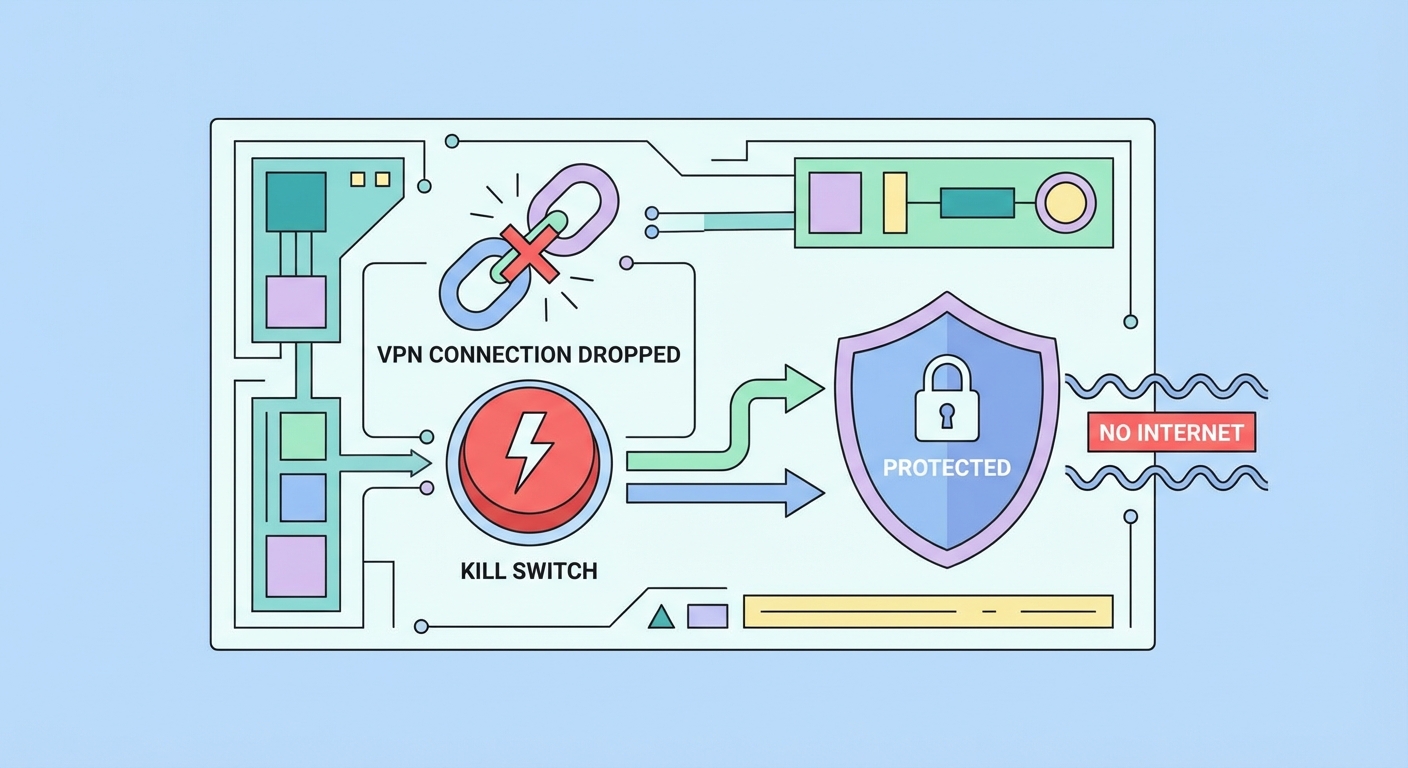
A VPN kill switch is a safety mechanism that monitors your VPN connection in real time and immediately blocks all internet traffic from your device if the VPN connection drops. Without a kill switch, a VPN dropout causes your device to fall back to your normal internet connection, instantly exposing your real IP address and unencrypted traffic to your ISP ↗, network observers, and any services you were connected to — potentially for minutes before you notice the VPN has disconnected.
VPN connections drop more frequently than many users realise. Common causes include: switching between WiFi networks, your device entering sleep or low-power mode, ISP network instability, server-side issues at the VPN provider, protocol handshake timeouts on poor-quality connections, and the VPN app crashing or being killed by the operating system's memory management. Each of these events creates a window of unprotected internet activity. For most general browsing this is an inconvenience; for torrenting, sensitive research, or journalism, it can be a serious security incident.
The kill switch works by implementing firewall rules at the operating system level that block all network traffic except through the VPN tunnel interface. When the VPN connection is active, these rules permit traffic through the VPN interface. When the VPN connection drops, the rules prevent traffic from routing through any other interface (like your physical WiFi or ethernet adapter) until the VPN reconnects. From the user's perspective, internet access stops entirely when the VPN drops — websites won't load, apps won't connect — but this is the intended behaviour, trading temporary inaccessibility for guaranteed privacy.
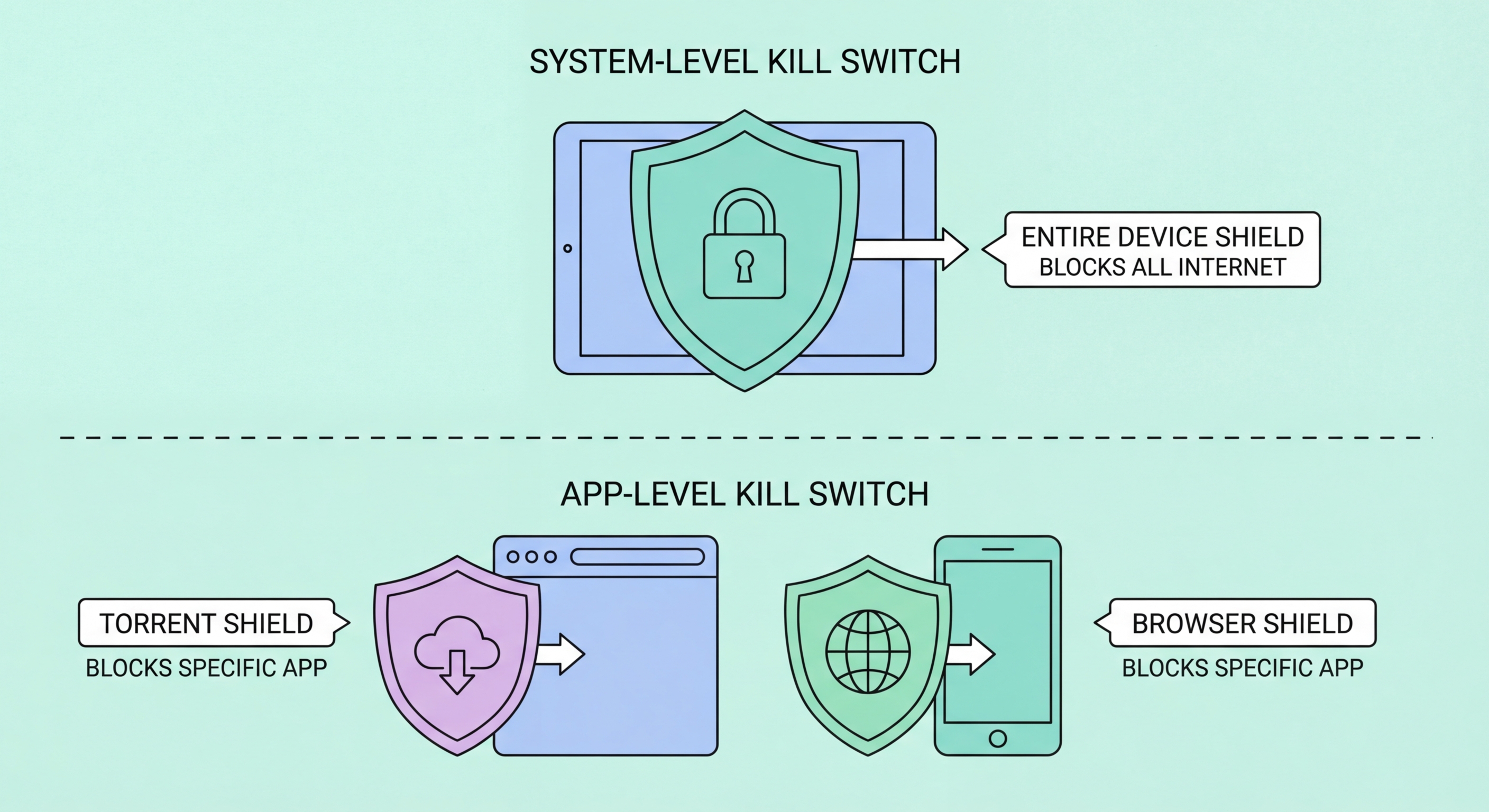
Not all kill switches are equally reliable. There are two fundamental implementation approaches: application-level (soft) kill switches and system-level (hard) kill switches. Understanding the difference is critical for choosing a VPN for high-stakes privacy use, as they have dramatically different failure modes and protection levels.
An application-level kill switch monitors the VPN connection from within the VPN app itself and, when a dropout is detected, attempts to block traffic using the app's own mechanisms — typically by calling OS networking APIs to disable specific network interfaces or connections. The vulnerability of this approach is that it depends on the VPN app remaining running and responsive. If the VPN app crashes, is killed by the OS's memory manager (common on mobile under memory pressure), is slow to detect the dropout, or is delayed in applying blocks, traffic can leak during the gap. Application-level kill switches are better than nothing but inadequate for critical use cases.
A system-level kill switch implements blocking using operating system firewall rules directly, independent of the VPN app's running state. On Windows, this uses Windows Firewall rules (WFP — Windows Filtering Platform) that block all traffic except through the VPN adapter. On Linux/macOS, iptables or pf rules accomplish the same. These rules exist at the kernel level and apply regardless of which applications are running or crashing — even if the VPN app is completely shut down, the firewall rules remain in eff ↗ect. Private Internet Access, Mullvad, and ProtonVPN all offer system-level kill switch implementations. NordVPN and ExpressVPN implement kill switches using network adapter binding — highly reliable but slightly different from pure WFP rules.
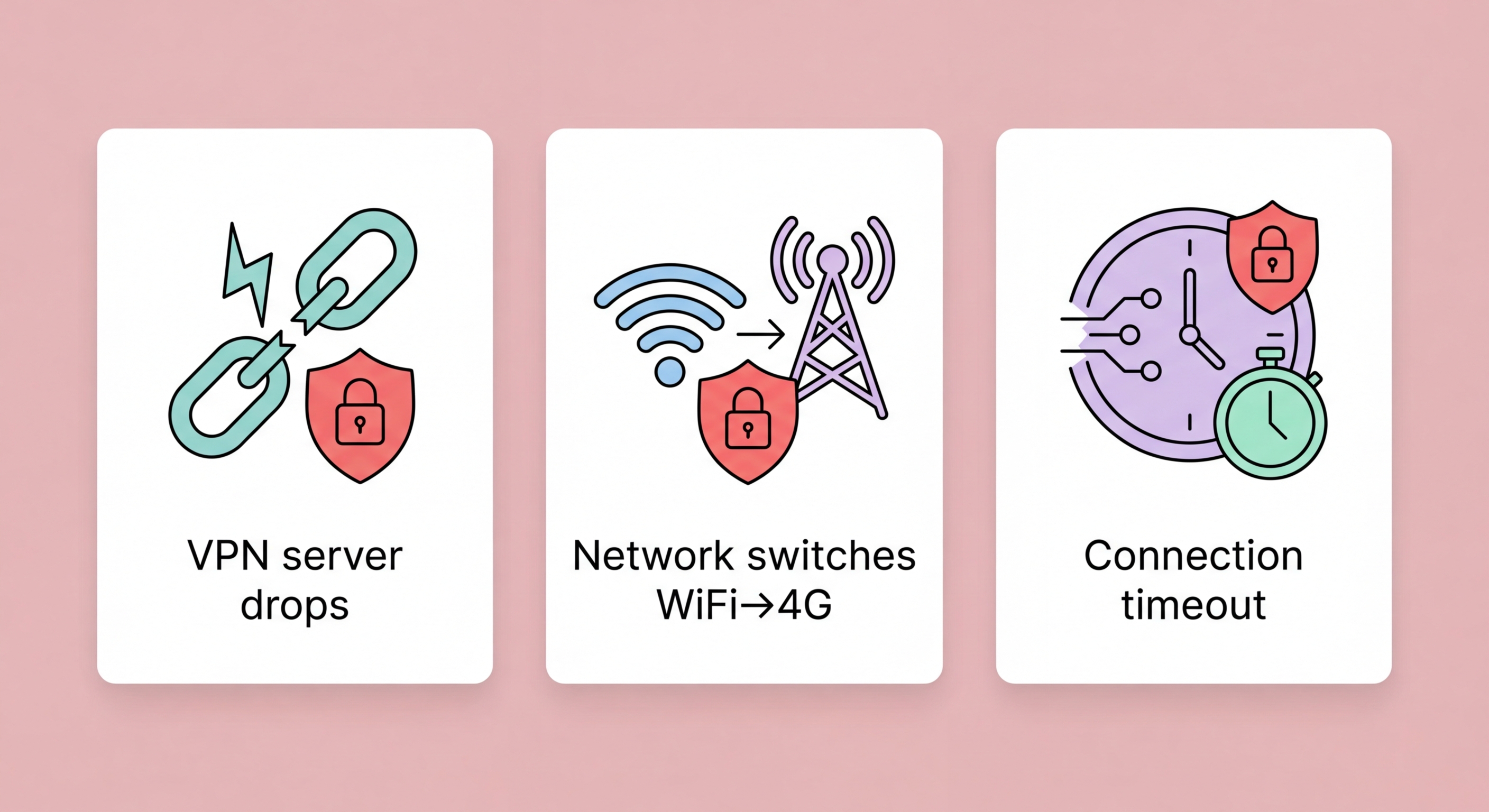
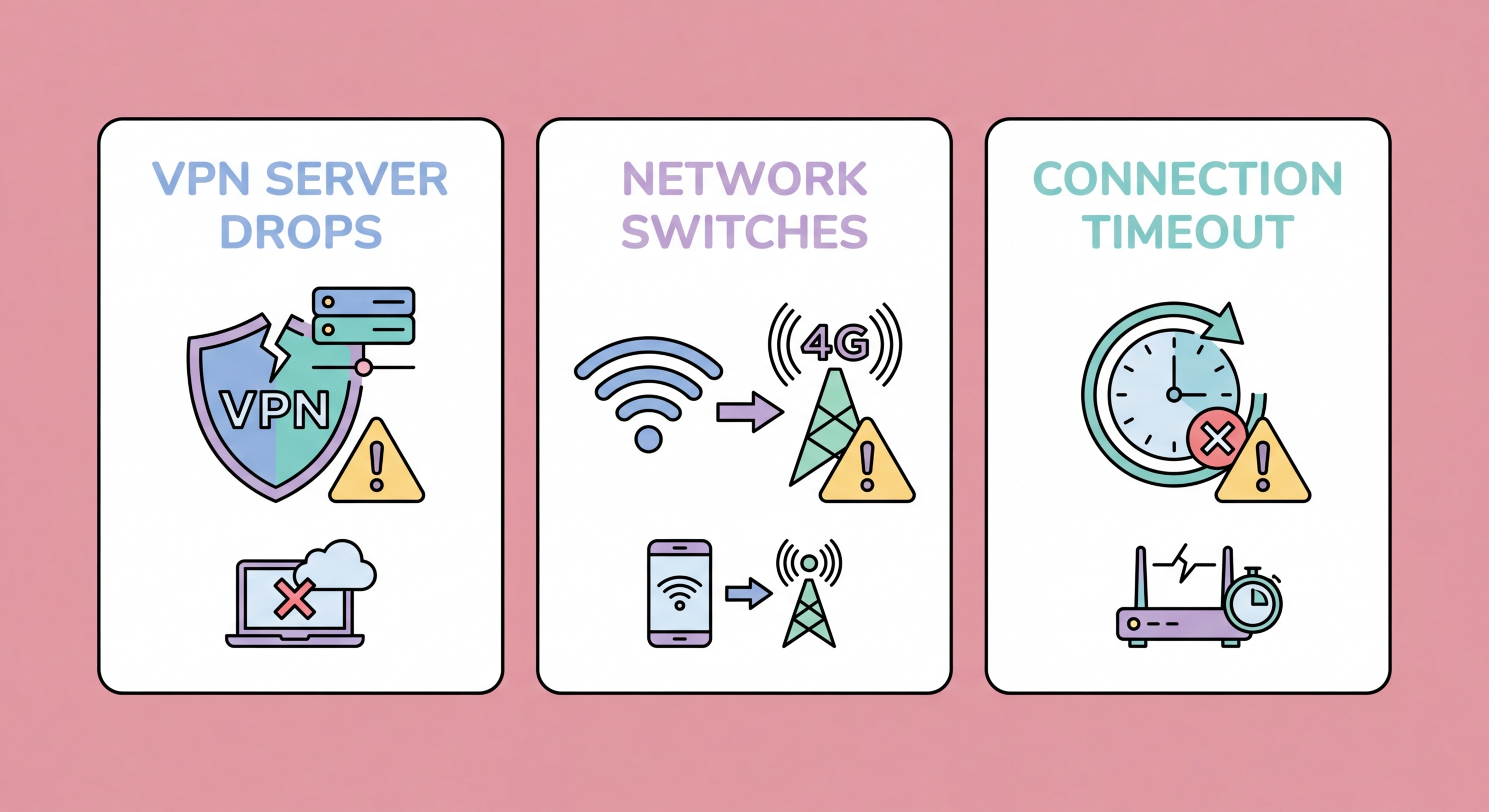
Understanding the specific scenarios that trigger a kill switch helps you configure your VPN appropriately and avoid mistaking correct kill switch behaviour (internet blocking) for a VPN malfunction. The most common triggers are network transitions, system sleep/wake cycles, and server-side issues — all of which are normal parts of device operation.
Network transitions are the most frequent trigger on mobile devices. When your iPhone or Android phone switches from your home WiFi to 4G/5G as you leave your apartment, there's a brief interval where the old network connection has been released but the VPN hasn't yet re-established on the new connection. The kill switch blocks internet during this window. For most users, this window is 1–3 seconds with WireGuard (which reconnects faster than OpenVPN). With OpenVPN, the window can be 5–15 seconds. On desktop, switching from one WiFi network to another triggers the same event.
Sleep mode is a particularly common kill switch trigger on laptops and mobile devices. When a laptop lid is closed or a phone screen turns off for an extended period, the VPN connection is often terminated to save power. When the device wakes, the kill switch blocks internet until the VPN reconnects. Configure your VPN to reconnect automatically on wake to minimise this interruption. Some VPN providers offer a "reconnection delay" setting that gives the network a few seconds to stabilise after wake before the VPN attempts to reconnect — useful if you experience frequent kill switch triggers after waking from sleep.
NordVPN: Open NordVPN app → Settings (gear icon) → General → Enable "Kill Switch." NordVPN offers two kill switch options: the standard kill switch (blocks internet only when connected VPN drops) and the "App Kill Switch" (terminates specific applications when VPN drops rather than blocking all internet). For maximum protection, enable the standard kill switch. On Windows, NordVPN uses Windows Filtering Platform for its kill switch implementation.
ExpressVPN: Open ExpressVPN → Menu (hamburger icon) → Preferences/Settings → General → Enable "Network Lock" (ExpressVPN's name for their kill switch). Network Lock is available on Windows and macOS desktop apps; on mobile, ExpressVPN uses a per-app blocking approach on iOS and Android's system kill switch on Android. Network Lock on Windows uses a combination of Windows Firewall rules and network adapter binding.
Mullvad VPN: Open Mullvad → Settings → VPN Settings → Enable "Lockdown Mode." Mullvad's Lockdown Mode is the strongest kill switch implementation available on a consumer VPN — it blocks all internet traffic whenever Mullvad is disconnected, even if you manually disconnect, until you explicitly disable Lockdown Mode. On Linux, Mullvad uses iptables firewall rules; on Windows, Windows Filtering Platform. For Android users: Settings → Network → VPN → gear icon → enable "Always-On VPN" and "Block connections without VPN" — this is the system-level kill switch independent of the Mullvad app.