Complete Identity Protection Guide for Hong Kong Residents

The definitive guide to protecting your identity in Hong Kong — from setting up a free monitoring stack to understanding your PDPO rights, hardening your credentials, and building a response plan that works when a breach occurs.

Complete identity protection guide Hong Kong
1The Free Stack

Layer 1: The Free Identity Protection Stack Every HK Resident Should Have

The foundation of identity protection costs nothing and can be set up in 30 minutes. Every Hong Kong resident should implement this baseline regardless of their risk profile or technical sophistication — it covers the most common attack vectors and provides the essential early warning systems that detect the majority of credential-based identity threats. The free stack consists of five components that work together to provide overlapping coverage: HIBP email monitoring, password manager breach reports, device-built-in monitoring, bank transaction alerts, and bi-annual credit report checks. Together, these address the three most common identity threat pathways in Hong Kong — credential theft, credit fraud, and account takeover.

Start with Have I Been Pwned (haveibeenpwned.com): visit the site and check every email address you actively use. If any email shows breach history, click through each breach to understand what data was exposed and take remediation action (primarily: change passwords for any service where you used the same password as the breached service). After checking, register each email address for free ongoing notifications at haveibeenpwned.com/NotifyMe — this provides permanent, automatic alerts whenever your email appears in future breach datasets. This single step, taking 10 minutes, ensures you are notified of future credential exposures before criminals have had significant time to exploit them. Supplement HIBP by enabling your device's built-in monitoring: iOS users go to Settings → [Name] → iCloud → Privacy & Security → Monitor Data Breaches; Google users visit myaccount.google.com → Security → Dark Web Report.

The second component is password manager breach monitoring. If you use 1Password, go to Settings → Watchtower and review the breach report. If you use Bitwarden, go to Reports → Exposed Passwords. If you use iOS Passwords (the built-in app), go to Settings → Passwords → Security Recommendations. If you don't currently use a password manager, this is the highest-impact change you can make to your security: install 1Password, Bitwarden, or use the iOS/Google built-in password manager, and begin migrating your accounts to unique, manager-generated passwords. A 20-character random password generated by your password manager for each service eliminates credential stuffing as an attack vector — criminals cannot use a password stolen from one service to access another when every password is unique. Complete the free stack by enabling per-transaction alerts on all your bank accounts and scheduling a bi-annual TransUnion credit report check.

  • Step 1 — HIBP check and monitoring: haveibeenpwned.com → check all email addresses → register all for free ongoing notifications (10 minutes, permanent value).
  • Step 2 — Device monitoring: iOS: Settings → iCloud → Privacy & Security → Monitor Data Breaches. Google: myaccount.google.com → Security → Dark Web Report.
  • Step 3 — Password manager breach report: 1Password Watchtower / Bitwarden Reports / iOS Security Recommendations → change all flagged passwords immediately.
  • Step 4 — Bank transaction alerts: Enable per-transaction push notifications in every banking app; set threshold to HK$1 for maximum early warning.
  • Step 5 — Bi-annual credit check: Order TransUnion credit report every 6 months; look for unfamiliar credit applications, accounts, or defaults.
  • Total cost: Zero. Total setup time: 30 minutes. Coverage: email credentials (universal), passwords (universal), financial fraud (substantial). This stack is non-optional for any HK resident with financial accounts or sensitive personal data.
Complete guide to setting up HIBP monitoring →
Free identity protection stack Hong Kong
2Credential Hardening

Layer 2: Credential Hardening and Two-Factor Authentication

The free monitoring stack detects when your credentials are exposed; credential hardening makes the exposure meaningless. The two-part approach — unique passwords and two-factor authentication — closes the two most common account takeover pathways simultaneously. Unique passwords (generated and stored by a password manager) eliminate credential stuffing: a criminal who purchases a database of 10 million stolen passwords and tests them against your banking portal will fail on every account where you've used a unique, unreused password. Two-factor authentication (2FA) means that even a password that wasn't unique and was successfully used by a criminal still can't access your account without the second factor you hold physically. Together, these two controls provide defence-in-depth: you need both to fail for an account takeover to succeed.

Priority order for 2FA implementation matters — not every account carries the same risk. Begin with your primary email account: email is the password reset gateway for all other services, making it the highest-leverage attack target. Enable 2FA on your email using an authenticator app (Google Authenticator, Authy, or 1Password's built-in TOTP feature) rather than SMS OTP, since SMS is vulnerable to SIM swap attacks. Next, enable 2FA on your banking accounts — check your bank's app for available options; HSBC, Hang Seng, BOC, and DBS all offer 2FA options beyond SMS. Enable 2FA on your password manager account itself (this is critical — losing password manager access through a compromised 2FA method would be catastrophic). Then work through cloud storage (Google Drive, iCloud, OneDrive), social media (Instagram, Facebook, LinkedIn), and finally all remaining accounts in your password manager.

For the highest-risk accounts — primary email, password manager, banking, and investment accounts — hardware security keys (YubiKey, Google Titan Key) provide the strongest available 2FA protection. Hardware keys are phishing-resistant (they verify the domain of the site requesting authentication, refusing to authenticate on phishing sites), SIM-swap resistant (they require physical possession of the key), and remote-attack resistant (they require physical presence). A pair of hardware keys for your most critical accounts (approximately HK$600-1,200 for two keys — one primary, one backup) is one of the most cost-effective security investments available for high-risk individuals, particularly for those who have previously experienced account takeover or who hold significant financial assets. Passkeys — the next generation of phishing-resistant authentication built into iOS, Android, and macOS — provide similar protections and are becoming increasingly available on HK banking and financial services platforms.

  • Unique passwords for every service: Password manager-generated, 20+ character random passwords eliminate credential stuffing as an attack vector.
  • 2FA priority order: Primary email → password manager → banking → cloud storage → social media → everything else.
  • Authenticator app over SMS: TOTP authenticator apps (Google Authenticator, Authy, 1Password) are not vulnerable to SIM swap attacks; use them wherever available.
  • Hardware keys for highest-risk accounts: YubiKey or Google Titan Key for primary email, password manager, banking — phishing-resistant and SIM-swap-resistant.
  • Passkeys where available: Apple/Google/Microsoft passkeys provide hardware-level security without the physical key — enable on all platforms that support them.
  • Backup codes: Store 2FA backup codes for critical accounts in your password manager or a secure physical location — losing 2FA access to your email has catastrophic cascading effects.
What to do immediately when your credentials are compromised →
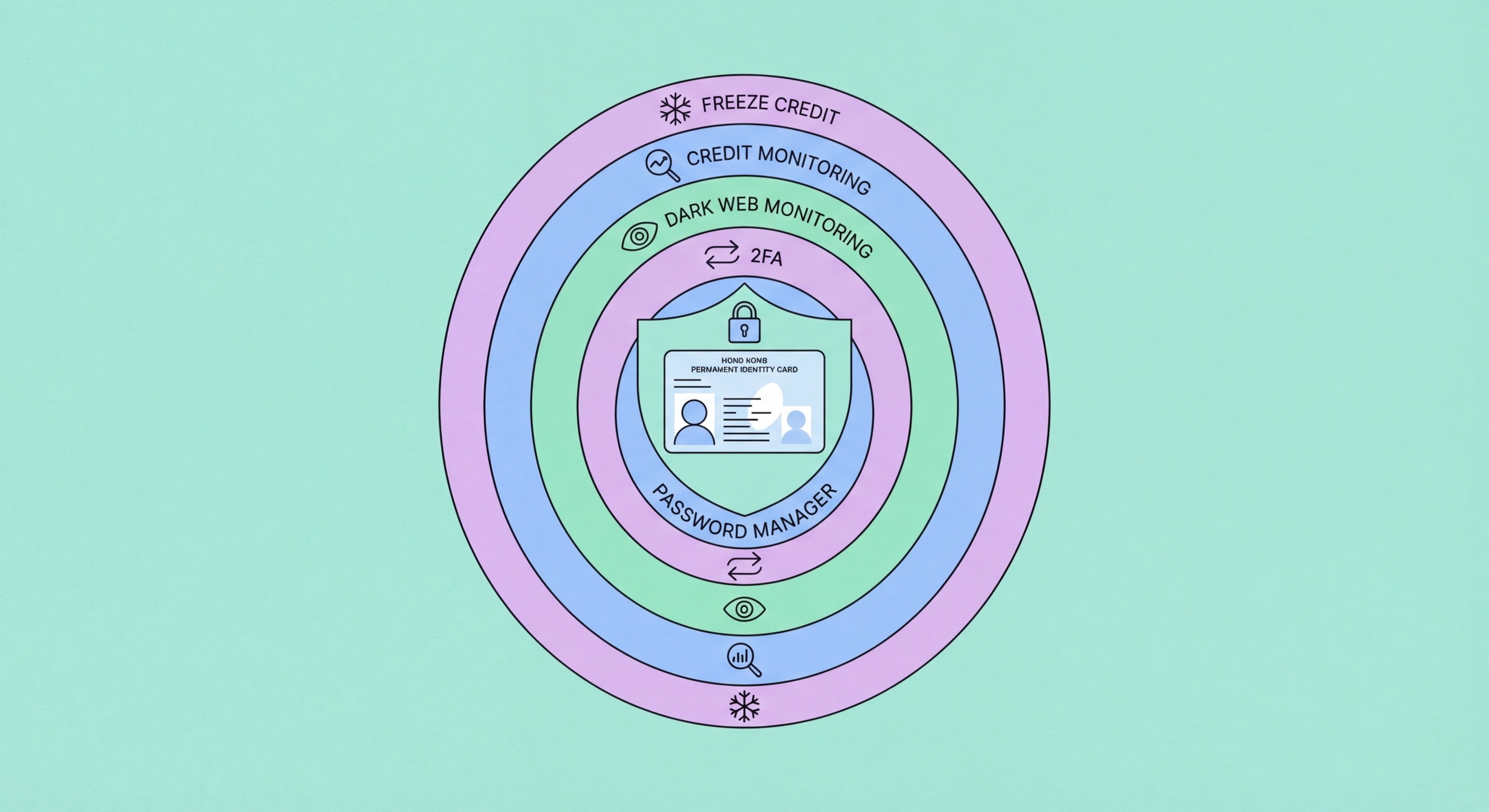
Credential hardening 2FA identity protection
3Legal Protections

Layer 3: Knowing and Using Your PDPO Rights and HK Legal Protections

Technical controls protect you from threats that match your defences; legal protections provide remedies when those defences are breached by third parties holding your data. The Personal Data (Privacy) Ordinance (PDPO, Cap. 486), as amended in 2021, gives Hong Kong residents specific, enforceable rights over their personal data. Understanding these rights converts you from a passive breach victim to an active participant in your own protection. The key rights that matter for identity protection are: the right to access all data a company holds about you (Data Access Request within 40 days); the right to correct inaccurate data; the right to be notified when a breach affecting your data occurs (mandatory since 2021 amendments); and the right to complain to the PCPD when a company mishandles your data. Each of these rights has practical teeth — organisations that fail to comply can face enforcement notices, financial penalties, and public scrutiny.

Proactively exercise your PDPO access rights with high-risk organisations. The organisations that hold the most sensitive data about you — banks, insurers, healthcare providers, employers, government departments — are subject to the PDPO and must respond to Data Access Requests within 40 days. Submitting a DAR to your bank asks them to confirm exactly what personal data they hold about you and how it is used. The PCPD provides template letters for DARs at pcpd.org.hk. You don't need a reason to submit a DAR; the right exists simply by virtue of being a data subject whose data the organisation holds. After submitting, review the response: are there fields you don't recognise, addresses that are wrong, or data that appears to have been modified? Any discrepancy may indicate that your identity has been used for fraudulent account manipulation at that organisation.

Build your contact list for legal and regulatory reporting before you need it — response speed is critical in identity theft, and time spent looking up contact details when under stress is time criminals are exploiting your data. Key contacts for Hong Kong identity protection incidents: HKPF CSTCB (18222, 24 hours — cybercrime reporting including identity theft and online fraud); PCPD (2827 2827, Monday-Friday 9am-5pm — data protection complaints and advice); TransUnion Hong Kong (credit report requests and fraud alerts — visit hk.transunion.com); Immigration Department (2824 6111 — HKID-related fraud and document misuse); and your specific bank fraud lines (HSBC: 2233 3000, Hang Seng: 2198 7111, Standard Chartered: 2886 8868, BOC: 3988 2388, DBS: 2290 8888). Save these numbers in your phone's contacts now, before they are needed.

  • Data Access Requests (DARs): Submit to high-risk organisations (banks, insurers, government) to confirm what data they hold — discrepancies may indicate identity fraud.
  • Mandatory breach notification (post-2021): Companies must notify you when your data is breached — if you're not notified and a breach occurs, you can complain to the PCPD.
  • PCPD complaint mechanism: pcpd.org.hk/complaint — use when companies mishandle your data; creates legal record and compels investigation.
  • Save these numbers now: HKPF CSTCB: 18222; PCPD: 2827 2827; HSBC fraud: 2233 3000; Hang Seng fraud: 2198 7111; Immigration Department: 2824 6111.
  • Zero liability for card fraud: Visa and Mastercard zero liability policies protect you from unauthorised card transactions if reported promptly — know this right before you need it.
  • HKMA complaints for banks: If your bank handles a fraud incident poorly, the HKMA accepts complaints at [email protected] or 2878 8196.
Complete guide to your PDPO rights and how to use them →
PDPO rights legal protection identity theft Hong Kong
4Complete Response Plan

Layer 4: Your Complete Identity Incident Response Plan

The final layer of identity protection is preparation for incidents that your monitoring and prevention layers didn't prevent. Having a documented, pre-planned response means that when something does go wrong — and in today's breach environment, some level of exposure is likely for most people — you can act confidently and quickly rather than panicking and making decisions under stress. Your response plan should cover three incident types: credential breach (password or email exposed); financial fraud (unauthorised transactions or fraudulent credit); and identity theft (HKID, name, and personal data being used for fraud). Each requires a different initial response and follow-up process, and having a clear documented plan means the critical first few hours are spent acting rather than deciding.

For a credential breach response: change the affected password immediately; change all accounts using the same password; check email account for existing compromise (forwarding rules, connected apps, sign-in history); enable 2FA on affected accounts; run password manager breach report for all accounts; check bank accounts for suspicious transactions. For a financial fraud response: call bank fraud line immediately (save numbers in your phone in advance); review 30-90 days of transactions; dispute suspicious charges; request card replacement; order TransUnion credit report; file HKPF CSTCB report if financial loss occurred. For an identity theft response: all of the above, plus — contact Immigration Department about HKID misuse; add TransUnion fraud alert; file PCPD complaint if a company breach contributed; submit correction requests to any organisation with fraudulent records; engage a lawyer if losses are significant or resolution is not forthcoming.

Maintain a personal "security document" — stored securely in your password manager or an encrypted note — that contains: a list of all financial accounts and their fraud contact numbers; your TransUnion account details; your PCPD complaint reference numbers from any past complaints; your HKPF CSTCB report numbers from any past reports; and any current alerts or fraud notes on your credit file. This document transforms the incident response process from a panicked search for information into a systematic execution of a pre-planned workflow. Review and update this document annually or after any security incident. The difference between a well-prepared and unprepared response to identity theft is typically months of additional recovery time and thousands of dollars of additional loss — preparation is the final, and in some ways most important, layer of identity protection.

  • Three response types: Credential breach / financial fraud / identity theft — each has a different response workflow; document yours in advance.
  • Credential breach checklist: Change passwords → check email compromise → enable 2FA → run breach report → check bank transactions.
  • Financial fraud checklist: Call bank fraud line → review transactions → dispute charges → get replacement card → credit report → HKPF report.
  • Identity theft checklist: All financial fraud steps + Immigration Department + TransUnion fraud alert + PCPD complaint + data correction requests + legal advice if significant.
  • Maintain a security document: Account list, fraud contact numbers, past complaint references — stored securely in password manager; review annually.
  • Regular cadence: Monthly password manager breach report; quarterly HIBP manual check; bi-annual TransUnion credit report; immediate action on all monitoring alerts.
Complete guide to identity theft in Hong Kong — recognition and response →
Complete identity theft response plan Hong Kong
Start Building Your Identity Protection Stack Today

Start Building Your Identity Protection Stack Today

The free monitoring stack takes 30 minutes to set up and covers the most common identity threats facing Hong Kong residents. Start with an HIBP check right now.

Related VPN Articles