Have I Been Pwned: The Complete Guide for Hong Kong Users

Have I Been Pwned is the world's most trusted free breach database. This complete guide covers every feature — email monitoring, password checking, domain monitoring, the API, and how to interpret and act on results as a Hong Kong resident.

Have I Been Pwned guide Hong Kong
1What Is HIBP

What Is Have I Been Pwned and How Does It Work?

Have I Been Pwned (HIBP) was created by Australian security researcher Troy Hunt in December 2013, following the Adobe breach that exposed 153 million records. The service aggregates data from known breach datasets and provides a free lookup tool allowing anyone to check whether their email address has appeared in breach data. As of 2025, HIBP contains data from over 700 confirmed breaches and more than 12 billion breached records — making it the largest publicly accessible breach database in the world. The service is trusted by security researchers, law enforcement agencies (the FBI has provided breach data for HIBP), and major technology companies including Mozilla, 1Password, and Google, all of which integrate HIBP data into their security products.

The core mechanics of HIBP are straightforward. When a Data Breach?">data breach occurs and the breach dataset is obtained (by purchase, through researcher disclosure, law enforcement sharing, or paste site monitoring), Troy Hunt and the HIBP team process the data: verifying it is genuine breach data, normalising the format, and loading it into the HIBP database. Email addresses from the breach are hashed and stored; the associated metadata (breach name, date, data types exposed) is recorded. When you search an email address on HIBP, your query is matched against this database and the results are returned within seconds. HIBP never stores your search queries or builds profiles based on what you search — the service is fundamentally a lookup tool, not a data collection platform.

HIBP has a carefully considered privacy model that sets it apart from commercial alternatives. Because HIBP stores only email address hashes (not plaintext) in its breach database, it cannot be used to harvest email addresses by malicious parties. The Pwned Passwords database uses k-anonymity: only the first 5 characters of a SHA-1 hash are transmitted when checking a password, meaning the HIBP server never receives your actual password or enough hash data to identify it. These design choices make HIBP trustworthy for security-conscious users — the service is designed to provide information rather than collect it. For Hong Kong users, HIBP is accessible without VPN (it is not blocked by local ISPs) and returns results for international breach datasets including several breaches affecting HK-specific services.

  • Created by Troy Hunt in 2013: A respected security researcher; HIBP is trusted by the FBI, Mozilla, 1Password, and Google — it is not a scam or data harvesting site.
  • 700+ breaches, 12+ billion records: The largest free breach database; covers breaches from 2013 to present with regular updates as new breaches are verified.
  • Privacy by design: Email addresses are stored as hashes, not plaintext; passwords use k-anonymity to prevent transmission of your actual password.
  • No account required for basic checks: Search any email address for free without creating an account; email notifications require a free account with email verification.
  • HK accessible: haveibeenpwned.com loads without VPN from all major Hong Kong ISPs including HKT, HK Broadband, and CSL.
  • Sensitive breaches: Some breaches (adult sites, health information) are marked sensitive and only appear in results if you have a verified account with that email address.
How HIBP fits into a complete dark web monitoring strategy →
Have I Been Pwned explained
2Email Monitoring

Setting Up HIBP Email Monitoring and Understanding Notifications

The email notification feature is the most valuable component of HIBP for ongoing protection. To register for notifications, go to haveibeenpwned.com, enter your email address, click "notify me of pwnage" (or go directly to haveibeenpwned.com/NotifyMe), and complete the email verification. Once verified, HIBP will email you whenever your address appears in a newly added breach dataset. These notifications arrive within hours of a breach being added to the HIBP database — significantly faster than relying on companies to self-report breaches (which, under Hong Kong's currently voluntary PDPO notification framework, may never happen). The notifications are free, permanent, and arrive at your registered address without any recurring subscription or expiry.

Register every email address you actively use — primary, secondary, work, and any address associated with important accounts. You'll need to complete a verification step for each address, which confirms you control the mailbox before HIBP begins sending breach notifications to it. After verification, each address is independently monitored. When a breach notification arrives, it includes the breach name, the date the breach occurred (if known), the date it was added to HIBP, and the data types exposed (email addresses, passwords, phone numbers, etc.). Read each notification carefully and take action within 24 hours — particularly for password exposures, where the window before automated credential stuffing attacks begin may be narrow.

HIBP notification emails are designed to be informative and actionable. Each email contains a direct link to the breach details page, which includes a full description of the service that was breached, how the breach occurred (if known), the scale of the breach, and a list of compromised data types. The breach details page also links to Have I Been Pwned's full database entry for that breach, where you can see example exposed data types (without any personal details) and advice specific to that breach. When you receive a HIBP notification for a breach involving a service you recognise, the response is clear: change your password immediately, check whether you used the same password elsewhere, and enable 2FA on the breached service if you haven't already.

  • Register all email addresses: haveibeenpwned.com/NotifyMe — verify each address to confirm mailbox control before monitoring begins.
  • Notifications arrive within hours: Much faster than company self-reporting — often the first indication a user receives that a service they use has been breached.
  • Free and permanent: No subscription, no expiry — once registered, monitoring continues indefinitely without any recurring cost.
  • Read the data types carefully: Email-only breaches require less urgency than password or identity data exposures — calibrate response to what was actually exposed.
  • Act within 24 hours: For password exposures, change the affected password and audit reuse immediately — automated attacks exploit breached credentials rapidly.
  • Check the breach details page: Each notification links to a full description of the breach — read it to understand the context and specific risks.
Full action plan for when HIBP notifications arrive →
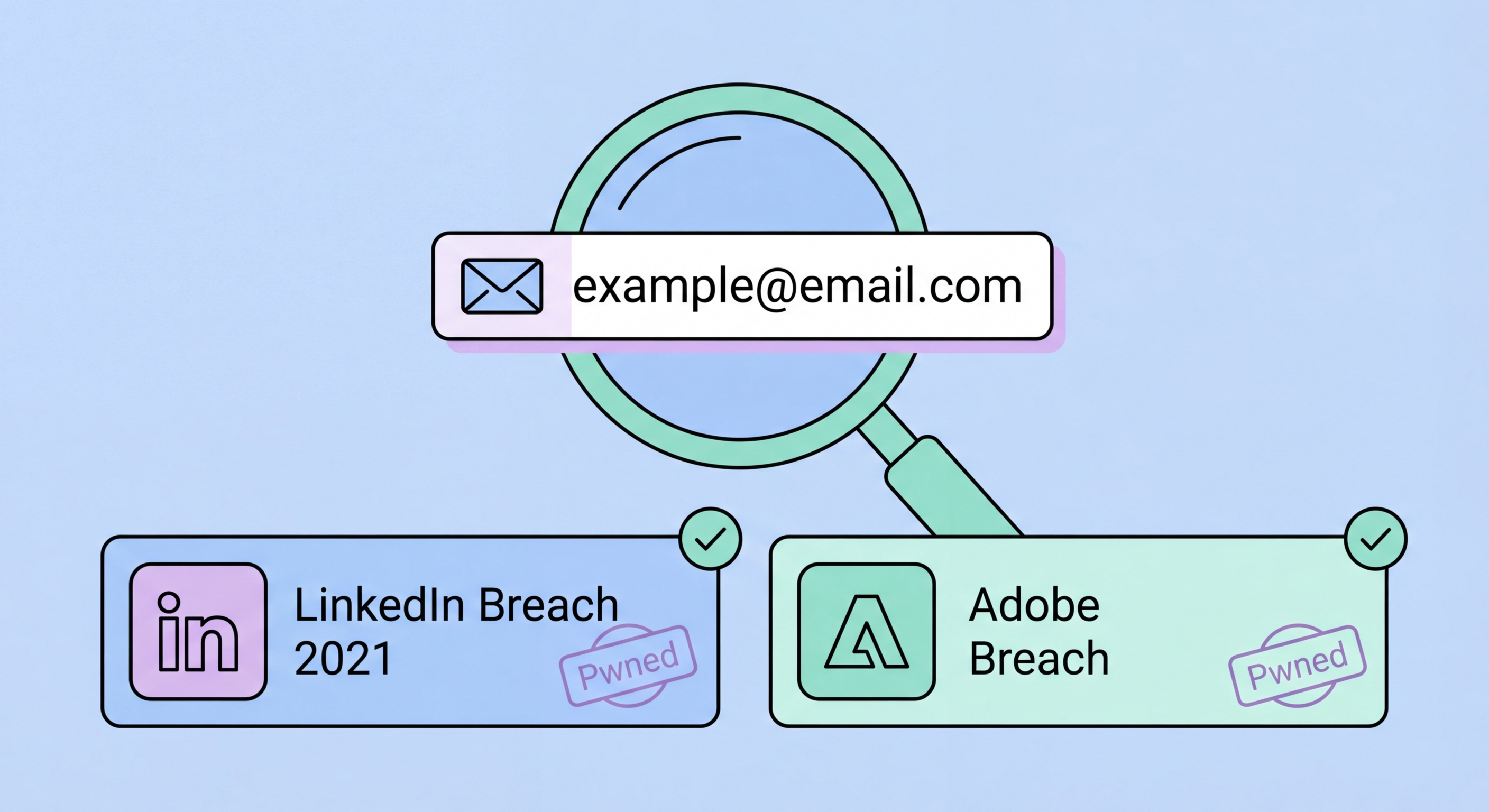
HIBP email monitoring notifications
3Pwned Passwords

Using HIBP's Pwned Passwords Database and Password Manager Integration

The HIBP Pwned Passwords database at haveibeenpwned.com/passwords is a complementary service that contains over 850 million passwords from known breach data. Unlike the email check — which tells you which services have been breached — the password check tells you whether a specific password has appeared in any breach dataset, regardless of which email address it was associated with. A password appearing in this database means it has been leaked from at least one breach and is known to the criminal community — it should be treated as compromised regardless of how long ago the breach occurred. Common passwords (123456, password, qwerty123) appear millions of times; more complex passwords may appear in specific breach datasets from one service.

The privacy-preserving mechanism behind the password check is called Pwned Passwords Range API with k-anonymity. When you type a password into the HIBP password checker (or when your password manager runs an automated check), the password is hashed with SHA-1 locally in your browser. The first 5 characters of that hash are sent to the HIBP API. The server returns all hash suffixes in the database that start with those 5 characters — typically hundreds of partial hashes. Your browser then checks whether your full hash appears in that list. This means HIBP never receives your full password hash, let alone your plaintext password. The computational work is split: HIBP provides the partial matches, your device confirms the full match. This is why the HIBP password checker is trusted by security professionals who would otherwise be extremely cautious about transmitting passwords to any third-party service.

Password manager integrations make the HIBP password check automatic and comprehensive. 1Password's Watchtower feature, Bitwarden's Exposed Passwords report, iOS Security Recommendations, and Google Password Checkup all use the HIBP Pwned Passwords API to check every stored password simultaneously without transmitting any password data to HIBP. Enable these features in your password manager settings immediately if you haven't already — they provide ongoing protection as new breach data is added to the HIBP database, not just a one-time check. When your password manager flags a password as compromised, prioritise the remediation by account type: banking and investment accounts first, then email, then cloud storage, then all other services. Use your password manager to generate a unique, high-entropy replacement for each flagged password — never reuse the replacement.

  • 850M+ passwords in the database: Any password appearing in this database has been leaked from at least one breach — treat it as permanently compromised.
  • k-anonymity protects your password: Only the first 5 characters of your password's SHA-1 hash are transmitted — HIBP never receives your actual password or enough to identify it.
  • Password manager integration: 1Password Watchtower, Bitwarden Reports, iOS Security Recommendations, Google Password Checkup all use this API automatically.
  • Enable automatic checking: Turn on breach monitoring in your password manager settings for ongoing protection as new breaches are added.
  • Prioritise remediation: Banking → email → cloud storage → everything else when working through a list of flagged passwords.
  • Generate unique replacements: Use your password manager to create a high-entropy random password for each replacement — never reuse or slightly modify old passwords.
Compare services that extend beyond HIBP's coverage →
HIBP Pwned Passwords password manager integration
4Domain Monitoring and Limits

Domain Monitoring for Businesses and Understanding HIBP's Coverage Limits

HIBP offers a domain search feature at haveibeenpwned.com/DomainSearch that allows business owners and IT administrators to check all email addresses across an entire domain against the breach database. Rather than checking individual employee addresses one by one, you enter your domain (e.g., yourbusiness.com.hk) and HIBP returns a complete list of all addresses from that domain that appear in breach data, along with the specific breaches each address appeared in. This is an extremely valuable tool for Hong Kong businesses conducting a security audit — a single domain search reveals every employee account that has been compromised in known breaches, enabling targeted password resets and security awareness training. Domain search is free for a single historical check; ongoing domain monitoring (automatic notifications when any company email appears in new breaches) requires a paid HIBP subscription.

Understanding HIBP's limitations is essential for setting realistic expectations. HIBP covers verified, publicly disclosed breaches — it does not monitor real-time dark web marketplaces, closed criminal forums, or private data trades between criminals. When a breach occurs, there is typically a lag between the breach date and the data appearing in HIBP — sometimes days for high-profile breaches disclosed by the affected company, sometimes months or years for breaches that surface on dark web markets without a public disclosure. Some breaches never appear in HIBP if the data isn't discovered by researchers or shared with HIBP. This means a clean HIBP result is not a guarantee of safety — it means your data hasn't appeared in breach datasets that HIBP has processed, not that it hasn't been exposed anywhere.

For Hong Kong residents who want monitoring beyond HIBP's scope, paid dark web monitoring services provide complementary coverage. These services actively crawl dark web markets and forums for data including phone numbers, HKID numbers, and non-email personal data — categories HIBP doesn't cover. Services like Norton 360 with LifeLock, Experian IdentityWorks, and comprehensive cybersecurity suites extend coverage to these additional data types. The recommended approach for most Hong Kong users is to use HIBP as the free foundation — it covers the most common and most directly exploitable data type (email/password combinations) — and supplement with paid monitoring only if you have elevated risk factors or confirmed exposure of non-email personal data in breaches. HIBP's Troy Hunt has been transparent about the service's limitations, making it a trustworthy foundation despite not covering everything.

  • Domain search for businesses: haveibeenpwned.com/DomainSearch — check all company email addresses in one query; free for historical checks, paid for ongoing monitoring.
  • Breach lag is real: Some breaches take months or years to appear in HIBP — particularly breaches that surface on private criminal markets rather than public paste sites.
  • Clean result ≠ safe: Not appearing in HIBP means not detected in processed breach datasets — not that your data hasn't been exposed in unmonitored channels.
  • HIBP doesn't cover phone numbers or HKID: Email is the only searchable data type in HIBP's public interface — paid services extend to other identifiers.
  • HIBP API for developers: Free API for non-commercial use (rate-limited) and paid API keys for applications — used by 1Password, Bitwarden, and other major password managers.
  • Trustworthiness: Troy Hunt's transparent, non-commercial approach to HIBP makes it uniquely trustworthy — the service has been independently verified by security researchers globally.
Full guide to checking your complete dark web exposure →
HIBP domain monitoring limitations
Check Your Email Exposure Right Now

Check Your Email Exposure Right Now

Go to haveibeenpwned.com, check every email address you use, and register for free breach notifications. It takes 5 minutes and provides lifetime protection.

Related VPN Articles