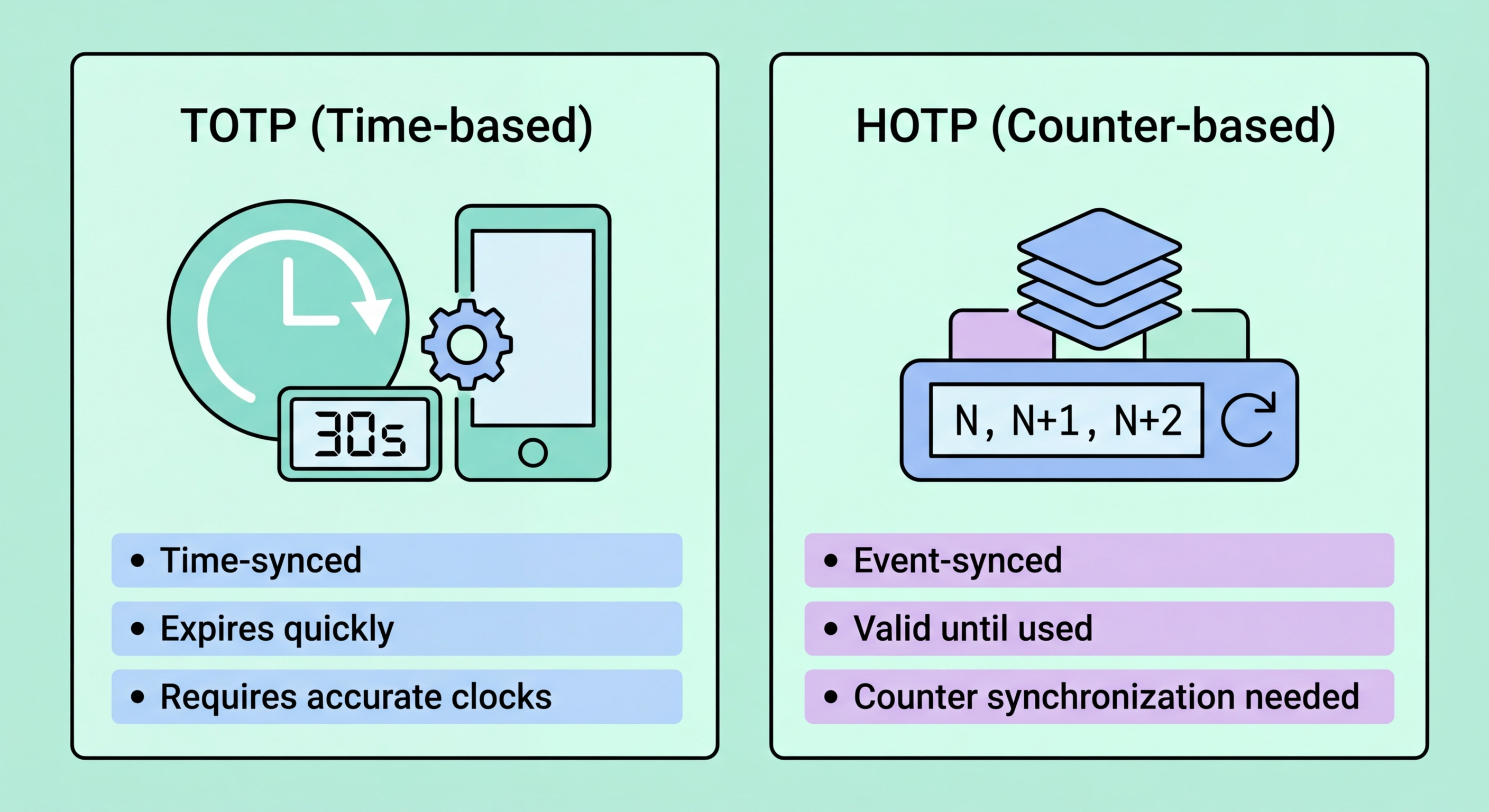
Both TOTP and HOTP generate one-time codes for two-factor authentication, but they work differently. Understanding the distinction helps you choose the right tool and understand why your codes sometimes fail.
A One-Time Password (OTP) is a code that is valid for only a single authentication attempt. Unlike a regular password, which remains the same until you change it, an OTP is generated fresh each time it is needed and becomes invalid immediately after use. This property means that even if an attacker intercepts an OTP — through phishing, malware, or network eavesdropping — they cannot reuse it for a second login attempt.
The challenge with OTPs is synchronisation: both you (the client) and the server must independently produce the same code at the same time, without transmitting the code over the network before authentication. The solution is a shared secret established at enrollment time, combined with a second value that both parties can independently calculate. The two dominant OTP standards differ in what that second value is: HOTP uses a counter that increments with each authentication, while TOTP uses the current time.
Both TOTP and HOTP are open standards published by the Internet Engineering Task Force (IETF). HOTP is defined in RFC 4226 and TOTP in RFC 6238. Both use HMAC-SHA1 as the underlying cryptographic function, combining the shared secret with the counter or time value to produce the OTP. Because they are open standards, any authenticator app using them will work with any service that supports them — there is no vendor lock-in.
HMAC-based One-Time Password (HOTP) generates codes based on an incrementing counter. Each time you request a new code, the counter increases by one. Both your authenticator device and the server maintain their own copy of the counter value. When you generate a code, your device computes HMAC-SHA1(secret, counter), extracts a 6-digit code from the result, and displays it. When you submit it to the server, the server performs the same calculation with its counter value and compares results.
The key property of HOTP is that codes do not expire. Because the code is based on a counter rather than time, a generated code remains valid until it is used. This means you could generate an HOTP code, write it down, and use it hours or days later. This makes HOTP codes useful in environments without reliable time synchronisation — dedicated hardware tokens that work offline for extended periods, for example — but it also means that if you generate codes without using them (perhaps by accidentally pressing a button on a hardware token), the counters can go out of sync.
HOTP is primarily found in older dedicated hardware tokens rather than modern smartphone authenticator apps. The YubiKey's OTP mode (distinct from its FIDO2 mode) uses a counter-based approach. HOTP also underpins some legacy enterprise authentication systems. For most Hong Kong consumers using modern authenticator apps and websites, you will almost never encounter HOTP directly — TOTP has effectively replaced it for consumer authentication. Understanding HOTP is primarily relevant for IT professionals managing legacy authentication infrastructure.
Time-based One-Time Password (TOTP) extends HOTP by replacing the counter with the current Unix timestamp divided into 30-second intervals. Instead of HMAC-SHA1(secret, counter), the calculation is HMAC-SHA1(secret, floor(time/30)). This means the code changes automatically every 30 seconds, with no user action required, and both the authenticator app and the server can independently calculate the current valid code as long as their clocks are reasonably synchronised.
The 30-second window is a pragmatic balance between security and usability. A shorter window would provide slightly better security but cause too many authentication failures due to the few seconds of typing and network delay between code generation and server verification. A longer window would make codes more predictable and expose them to interception attacks over longer periods. Most TOTP implementations accept codes from the current window plus the immediately preceding one, providing roughly 60 seconds of tolerance for slow typists and high-latency connections.
TOTP dominates consumer 2FA today because it combines good security with excellent usability. The code changes automatically, there is no counter synchronisation problem, and the 30-second expiry means intercepted codes are quickly useless. All major authenticator apps (Google Authenticator, Authy, Microsoft Authenticator, Raivo) implement TOTP. All major services (Google, Microsoft, Facebook, Twitter, GitHub) support TOTP enrollment via the standard QR code setup flow. for Hong Kong Businesses">Kong Businesses: Implementation Guide">for Hong Kong Online Banking: What You Need to Know">For Hong Kong users, TOTP via an authenticator app is the practical recommendation for the vast majority of 2FA use cases.
For virtually all consumer use cases, TOTP is the correct choice and the one you will encounter by default. When you scan a QR code during 2FA setup on any major website and use Google Authenticator, Authy, or any standard authenticator app, you are using TOTP. You do not need to make any conscious choice — the QR code encodes which standard to use, and apps support both. The default, universally, is TOTP.
HOTP is primarily relevant in two scenarios: legacy enterprise hardware token systems that predate TOTP's widespread adoption, and specific hardware devices designed for environments where reliable time synchronisation is unavailable (deep space research facilities, isolated industrial networks). For ordinary Hong Kong users, you will likely never need to actively choose HOTP — if you are ever configuring a system that defaults to HOTP, there is almost always a setting to switch to TOTP.
From a security comparison standpoint, TOTP is generally considered more secure than HOTP for most practical use cases. HOTP's non-expiring codes create a window where an intercepted code could be used by an attacker before the legitimate user — particularly relevant if codes are generated ahead of time or written down. TOTP's 30-second expiry closes this window tightly. Both are vastly more secure than SMS codes, and both are weaker than hardware security keys with FIDO2 for phishing resistance. The choice of TOTP versus HOTP matters far less than the choice between any OTP and SMS-based 2FA.