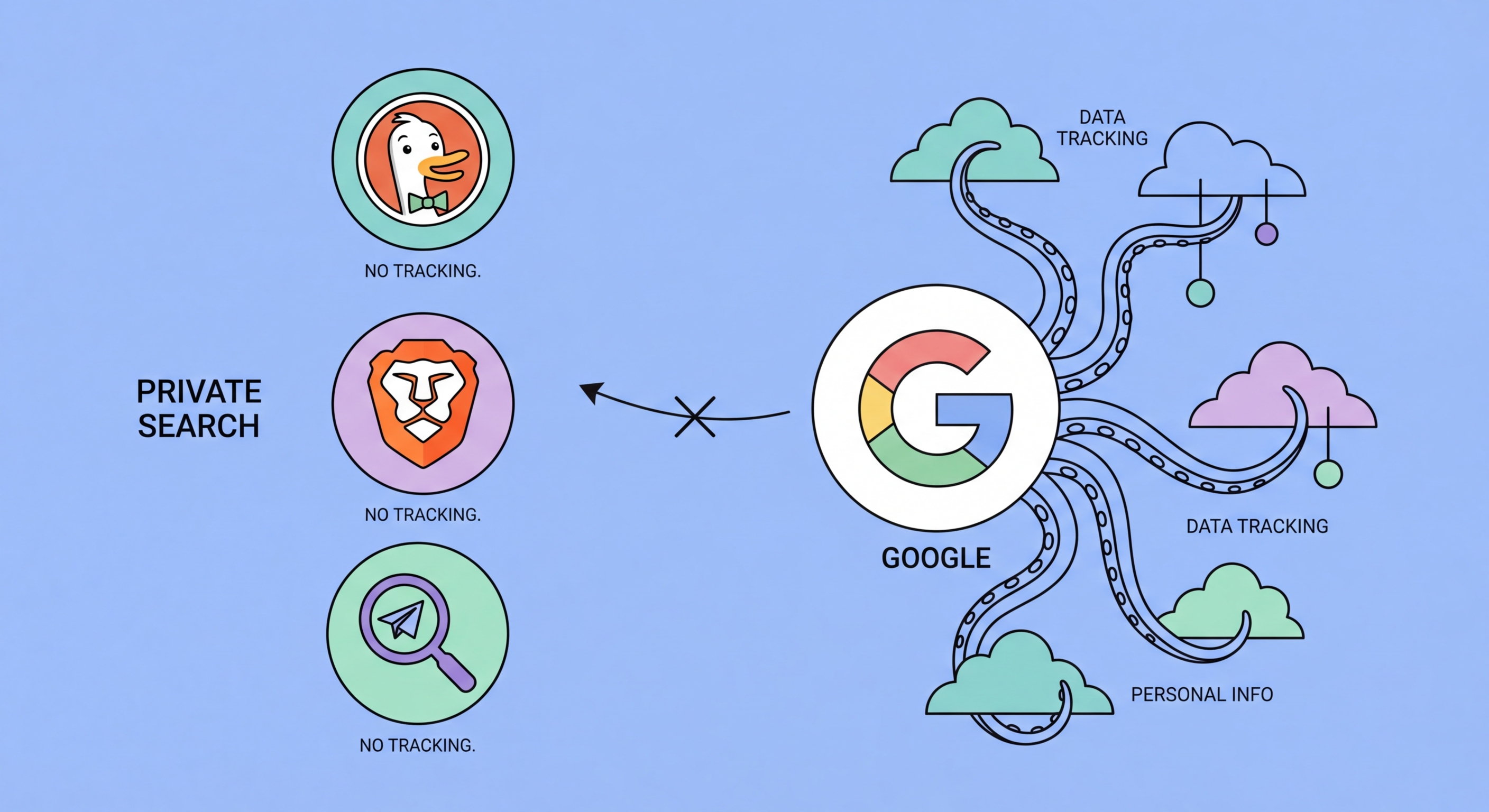
How Google's search surveillance model works — and how DuckDuckGo, Brave Search, Startpage, and Kagi compare for Hong Kong users who want good results without the profiling.
Google Search is the most powerful data collection instrument in human history for search intent data. Every query you submit to Google is stored indefinitely, linked to your Google account (or to persistent cookie identifiers if not logged in), and used to build a detailed profile of your interests, concerns, intentions, and activities. Google combines search data with data from Gmail content analysis, YouTube viewing history, location services, Chrome browsing history, and data from millions of websites that carry Google Analytics or Google Ads scripts to build comprehensive profiles used for advertising targeting.
The extent of Google's data retention is often underestimated. Google My Activity shows that search queries are stored with timestamps, and Google's account settings allow users to download their complete search history — which for long-term Google users can run to millions of queries spanning years. This data is used for advertising but also for improving search algorithms, training AI models, and fulfilling government data requests. Google received over 150,000 government requests for user data globally in 2024, complying fully or partially with the majority.
Even users who are not logged into a Google account are tracked through browser cookies, device fingerprinting, and IP-based profiling. Google's search results are personalised even for anonymous users based on these signals, which means different users see different results for the same query. This personalisation — known as the "filter bubble" effect — can subtly shape your understanding of news, products, and information by showing you content aligned with your previous behaviour rather than a neutral view of what exists online.
DuckDuckGo is the most popular privacy-respecting search engine with approximately 100 million daily queries. It does not track searches, does not build user profiles, and does not personalise results based on your history. DuckDuckGo primarily sources its results from Bing's index with additional sources including its own web crawler for some query types. Result quality for most common English-language queries is good and has improved significantly over recent years. DuckDuckGo also provides !bang shortcuts — typing "!g keyword" in DuckDuckGo sends your query to Google, useful when you need Google-quality results for a specific search but do not want all your searches tracked.
Brave Search is distinguished by operating its own fully independent web index — one of only a handful of search engines in the world to do so, the others being Google, Bing, and Yandex. This means Brave Search results are not dependent on Microsoft or Google's infrastructure, providing genuine independence. Brave Search does not track users, does not build profiles, and is fully integrated into the Brave browser as the default search engine. Hong Kong Businesses: Implementation Guide">for Hong Kong Online Banking: What You Need to Know">for Hong Kong Online Banking: A Complete Guide">for Hong Kong SMEs: Where to Start">For Hong Kong users who want to reduce dependence on both Google and Microsoft-owned Bing results, Brave Search provides the strongest independence from the US tech giants' data infrastructure.
Startpage takes a different approach: it acts as a privacy-preserving proxy to Google Search. When you search on Startpage, it forwards your query to Google on your behalf using a shared IP address pool, returning Google-quality results without Google ever knowing your identity. This means you get the search quality of Google without Google associating the query with your profile. Startpage is owned by a Dutch company and is subject to European privacy law. Its "Anonymous View" feature allows you to click through to search results through Startpage's proxy, preventing the destination site from receiving your real IP address from the search referral.
For Hong Kong users who frequently search in Traditional Chinese, result quality in private search engines has historically been a significant concern. DuckDuckGo's results for Chinese-language queries have improved substantially since 2022 but still fall short of Google's coverage of Hong Kong-specific local content — particularly for restaurant recommendations, local news, government services, and business information. For Chinese-language searches, Startpage's Google-proxied results provide the most relevant local content while preserving privacy.
Brave Search has made notable progress with Chinese-language indexing and now provides reasonable coverage for high-traffic Traditional Chinese queries. The ongoing development of Brave's independent index means coverage will continue to improve over time. For technical, business, and international news queries in English — which represent a large proportion of professional Hong Kong users' search activity — Brave Search and DuckDuckGo both provide excellent results that are comparable to Google in quality.
A practical approach for Hong Kong users is to use a private search engine as your default while retaining DuckDuckGo's !g bang shortcut or Startpage's fallback option for queries where local Chinese results are critical. Setting DuckDuckGo or Brave Search as your default in your privacy browser and using !g or !sp (Startpage) as needed gives you privacy for the majority of your searches while preserving access to Google-quality results when genuinely necessary. Over time, as private search engines continue to improve their indexes, the need for this fallback approach diminishes.
Changing your default search engine in any major browser takes under a minute. In Chrome, go to Settings > Search engine > Manage search engines and select DuckDuckGo or Brave Search from the list, or enter a custom search engine URL for Startpage or Kagi. In Firefox, go to Settings > Search > Default Search Engine and choose from the built-in options or add a custom engine. In Brave, the default is already set to Brave Search — you can change it in Settings > Search engine if you prefer a different private search engine. On iPhone, you can change Safari's default search engine in Settings > Safari > Search Engine.
Adapting to a new search engine requires a brief adjustment period. The most common challenge is adjusting to slightly different result ordering and learning which query types the new engine handles well versus where you need to use a fallback. Most users adapt within one to two weeks and find that the privacy benefits — combined with the absence of personalisation bubbles — make the switch worthwhile. DuckDuckGo's user experience is designed to be familiar to Google users, with instant answers, local results, and image search all available in a clean interface.
If you use Google services extensively — Maps, Translate, Images with Google Lens, Flights — consider using these specific tools directly rather than through Google Search, while using a private search engine for your general web queries. This selective approach reduces the amount of query data that feeds Google's profile while preserving access to Google's unique services where they are genuinely superior. Over time, you may find that private alternatives to these services — OpenStreetMap for maps, DeepL for translation — meet your needs well enough to reduce Google dependency further.