Mobile Hotspot vs Public WiFi: Which Is Safer in Hong Kong?

Your phone's mobile hotspot is categorically safer than public WiFi for sensitive tasks. But knowing when to switch, what hotspot security actually provides, and how to use both appropriately is what separates good security practice from inconvenient overcaution.

Mobile hotspot vs public WiFi comparison — smartphone creating personal hotspot for laptop
1Security Comparison

Why a Mobile Hotspot Is Safer Than Public WiFi

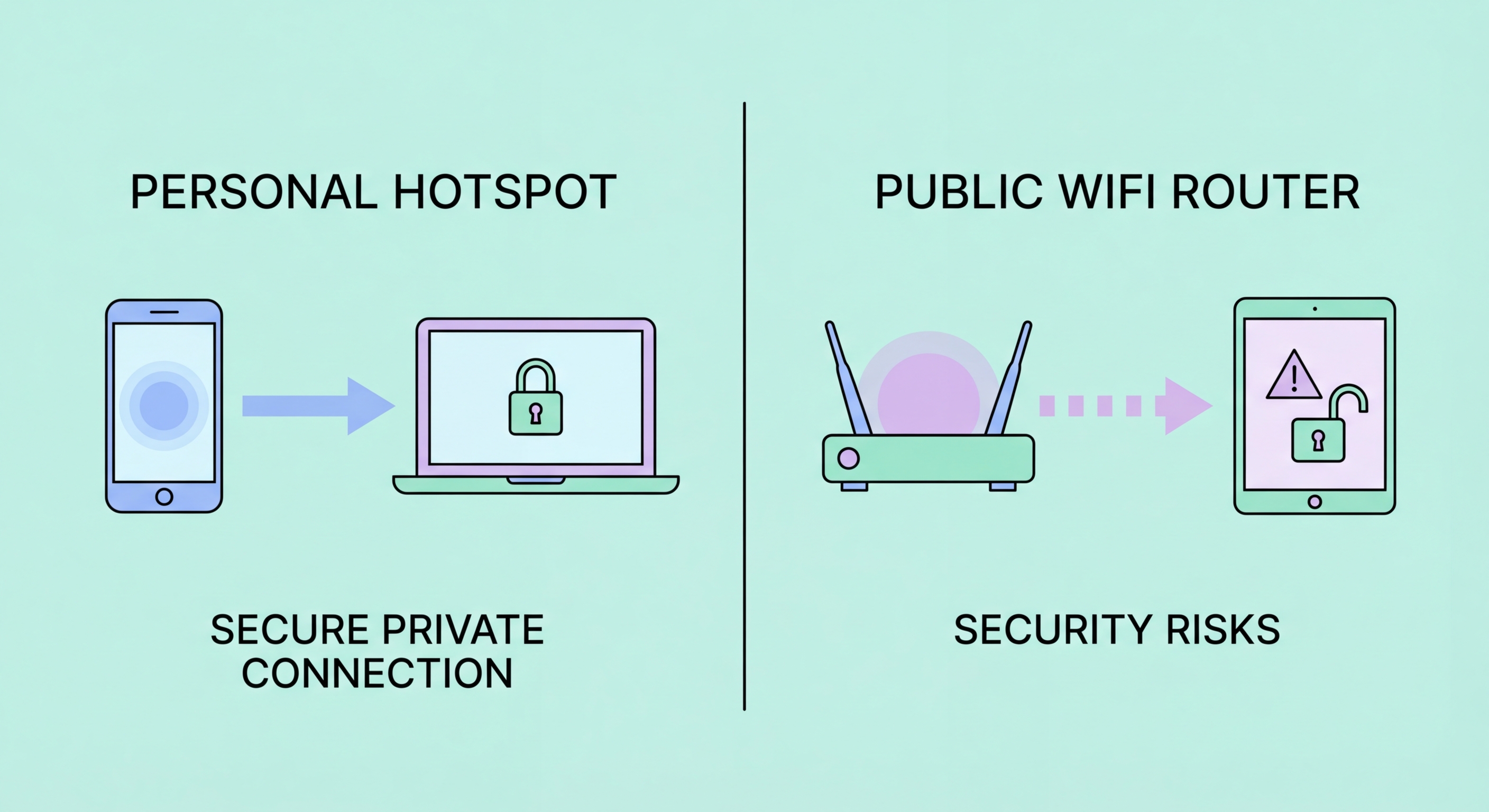
A mobile hotspot uses your phone's 4G or 5G cellular connection to provide internet access to other devices. The fundamental security difference between a mobile hotspot and public WiFi lies in who controls the network and who can access it. Your personal hotspot is password-protected with WPA2 or WPA3 encryption — only devices that know your hotspot password can connect. On a public WiFi network, any person in the physical location can connect to the same network as you. This means ARP spoofing, man-in-the-middle attacks, and peer-to-peer network attacks that target other users on the same WiFi network are not possible against your mobile hotspot: there are no other unknown users on your hotspot network to attack you.

Mobile data is also encrypted at the cellular network level. the Difference and the Connection">The connection between to Spot and Avoid Attacks on Your Phone">your phone and the mobile carrier's cellular tower uses strong encryption (4G uses AES-128 via the LTE protocol; 5G uses even stronger encryption). This network-level encryption prevents radio-level eavesdropping attacks on the cellular connection itself. Compare this with open public WiFi networks where there is no network-level encryption at all: radio signals carrying your data travel unencrypted over the air and can be captured by any device with a WiFi adapter and packet capture software within range. The cellular encryption exists regardless of whether you use HTTPS or a VPN — it is a baseline protection that public WiFi simply does not provide.

Evil twin attacks, which are among the most dangerous threats on public WiFi, are not possible against a mobile hotspot. An evil twin attack requires creating a fake access point with the same SSID as a legitimate network — an attacker cannot replicate your personal hotspot's SSID and WPA2 password without already knowing your password. Even if they knew the SSID, the WPA2 handshake requires the correct password to establish a connection. On public WiFi with no password (open networks like WiFi.HK), any device can broadcast the same SSID and collect automatic connections from devices with the SSID saved. Your personal hotspot is immune to this class of attack by design.

  • Private network: Only your password-knowing devices connect — no unknown users on the same network
  • WPA2/WPA3 encrypted: Hotspot uses strong protocol encryption that open public WiFi lacks
  • Cellular encryption: 4G/5G data is encrypted at the radio layer — additional protection over public WiFi
  • No evil twin risk: Password protection prevents fake hotspot impersonation
  • No ARP spoofing: No other unknown users on network means peer-to-peer attacks impossible
  • No MITM from peers: Other café/airport users cannot insert themselves between you and the internet
Why public WiFi evil twin attacks cannot target a personal hotspot →
Mobile hotspot security comparison with public WiFi — WPA2 encryption and private network
2HK Data and Hotspot Practicality

Using a Mobile Hotspot in Hong Kong: Data Plans and Practicality

Hong Kong's mobile data plans are among the most generous globally, making personal hotspot use practical for most users. The major carriers — CMHK, SmarTone, 3HK, and HKT — all offer plans with 50GB or more of monthly data for reasonable prices, and many offer unlimited data plans with throttling above a threshold. For typical business and personal use, the additional data consumed by routing a laptop's internet traffic through a mobile hotspot is manageable within a generous data plan. Email, web browsing, and document work typically uses 1–3GB per day. Video conferencing (Zoom, Teams, Google Meet) uses approximately 1GB per hour at standard quality. Large file downloads are the primary concern, but these can be deferred to secure networks.

4G and 5G coverage across Hong Kong's urban areas and the MTR network is comprehensive. CMHK, SmarTone, and 3HK all provide strong signal across MTR platforms and trains (including underground stations), in most commercial buildings, shopping malls, and throughout the urban areas of Kowloon and Hong Kong Island. The New Territories has patchier coverage in rural areas, but urban centres in the NT (Shatin, Tsuen Wan, Tuen Mun, Yuen Long) have good coverage. For most professional use cases — working at a café, working in transit, working in a hotel room — mobile data via hotspot provides adequate speed for productivity. 5G, where available, provides speeds that rival or exceed many public WiFi networks for most tasks.

Setting up a hotspot takes seconds. On iPhone: Settings → Personal Hotspot → Allow Others to Join (toggle on). You will see the hotspot name (your device name) and the WiFi password. You can change the password to something easier to remember and type. On Android: Settings → Network & Internet → Hotspot & Tethering → WiFi Hotspot (toggle on). Rename the hotspot to something that does not identify you personally in public spaces — using your full name as your hotspot SSID broadcasts your identity in any WiFi scan. Set a strong password (12+ characters) and share it only with devices you intend to connect. Remember to turn the hotspot off when not in use to prevent battery drain and to avoid inadvertently sharing your connection.

  • Generous HK plans: Most HK carriers offer 50GB+ plans that accommodate hotspot use for typical tasks
  • 4G/5G coverage: Comprehensive in urban HK, MTR network, and commercial areas
  • Data estimate: Email and web uses 1–3GB/day; video calls use ~1GB/hour
  • iPhone setup: Settings → Personal Hotspot → Allow Others to Join
  • Android setup: Settings → Network & Internet → Hotspot & Tethering → WiFi Hotspot
  • Privacy: Use a hotspot name that doesn't identify you personally in public spaces
When to use your hotspot vs MTR WiFi during your commute →
Hong Kong mobile data plans for hotspot use — CMHK SmarTone 3HK data allowances
3Decision Framework

When to Use a Mobile Hotspot vs Public WiFi

The decision between mobile hotspot and public WiFi should be based on the sensitivity of what you are doing, not on reflexive avoidance of all public WiFi. Public WiFi with a VPN active provides adequate security for low-to-medium sensitivity tasks: reading news, streaming media, browsing social media, and casual web browsing. The VPN ensures your traffic is encrypted and the risk profile for these activities is low — no credentials being submitted, no sensitive data in transit, minimal consequence if metadata is observed. Switching to mobile data for these activities provides marginal security benefit and consumes your data allowance unnecessarily.

Switch to your mobile hotspot (or your phone's direct cellular connection) for: banking and financial services, corporate email and business systems, work documents and cloud storage accessed via browser, video calls involving confidential business information, medical or legal service access, any login to accounts with high-value credentials, and any activity where you would feel uncomfortable if the traffic were observed. The rule of thumb is: if you would not want your employer, a financial investigator, or a stranger to know what you are doing online, use mobile data. The friction of switching to mobile data for these activities is low — a few seconds — and the security benefit is significant.

For business travellers in Hong Kong hotels, the mobile hotspot recommendation is especially strong. Hotel WiFi concentrates high-value targets in a known location, is often poorly configured in terms of client isolation, and has been the target of sophisticated nation-state attacks (DarkHotel) that specifically target business travellers. The elevated risk profile of hotel networks justifies the minor inconvenience of using mobile data for all work-related tasks during a hotel stay. At HKIA, the Airport_Free_WiFi network is a documented evil twin target due to its known SSID and concentration of international travellers — using your phone's 4G connection through the airport is the recommended approach for any sensitive activity before or after flights.

  • Public WiFi + VPN OK for: News, streaming, social media, casual browsing, low-sensitivity HTTPS sites
  • Use mobile hotspot for: Banking, corporate email, work systems, cloud storage, confidential video calls
  • Hotel stays: Use mobile hotspot for all work-related tasks — hotel WiFi risk profile too high
  • HKIA: Use mobile data instead of Airport_Free_WiFi for any sensitive activity
  • Decision rule: If uncomfortable with the content being observed, switch to mobile data
  • Friction is low: Switching to hotspot takes seconds — not a significant inconvenience
Why hotel WiFi is especially risky — and why hotspot matters there →
Decision framework — when to use mobile hotspot vs public WiFi for security
4Hotspot Security Settings

Hotspot Security Settings and Limitations to Know

Your personal hotspot's security depends on its password strength and protocol. Both iOS and Android default to WPA2 encryption with an auto-generated password — this is secure by default, but the auto-generated password may be difficult to type and you may be tempted to simplify it. If you change the password, use a minimum of 12 characters including uppercase, lowercase, numbers, and symbols. A weak hotspot password can be brute-forced by a determined attacker, and your hotspot SSID is visible to anyone scanning for WiFi networks nearby. Use a non-identifying SSID (not your name or phone model) to reduce targeted attention. On iOS 16 and later, you can set the hotspot to use WPA3 in Personal Hotspot settings if both your phone and connecting device support WPA3.

Battery consumption is the main practical limitation of mobile hotspot use. Hotspot mode activates both the cellular radio (continuously transmitting data) and the WiFi radio (broadcasting the hotspot signal), which together consume significantly more battery than normal phone use. For a laptop with active web browsing and occasional video calls, you can expect battery drain of 20–30% per hour of hotspot use depending on network conditions and phone model. For extended hotel stays or long airport sessions, consider a compact portable battery pack (a power bank of 10,000–20,000mAh capacity) to keep your phone charged while acting as a hotspot. Alternatively, some Hong Kong hotel rooms have wired ethernet connections — a wired connection to the hotel network is generally more secure than hotel WiFi but still warrants VPN use.

A mobile hotspot does not provide anonymity or protect you from your carrier. Your carrier sees all traffic that flows through your mobile data connection, can log connection metadata, and is legally required to provide this data to law enforcement on proper request. For ordinary users, carrier-level visibility is not a concern — your carrier is accountable and regulated. If anonymity from your carrier is a requirement, a VPN over mobile data routes your traffic through the VPN server before reaching your carrier's network, obscuring destinations. For most Hong Kong users, the relevant comparison is between the security of personal hotspot (carrier-visible, private network, encrypted cellular connection) and public WiFi (carrier or venue operator visible, shared network, no WiFi-layer encryption) — and personal hotspot wins significantly on all dimensions relevant to public security.

  • Strong password: 12+ character hotspot password — don't simplify the auto-generated password
  • WPA3 option: iOS 16+ and some Android versions support WPA3 for personal hotspot
  • Non-identifying SSID: Don't use your name or device model as your hotspot name
  • Battery drain: Hotspot uses 20–30% battery per hour — carry a power bank for extended use
  • Carrier visibility: Your carrier sees traffic metadata — add VPN if anonymity from carrier is needed
  • Ethernet alternative: Wired hotel ethernet + VPN is more secure than hotel WiFi for extended stays
See the complete safe public WiFi checklist including hotspot recommendations →
Mobile hotspot security settings and limitations — WPA2 password and battery considerations

Hotspot for Sensitive Tasks. VPN for Everything Else.

This two-tier approach — mobile hotspot for banking, work, and sensitive tasks; VPN-protected public WiFi for everything else — provides practical security without unnecessary friction.

Related VPN Articles