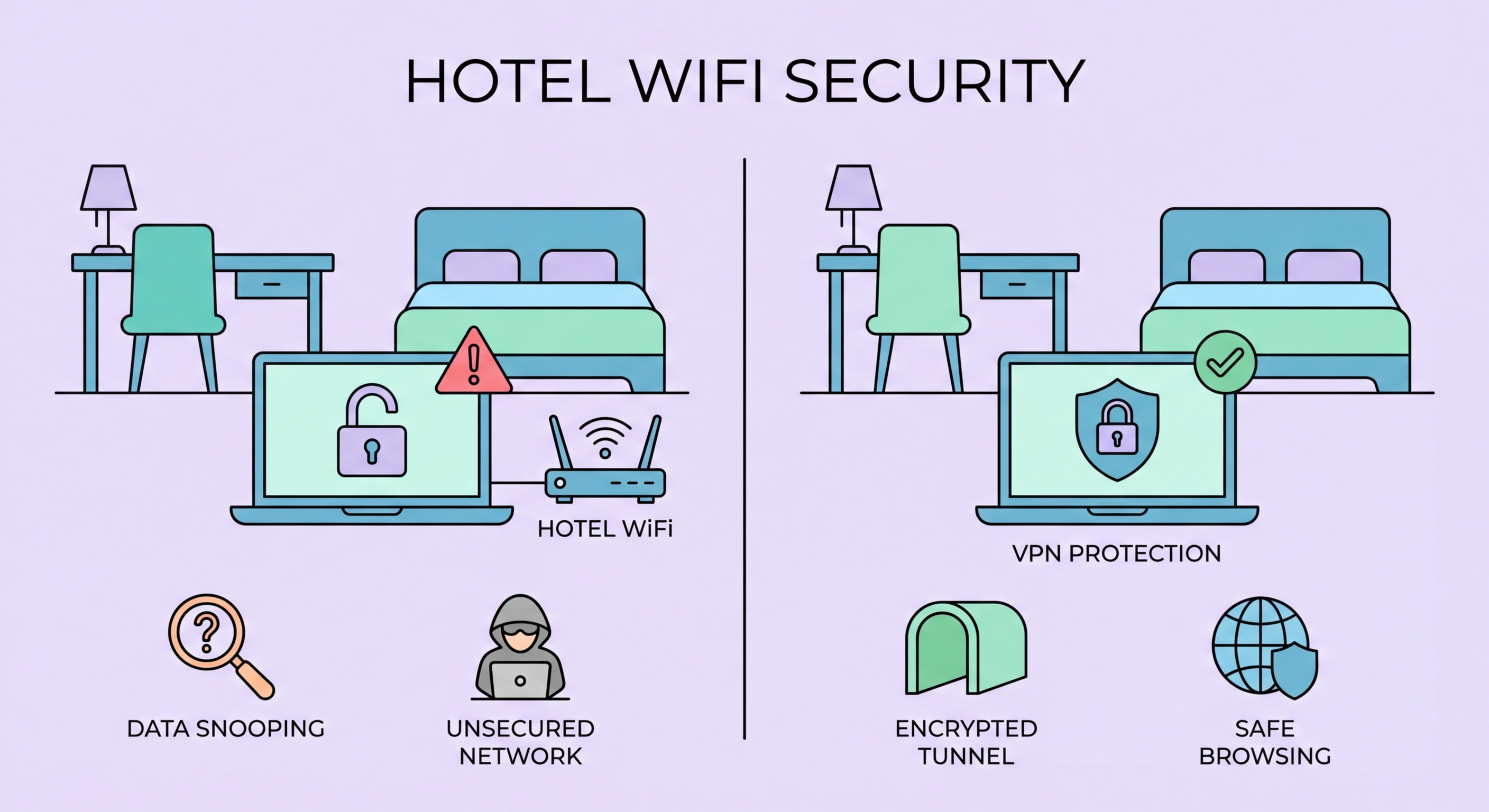
Hotel WiFi is among the most dangerous public networks you will encounter. Hundreds of guests share the same network, and the high concentration of business travellers makes hotel networks prime targets for attackers. Here's what to do about it.
Hotel networks stand out among public WiFi environments for several reasons that make them particularly attractive to attackers. First, hotel guests are a concentrated population of high-value targets: business travellers with corporate accounts and sensitive company data, tourists with international bank accounts and credit cards, and VIPs who may be deliberate targets for corporate espionage or financial crime. The average hotel guest is likely to have more valuable data accessible on their devices than the average coffee shop customer.
Second, all guests on the same hotel network can see each other at the network layer unless the network is properly configured with client isolation. Client isolation is a network security feature that prevents devices on the same wireless network from communicating directly with each other. Without it, a guest in room 1201 could potentially access the network shares, printers, or open services on a guest's laptop in room 1205 on the same floor. Many hotel networks, particularly in older properties or budget hotels, do not have client isolation properly configured.
Third, hotel stays often involve extended usage periods. A business traveller who stays in for Business Travellers: Protecting Corporate Data in Hong Kong">Hong Kong for a week may use the hotel WiFi for 10–14 hours per day across multiple days — far more cumulative exposure than a brief café visit. This extended presence gives patient attackers more opportunity to monitor traffic, identify valuable targets, and time attacks to coincide with high-value activity such as when you access your company's financial systems or conduct important video calls over the network.
The "DarkHotel" APT (Advanced Persistent Threat) group, first documented by Kaspersky Lab in 2014, demonstrated that nation-state attackers specifically target hotel networks to compromise high-profile business travellers. The DarkHotel operation involved penetrating hotel networks and positioning malware that prompted specific targeted guests to install what appeared to be legitimate software updates when connecting to the hotel WiFi. The malware, once installed, provided the attackers with access to corporate emails, intellectual property, and strategic business plans from the targeted executives.
The DarkHotel campaign operated primarily across Asia, targeting guests at luxury hotels in Japan, Taiwan, China, Russia, and Korea — precisely the kind of travel corridors used by Hong Kong-based executives and international business visitors. The operation was notable not just for its technical sophistication but for the targeting intelligence it demonstrated: attackers knew which specific guests to target, what hotels they would stay at, and when they would arrive. This level of targeting suggests not just technical compromise but some combination of insider information, compromised booking systems, or open-source intelligence gathering.
Less sophisticated attacks on hotel networks are far more common and do not require nation-state resources. Security researchers at conferences like DEF CON regularly demonstrate how easily an attacker can set up a man-in-the-middle position on a hotel network using commercial hardware costing less than HK$1,000. The combination of a laptop with two network adapters, readily available attack tools, and a hotel room provides everything needed to intercept the network traffic of other guests on the same network. This type of opportunistic financial crime is far more common than targeted espionage and affects business travellers and tourists alike.
Hong Kong's hotel sector ranges from international five-star properties to budget guesthouses, and the quality of WiFi security varies accordingly. The major international chains — Mandarin Oriental, Four Seasons, Ritz-Carlton, Grand Hyatt, and similar properties in Tsim Sha Tsui and Central — typically invest more in network infrastructure and are more likely to have client isolation and modern network security configurations. However, "more likely" is not "certain" — even high-end hotels can have poor network security if their IT teams are not focused on it.
Mid-range and budget hotels in Mong Kok, Wan Chai, and Causeway Bay often use simpler network infrastructure where client isolation may not be configured. These networks frequently serve more devices on less robust equipment, creating conditions where network attacks are easier to execute. Guest-facing WiFi in older Hong Kong buildings may use outdated access points running firmware with known vulnerabilities that hotel IT staff have not updated. Budget hotels frequently outsource their IT entirely to a single access point device without professional network management.
The captive portal login process deserves attention in Hong Kong hotels specifically. Many hotels ask you to log in using your room number and last name — information that another guest could potentially know or guess. If the captive portal assigns you an authenticated session based on this information without any additional verification, another guest could potentially log in as you to the hotel network (though the practical security implications of this depend on how the hotel's network is segmented). Always use HTTPS throughout your session and do not transmit anything sensitive without VPN protection regardless of which hotel you are staying in.
The golden rule for hotel WiFi is identical to the rule for all public networks, but the stakes are higher given the elevated attack sophistication: use a VPN for everything. Connect your VPN before opening your email, before accessing any work systems, and before doing anything other than the initial captive portal login. Many VPNs cannot be active during captive portal authentication because the portal needs to intercept your traffic — but once the portal accepts your login and you have internet access, immediately start your VPN before opening any app or browser tab.
Disable file sharing features on your laptop when connecting to hotel WiFi. On Windows, set your network location to "Public" (not "Private" or "Domain") so that Windows disables network discovery and file sharing automatically. On macOS, go to System Settings → General → Sharing and ensure that File Sharing and Screen Sharing are turned off. On both platforms, ensure your software firewall is active. These settings prevent other guests on the same hotel network from browsing your shared folders or connecting to services on your laptop.
Consider using your phone as a mobile hotspot for your laptop during hotel stays, particularly for high-sensitivity work. Even with a VPN, the hotel WiFi introduces a level of risk that mobile data does not. Your phone's 4G/5G connection is not accessible to other hotel guests, is encrypted at the network level, and is not susceptible to the ARP spoofing or evil twin attacks that affect WiFi networks. The convenience of hotel WiFi rarely outweighs the security benefit of mobile data for the kind of sensitive business work that commonly occurs during extended hotel stays.