How Does a Proxy Server Work?
Understanding proxy server mechanics — request forwarding, IP masking, caching, and the step-by-step flow of traffic through an intermediary server.
Published: March 29, 2026
Understanding proxy server mechanics — request forwarding, IP masking, caching, and the step-by-step flow of traffic through an intermediary server.
Published: March 29, 2026
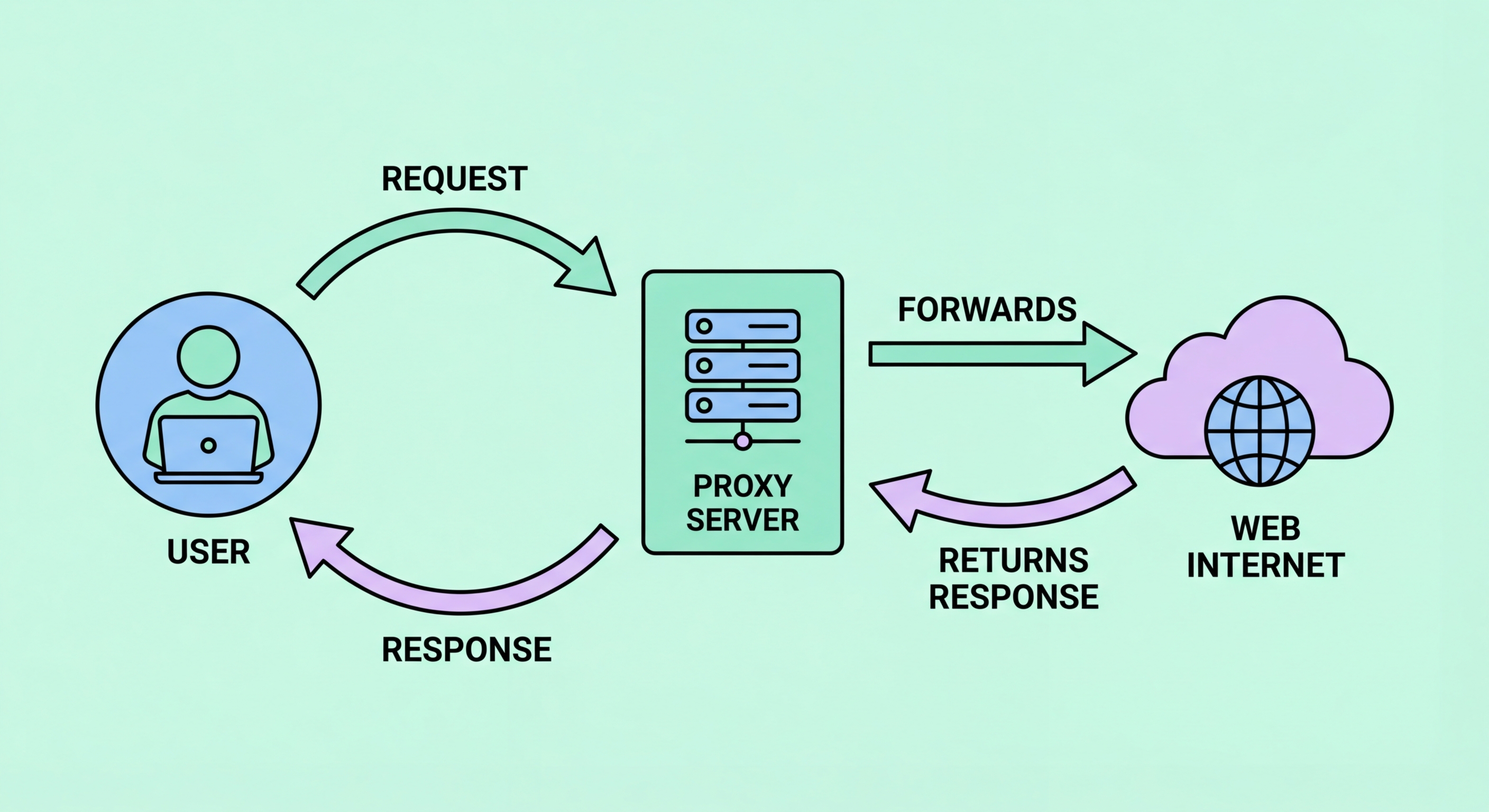
When you configure your browser or application to use a proxy, every request you make follows a different path to the internet. Instead of your device connecting directly to the destination server, your browser sends the HTTP or HTTPS request to the proxy server's IP address and port number. The proxy receives this request, examines it according to its configuration, and then opens its own separate connection to the actual destination — the website you're trying to reach.
The destination server receives an incoming connection from the proxy's IP address. It processes the request exactly as it would any other, generating a response — the web page, API data, image, or file you requested. This response is sent back to the proxy server. The proxy then forwards the response to your device, completing the round trip. Your browser renders the content as normal, unaware that it was routed through an intermediary.
This two-connection model is the fundamental mechanism behind all proxy operations. The first connection is between your device and the proxy; the second is between the proxy and the destination. Crucially, these are two separate TCP connections — the destination server cannot see your device's IP address because it is only in direct contact with the proxy. Any logging by the destination captures the proxy's IP, not yours.

IP masking is the most commonly cited reason for using a proxy, but the mechanism is more nuanced than simply "hiding your IP." When a proxy forwards your request to a destination server, it replaces the source IP in the TCP packet header with its own IP address. The destination receives a connection from the proxy's IP and has no technical way to determine the original client's IP from the network layer alone.
However, the degree to which your identity is concealed depends on the proxy's anonymity level. A transparent proxy passes along your real IP in the HTTP header field X-Forwarded-For — providing essentially no privacy. An anonymous proxy removes your real IP from the packet header but may still include an X-Forwarded-For header identifying itself as a proxy. An elite or high-anonymity proxy strips all such headers, making requests appear as though they originate from a regular end-user browser with no proxy intermediary.
It's also important to understand that IP masking only hides your IP from the destination server. Your own ISP ↗ still sees that you are connecting to the proxy server's IP address, and the proxy provider itself knows your real IP from the connection you make to reach it. For truly anonymous browsing, you would need to combine a proxy with additional privacy measures, or consider whether a VPN or Tor better suits your threat model.

One of the original purposes of proxy servers — and still a significant use case in enterprise and ISP ↗ deployments — is content caching. When a caching proxy serves a request for the first time, it stores a local copy of the response. The next time any user behind that proxy requests the same resource, the proxy serves the cached copy instead of fetching it from the origin server. This saves bandwidth, reduces server load, and can dramatically improve response times for frequently accessed content.
Modern caching proxies implement sophisticated cache management systems. They respect HTTP cache-control headers set by origin servers, which instruct caches how long content can be stored and under what conditions it should be revalidated. Conditional GET requests allow the proxy to check whether a cached resource has been updated without downloading the full response. When content has changed, the proxy fetches and stores the new version; if it hasn't, a 304 Not Modified response allows the proxy to serve the cached copy with confidence.
Content Delivery Networks (CDNs) — the backbone of modern web performance — are essentially massive, geographically distributed caching proxy networks. When you visit a website hosted on Cloudflare, Akamai, or AWS CloudFront, your request is typically served by a cache node located physically close to you, not the origin server. This is proxy caching operating at global scale, reducing latency from hundreds of milliseconds to single-digit milliseconds for users worldwide.

Handling encrypted HTTPS traffic presents a challenge for proxy servers. With plain HTTP, the proxy can read and inspect every request and response in full. But HTTPS uses TLS encryption to create an end-to-end encrypted channel between your browser and the destination server. A simple proxy cannot read the content of an HTTPS request or insert itself into the encryption without breaking it.
The solution for most forward proxies is the HTTP CONNECT method. When your browser wants to access an HTTPS site through a proxy, it sends a CONNECT request to the proxy specifying the destination host and port (e.g., CONNECT example.com:443). The proxy then establishes a TCP connection to the destination and sends back a 200 Connection Established response. From this point, the proxy acts as a transparent pipe — it blindly forwards encrypted bytes between your browser and the destination without being able to decrypt them. The TLS handshake happens directly between your browser and the destination server.
Some corporate proxies take a different approach: SSL inspection (also called HTTPS interception or "man-in-the-middle" by design). These proxies decrypt HTTPS traffic, inspect it for policy violations or malware, re-encrypt it, and forward it to the destination. This requires installing a trusted root certificate on employee devices so the proxy's re-signed certificates are trusted. While legitimate in corporate security contexts, this approach fundamentally breaks end-to-end encryption and should never be used outside explicit, disclosed corporate environments.
