HTTP vs HTTPS Proxy: Understanding the Difference
HTTP and HTTPS proxies handle traffic very differently. Understanding the distinction helps you choose the right proxy type and avoid common security misconceptions.
HTTP and HTTPS proxies handle traffic very differently. Understanding the distinction helps you choose the right proxy type and avoid common security misconceptions.
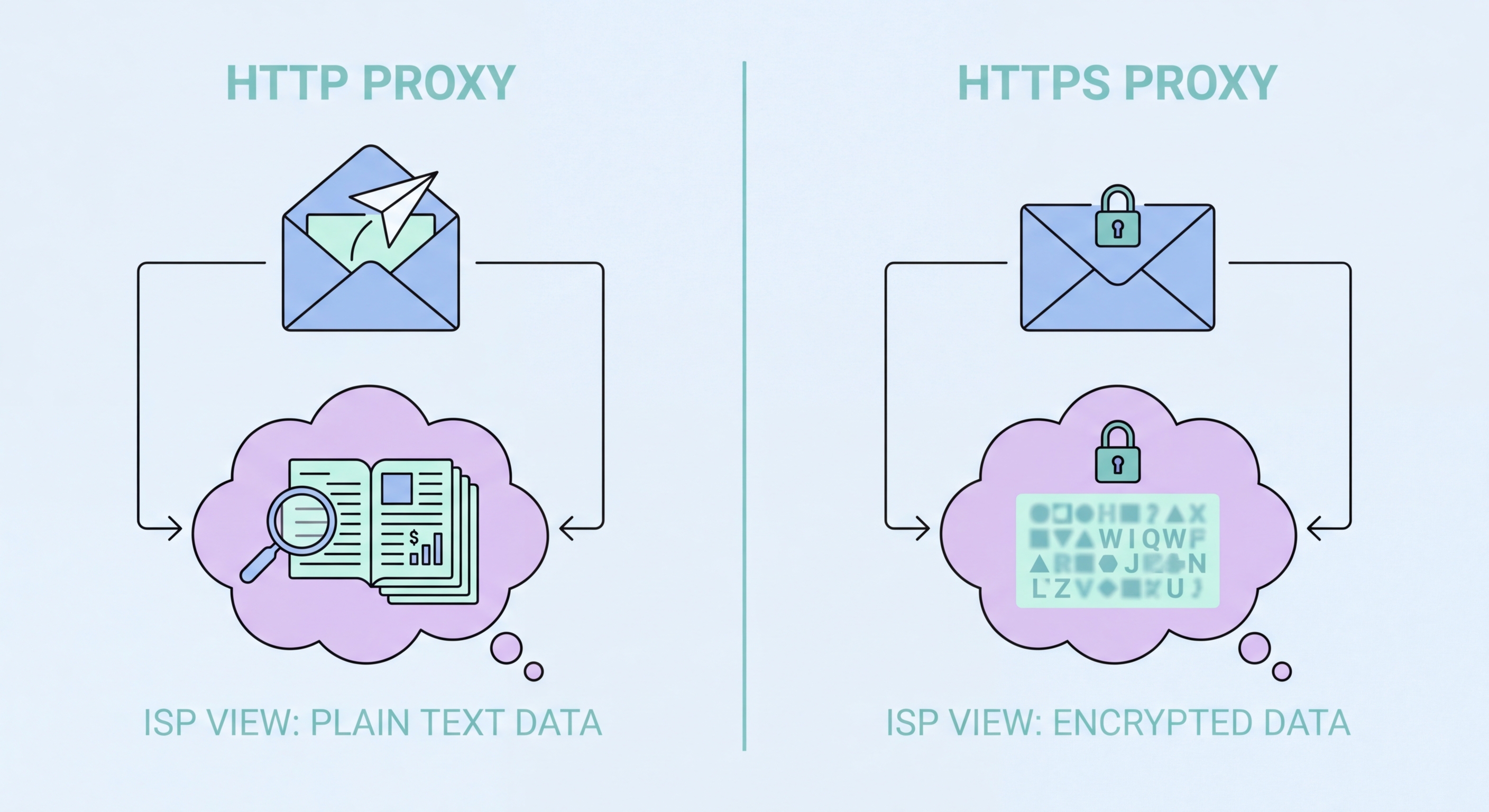
An HTTP proxy is designed to handle standard unencrypted web traffic. When your browser is configured to use an HTTP proxy and you request an HTTP (not HTTPS) page, the proxy receives your complete request — including the URL, HTTP headers, and request body. It can read, inspect, modify, or cache this content before forwarding it to the origin server. The proxy also receives the full response and can modify it before passing it back to your browser.
This full-visibility architecture makes HTTP proxies powerful tools for content filtering, caching, and traffic analysis. Corporate filtering proxies use this capability to block access to non-work websites based on URL patterns. Web application firewalls use it to inspect and block malicious HTTP requests before they reach application servers. CDN cache nodes use it to serve cached content without contacting the origin. The ability to read and modify traffic is central to all these use cases.
The limitation is that HTTP proxies only understand HTTP. They cannot handle HTTPS traffic natively, they cannot proxy non-HTTP protocols like BitTorrent or email, and they cannot handle the full range of modern web traffic which has shifted overwhelmingly to HTTPS. An HTTP-only proxy would be useless for the majority of today's web, which is why virtually all modern proxy services support the CONNECT method for HTTPS tunneling and often SOCKS5 for full protocol support.

An HTTPS proxy — or more accurately, a proxy that supports HTTPS tunneling via the CONNECT method — handles encrypted web traffic without being able to read its content. When your browser wants to access an HTTPS site through a proxy, it sends a plain-text CONNECT request to the proxy identifying the target host (e.g., CONNECT github.com:443 HTTP/1.1). The proxy establishes a TCP connection to github.com:443, then responds with 200 Connection Established, after which it becomes a transparent relay.
From that point forward, the proxy blindly forwards encrypted bytes in both directions between your browser and the destination. The TLS handshake happens directly between your browser and the destination server — the proxy cannot decrypt or inspect this traffic because it doesn't have the destination server's private TLS key. This preserves end-to-end encryption: the destination sees your browser's TLS client hello, not the proxy's. The proxy simply passes the encrypted stream through.
The CONNECT tunnel approach means that while your traffic content is protected by TLS, certain metadata remains visible. The CONNECT request itself is plain text: anyone monitoring the connection between you and the proxy can see that you are connecting to github.com:443 — even if they can't see what you're doing there. SNI (Server Name Indication) in the TLS handshake also reveals the target hostname. For full metadata concealment, a VPN is more appropriate than an HTTPS proxy, as it encrypts even the destination hostnames.

Some corporate and government proxy deployments use SSL inspection (also called HTTPS interception or TLS inspection) to decrypt and inspect HTTPS traffic. This is distinct from a standard HTTPS proxy: instead of acting as a blind tunnel, the SSL inspection proxy performs a man-in-the-middle decryption. The proxy presents its own TLS certificate to your browser (signed by an enterprise root CA installed on employee devices) and simultaneously establishes its own TLS connection to the destination server.
From the user's perspective, the browser shows a padlock and HTTPS in the address bar. But the certificate is signed by the company's internal CA, not by the website's real certificate authority. Traffic between your browser and the proxy is encrypted with one TLS session; traffic between the proxy and the destination server is encrypted with a separate TLS session. The proxy reads all content in plaintext between these two sessions — logging traffic, scanning for malware, blocking policy violations, or inspecting data exfiltration attempts.
SSL inspection is controversial. In legitimate enterprise deployments with proper employee disclosure, it serves real security purposes — detecting malware downloads, enforcing DLP policies, and monitoring for insider threats. However, it fundamentally breaks the trust model of HTTPS, which promises end-to-end encryption between user and website. If you're on a corporate network and notice that website certificates are signed by an internal CA rather than a trusted public authority like DigiCert or Let's Encrypt, your traffic is being inspected.

For most individual users browsing the modern web, the relevant distinction is not HTTP vs HTTPS proxy — it's whether the proxy service supports the CONNECT method for HTTPS tunneling. Virtually every reputable commercial proxy provider offers proxies that support both HTTP and HTTPS tunneling through CONNECT, configured the same way in your browser. The "HTTP proxy" label on many services refers to the proxy configuration protocol, not a limitation to unencrypted traffic.
SOCKS5 proxies are the better choice when you need to proxy non-browser applications or any traffic that isn't HTTP/HTTPS. If you're configuring a torrent client, SSH tunneling tool, database client, or custom Python script, SOCKS5 is the only proxy type that will work reliably across this range of applications. SOCKS5 also handles UDP traffic, which HTTP proxies cannot. Most commercial proxy providers offer SOCKS5 alongside HTTP proxy options at no additional cost.
For privacy-sensitive use cases, be aware of what each proxy type reveals. An HTTPS proxy with CONNECT tunneling reveals destination hostnames in plain text. A SOCKS5 proxy can be configured to resolve DNS at the proxy server (using socks5h:// instead of socks5://) to avoid DNS leaks. Neither type provides the comprehensive traffic encryption that a VPN does. For sensitive browsing — banking, healthcare, private communications — a VPN remains the appropriate tool regardless of which proxy type you might also use.
