Datacenter vs Residential Proxies: Which Do You Need?
The two dominant proxy types differ fundamentally in cost, speed, detection risk, and use case fit. This guide helps you match the right proxy type to your specific requirements.
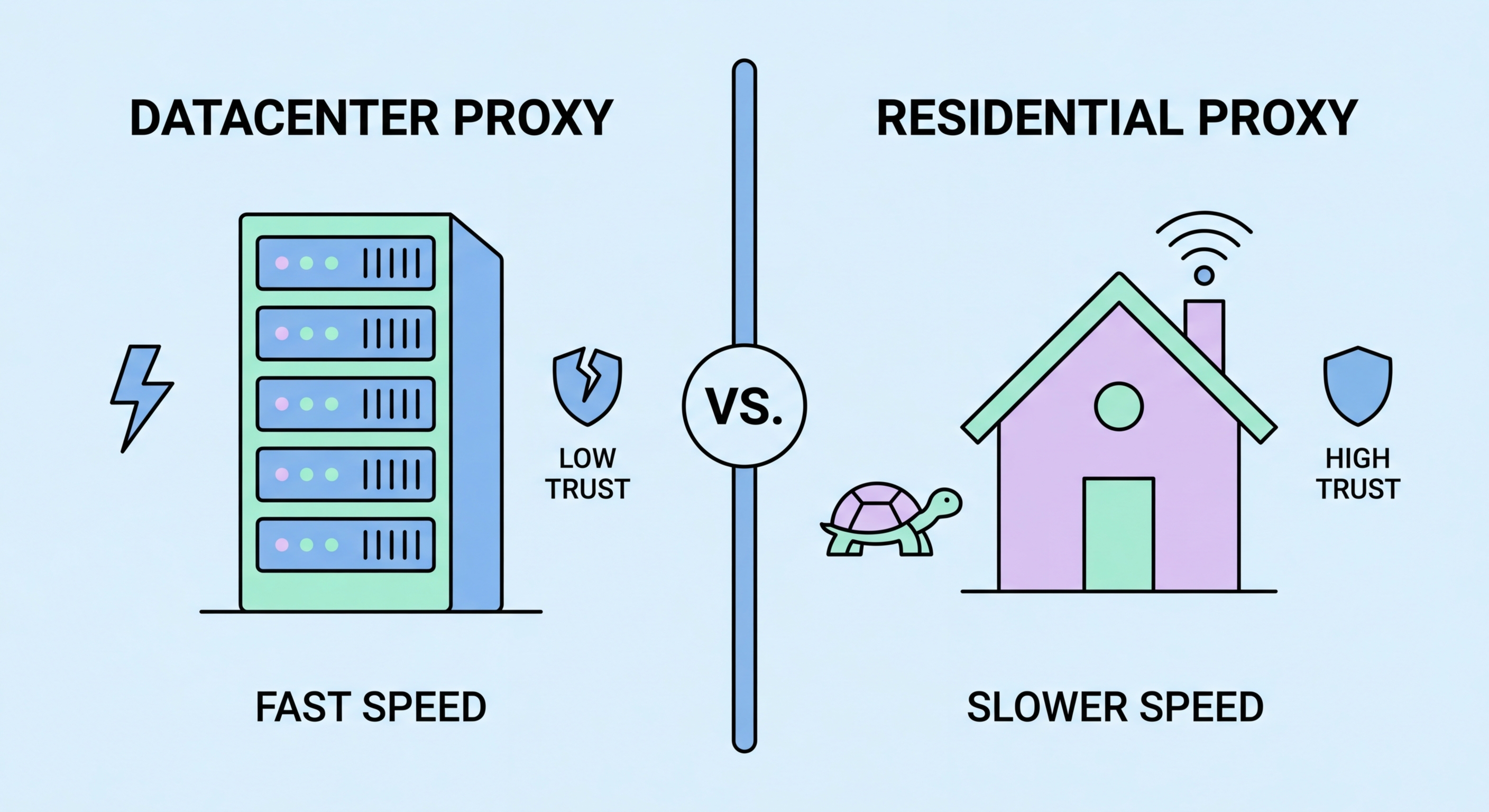
The two dominant proxy types differ fundamentally in cost, speed, detection risk, and use case fit. This guide helps you match the right proxy type to your specific requirements.
Datacenter proxies use IP addresses assigned to commercial cloud and hosting infrastructure: servers in AWS, Google Cloud, Alibaba Cloud, Hetzner, OVH, and hundreds of other hosting providers and data centers worldwide. These IPs are provisioned in bulk, have no connection to real home internet users, and are managed entirely by the proxy provider. The result is a proxy type that offers excellent consistency: datacenter servers maintain high uptime, provide fast and stable connections, and are available in predictable quantities at known prices.
Speed is the primary advantage of datacenter proxies. Because they run on commercial server hardware with gigabit or 10-gigabit network connections in well-peered data centers, latency is minimal and bandwidth is abundant. A Hong Kong user connecting to a datacenter proxy in Singapore or Tokyo can expect single-digit millisecond added latency and no practical bandwidth limitations. This makes datacenter proxies ideal for time-sensitive applications like real-time pricing engines, financial data feeds, and high-frequency data collection tasks where throughput matters.
The fundamental limitation is detectability. The IP addresses of major cloud and hosting providers are extensively catalogued in commercial and open-source databases. Anti-bot systems can identify an AWS, Digital Ocean, or Alibaba Cloud IP range instantly and treat incoming requests with elevated suspicion. Many well-defended websites have blanket policies blocking entire ASNs belonging to cloud providers, meaning no datacenter proxy will work regardless of how clean or unrotated the IP is. For these targets, residential proxies are the only technical option.

Residential proxies use IP addresses assigned by ISPs to real home broadband subscribers. These IPs are treated by websites as legitimate consumer traffic — they belong to the same IP ranges as ordinary internet users in the target geography. Anti-bot systems that instantly flag datacenter IPs must work much harder to distinguish a residential proxy from a genuine user, relying on behavioural signals rather than simple IP reputation checks. This fundamental trust advantage makes residential proxies the standard for accessing well-defended websites.
Geographic authenticity is a specific advantage residential proxies provide that datacenter proxies often cannot match. A residential proxy can provide a genuine HKT or PCCW IP address in Kowloon, or a genuine BT IP in London, or a Comcast IP in Chicago. This level of geographic authenticity matters for use cases like local SEO research (seeing what a local user in a specific city actually sees in search results), ad verification (confirming ads are targeting the correct geographic audience), and travel price comparison (accessing geographically differentiated pricing from specific consumer locations).
The cost differential is substantial. Residential proxies typically cost $5–15 per gigabyte from reputable providers, compared to $0.50–3 per gigabyte for datacenter proxies — a 5-10x premium. For high-bandwidth use cases, this premium compounds quickly: a data collection operation consuming 1 TB per month would cost $500–1,500 in residential proxy bandwidth versus $50–300 for equivalent datacenter proxy bandwidth. The decision must weigh the detection rate improvement against the cost premium for the specific target website mix.

When comparing the two proxy types directly across the key dimensions, the trade-offs become clear. On cost, datacenter proxies win decisively: $0.50–3/GB vs $5–15/GB is a 5-10x difference that compounds at scale. A startup with a $500/month proxy budget can collect 200–1,000 GB of data via datacenter proxies but only 33–100 GB via residential proxies. For operations where detection isn't an issue, using residential proxies would be economically wasteful — paying a 10x premium for trust properties you don't need.
On speed, datacenter proxies again have the advantage. Commercial data center servers with gigabit connections and low-latency peering consistently deliver faster, more predictable performance than residential proxies, which are subject to the upload bandwidth limitations and variable routing of home broadband connections. For latency-sensitive applications — real-time trading data, live event monitoring, time-auction sniping — datacenter proxies are the appropriate choice regardless of detection considerations.
On success rate for defended targets, the equation flips. If your target websites use Cloudflare Pro, Akamai Bot Manager, Imperva, or PerimeterX, datacenter IPs may achieve 10-30% success rates while residential IPs achieve 70-95% success rates for the same targets. In this scenario, residential proxies may actually be more cost-effective despite their higher per-GB price, because you don't waste bandwidth on failed requests. Success rate analysis per target domain is the only reliable way to make an informed proxy type selection decision.

The decision between datacenter and residential proxies should follow a structured evaluation process rather than defaulting to the more expensive residential option. Start by categorising your target websites by detection sophistication. Websites without Cloudflare, Akamai, or dedicated bot management platforms are typically accessible with datacenter proxies. Websites with basic Cloudflare (free/pro tier) may work with datacenter proxies in rotation. Websites with Cloudflare Enterprise, Akamai Bot Manager, or custom bot detection almost certainly require residential proxies.
Next, calculate your data volume and budget against both pricing models. If your monthly scraping volume is under 50 GB and you're targeting defended sites, residential proxies at $5–15/GB are manageable. If you need 10+ TB per month, residential proxies become extremely expensive and you should either evaluate whether datacenter proxies can work for your specific targets or seek enterprise pricing from providers. Most major residential proxy providers offer volume discounts at scale that reduce the per-GB cost significantly from list price.
For many operations, a hybrid approach is optimal: use datacenter proxies as the default for targets where they succeed, and fall back to residential proxies only for targets where datacenter proxies are blocked. This fallback logic can be implemented in your scraping infrastructure by monitoring response codes and switching proxy types when encountering persistent 403 or 429 responses. The result is that you pay residential prices only for the traffic where they're actually needed, maximising cost efficiency without sacrificing coverage.
