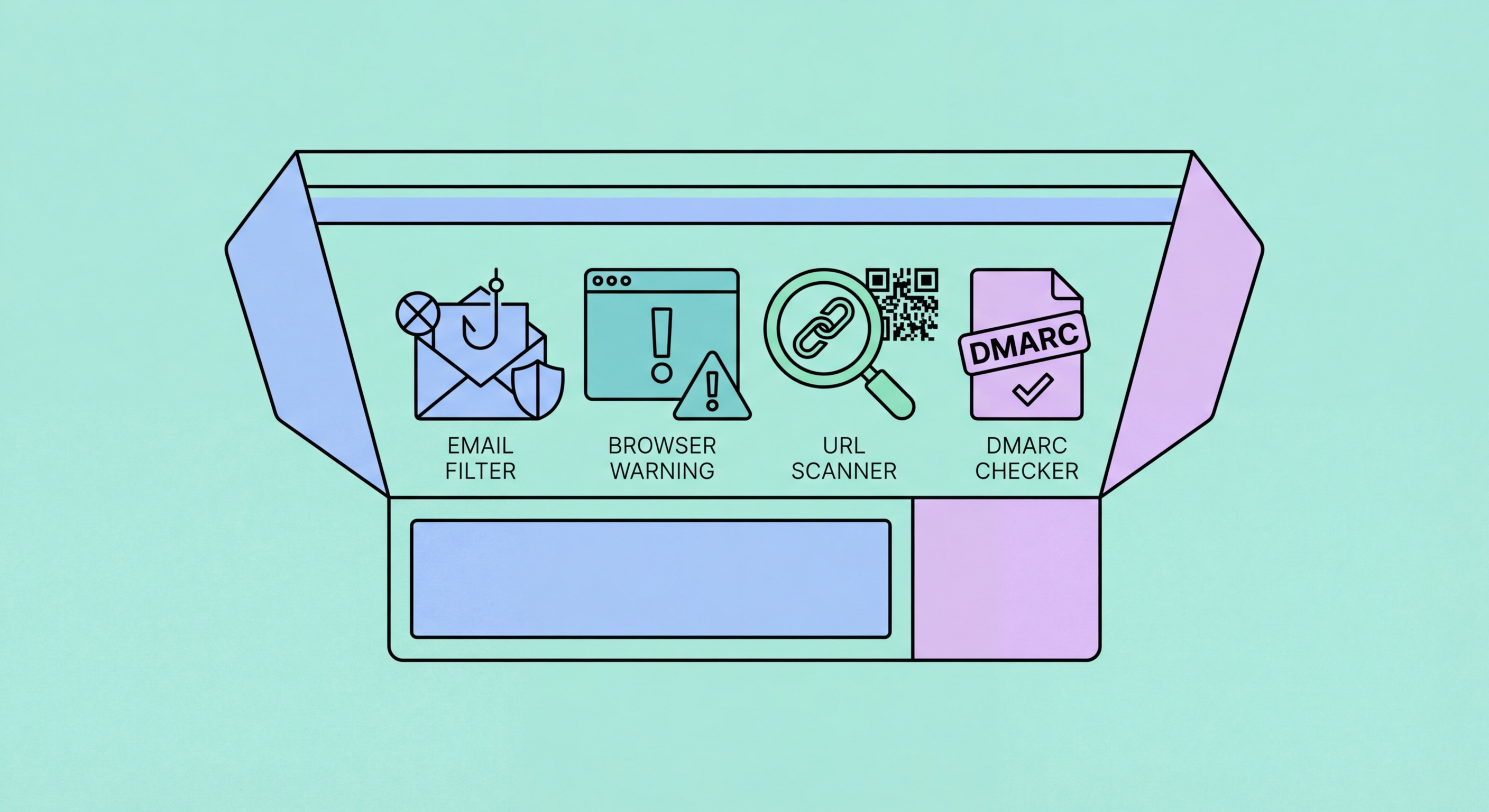
Browser protections, email security tools, DNS filtering, and password managers that work together to block phishing — for Hong Kong individuals and businesses looking to build layered technical defences.
Modern browsers provide meaningful baseline phishing protection that many users do not realise they have. Google Safe Browsing powers phishing warnings in Chrome, Safari, Firefox, and Edge — when you navigate to a URL that appears in Google's database of known phishing and malware sites, the browser displays a full-screen warning before the page loads. This protection is enabled by default in all major browsers and requires no user action to activate. Keeping your browser updated is the most important step to ensure you have the latest version of this protection, as malware and phishing site databases are updated continuously.
Browser extensions add additional layers of protection beyond the default safe browsing databases. uBlock Origin is a widely trusted open-source content blocker that includes phishing and malware site blocking alongside its ad-blocking functionality — it is free, available for Chrome, Firefox, and Edge, and has a strong reputation for transparency and effectiveness. Bitdefender TrafficLight and Avast Online Security are extensions that visually rate the safety of links in search results and web pages before you click, providing an additional signal on top of the browser's built-in warnings. for Hong Kong Online Banking: A Complete Guide">for Hong Kong SMEs: Where to Start">For Hong Kong users specifically, these tools are particularly useful because Safe Browsing databases can lag in covering local Hong Kong phishing domains compared to major international targets.
A password manager with autofill provides anti-phishing protection that is often overlooked. Password managers only autofill credentials on the exact domain they were saved for — if you saved your HSBC credentials for hsbc.com.hk, the password manager will not autofill on hsbc-security.com.hk or any other lookalike domain. This means that even if you navigate to a convincing phishing site, your password manager's refusal to autofill your credentials provides an implicit warning that the site is not the genuine site you have credentials saved for. This protection applies regardless of whether the phishing site is in the safe browsing database, making password managers an important complement to browser-level phishing detection.
Email security begins with your email provider's built-in filtering. Gmail's spam and phishing filtering is sophisticated and catches a significant proportion of mass phishing email before delivery, using machine learning models trained on billions of messages. Microsoft 365 Defender (formerly Office 365 Advanced Threat Protection) provides similar capabilities for business Microsoft 365 accounts, with additional enterprise features including Safe Links (which rewrites URLs in emails to pass through Microsoft's real-time scanning before the user reaches the destination) and Safe Attachments (which detonates email attachments in a sandbox before delivery to check for malware). These built-in protections are often underutilised because users are unaware they can be configured.
For businesses managing their own email infrastructure or using third-party email services, dedicated Secure Email Gateways (SEGs) provide enterprise-grade phishing filtering. Proofpoint, Mimecast, and Barracuda are leading SEG providers used by major Hong Kong corporates — they analyse inbound email using multiple techniques including sender reputation, domain authentication check (DMARC/DKIM/SPF), URL analysis, and attachment sandboxing. Many large Hong Kong financial institutions and professional services firms deploy these solutions as standard, and they are increasingly available in configurations suited to SMEs. The choice between providers depends on existing infrastructure, budget, and the level of reporting and policy customisation required.
Two technical email authentication standards that help stop phishing from using your domain are DMARC and DKIM. Configuring DMARC on your organisation's email domain prevents attackers from sending phishing emails that appear to come from your legitimate domain — protecting both your recipients and your brand reputation. This is particularly relevant for Hong Kong businesses in finance, professional services, and retail whose brands are commonly impersonated. Configuring DMARC with a policy of "reject" is the goal; starting with "none" (monitor mode) and progressing through "quarantine" to "reject" as you validate your email sending infrastructure is the recommended implementation approach. HKCERT provides DMARC implementation guidance for Hong Kong organisations.
DNS filtering blocks access to known malicious domains at the network level, before your browser even connects to a phishing site. When you type a URL or click a link, your device queries a DNS resolver to translate the domain name into an IP address. DNS filtering services maintain lists of known phishing, malware, and scam domains — if a requested domain appears on these lists, the DNS resolver returns a block page instead of the IP address, preventing the connection. This protection applies to all devices on the network and all applications, not just browser-based traffic, making it more comprehensive than browser extensions alone.
Cloudflare 1.1.1.1 for Families is a free DNS filtering service that blocks malware and phishing domains and is trivial to configure on home and small office networks. Quad9 (9.9.9.9) is another free, privacy-focused DNS resolver that blocks access to known malicious domains using threat intelligence from multiple security vendors. For businesses, Cisco Umbrella and Cloudflare Gateway provide enterprise DNS filtering with detailed reporting, policy controls, and integration with other security tools. These solutions are used by major Hong Kong corporates to provide consistent protection for all company devices regardless of network location — an important consideration in Hong Kong's distributed and mobile work environment.
Mobile devices require separate consideration for DNS-level protection. iOS and Android both support encrypted DNS (DNS over HTTPS or DNS over TLS), and apps like Cloudflare's 1.1.1.1 app or NextDNS configure malware and phishing blocking DNS directly on mobile devices including when not connected to a protected home or office Wi-Fi network. For Hong Kong users who use mobile data connections for significant portions of their internet usage, mobile DNS protection ensures coverage in transit, in cafes, and in other environments where the network is not under your control. The cyberdefender.hk platform operated by the Hong Kong government provides a free DNS-based cyberthreat blocking service for Hong Kong residents.
Two-factor authentication (2FA) significantly limits the damage when credentials are phished, because the attacker cannot access the account without the second factor even if they have the password. However, not all 2FA is equally resistant to phishing. SMS-based 2FA is the most common form but is also the most vulnerable: real-time phishing attacks can intercept SMS OTPs by presenting them on a fake login page that simultaneously attempts login on the real site. Authenticator app-based TOTP (Time-based One-Time Password) codes are harder to intercept but still vulnerable to real-time relay attacks where the victim enters the code on a phishing site that immediately submits it to the legitimate site.
Hardware security keys (FIDO2/WebAuthn) are the only form of 2FA that is fully phishing-resistant. Keys like the YubiKey use cryptographic authentication that is domain-bound — the key will only respond to authentication requests from the exact domain it was registered for, and will refuse to authenticate on any lookalike domain. This means that even if a victim navigates to a convincing phishing site and attempts to log in, the security key will refuse to complete authentication because it detects the domain mismatch. Hardware keys are used by security-conscious organisations and individuals as the gold standard second factor; YubiKey 5 series and Google's Titan Security Key are widely available in Hong Kong through electronics retailers.
Passkeys — the emerging passwordless authentication standard based on FIDO2 — provide similar phishing resistance to hardware keys, implemented natively in iPhones (Face ID/Touch ID), Android devices, and Windows Hello. When you authenticate with a passkey, your device performs a cryptographic challenge-response tied to the specific domain you registered on — phishing sites cannot receive the passkey authentication response. Major services including Google, Apple, Microsoft, PayPal, and some Hong Kong banks are progressively rolling out passkey support. Where passkeys are available for services you use, enabling them provides both improved security and improved convenience — eliminating the password entirely removes the credential that phishing attacks are trying to steal.