Why Password Reuse Is One of the Biggest Security Risks

Reusing passwords turns every data breach into a potential takeover of all your accounts. Understand why credential stuffing is so dangerous and how to protect yourself.

Password reuse dangers and credential stuffing illustration
1The Reuse Problem

The Scale of the Password Reuse Problem

Research consistently shows that password reuse is extremely widespread. Studies of leaked breach data indicate that the majority of people reuse the same password across multiple accounts, with many users having just two to five passwords they rotate across all their accounts. This behaviour is entirely understandable — maintaining dozens of unique passwords is genuinely difficult without a dedicated tool — but it creates an enormous security risk at scale.

The problem is compounded by the frequency and scale of data breaches. Thousands of organisations are compromised every year, ranging from minor forums and e-commerce sites to major corporations and government agencies. When any one of these organisations is breached and user credentials are stolen, those credentials are typically put to immediate use in automated attacks against other, higher-value services. Your password for a relatively minor site you barely remember creating an account on could be the key that unlocks your banking account if you used the same password for both.

Studies of reuse patterns in leaked data reveal another sobering reality: people do not tend to reuse passwords randomly across accounts. They tend to use their "important" password for the sites they care about most. This means that when a breach occurs, the password exposed is often the one that was also used for email, banking, or other critical services — the exact accounts where the damage from compromise would be greatest.

  • Majority reuse: Most people reuse passwords across multiple accounts — often maintaining only 2-5 passwords total
  • Thousands of breaches yearly: Any of these can expose your reused password to automated stuffing attacks
  • Important passwords reused: People tend to reuse their best-remembered passwords for their most important accounts
  • Immediate exploitation: Stolen credentials are put into stuffing attacks within hours of a breach
  • 15 billion exposed: Over 15 billion credentials are currently available in dark web breach databases
  • Automated scale: A single attacker with breach data can test millions of sites automatically
How credential stuffing attacks work technically →
The widespread password reuse problem statistics
2The Cascade Effect

How One Reused Password Cascades Across All Your Accounts

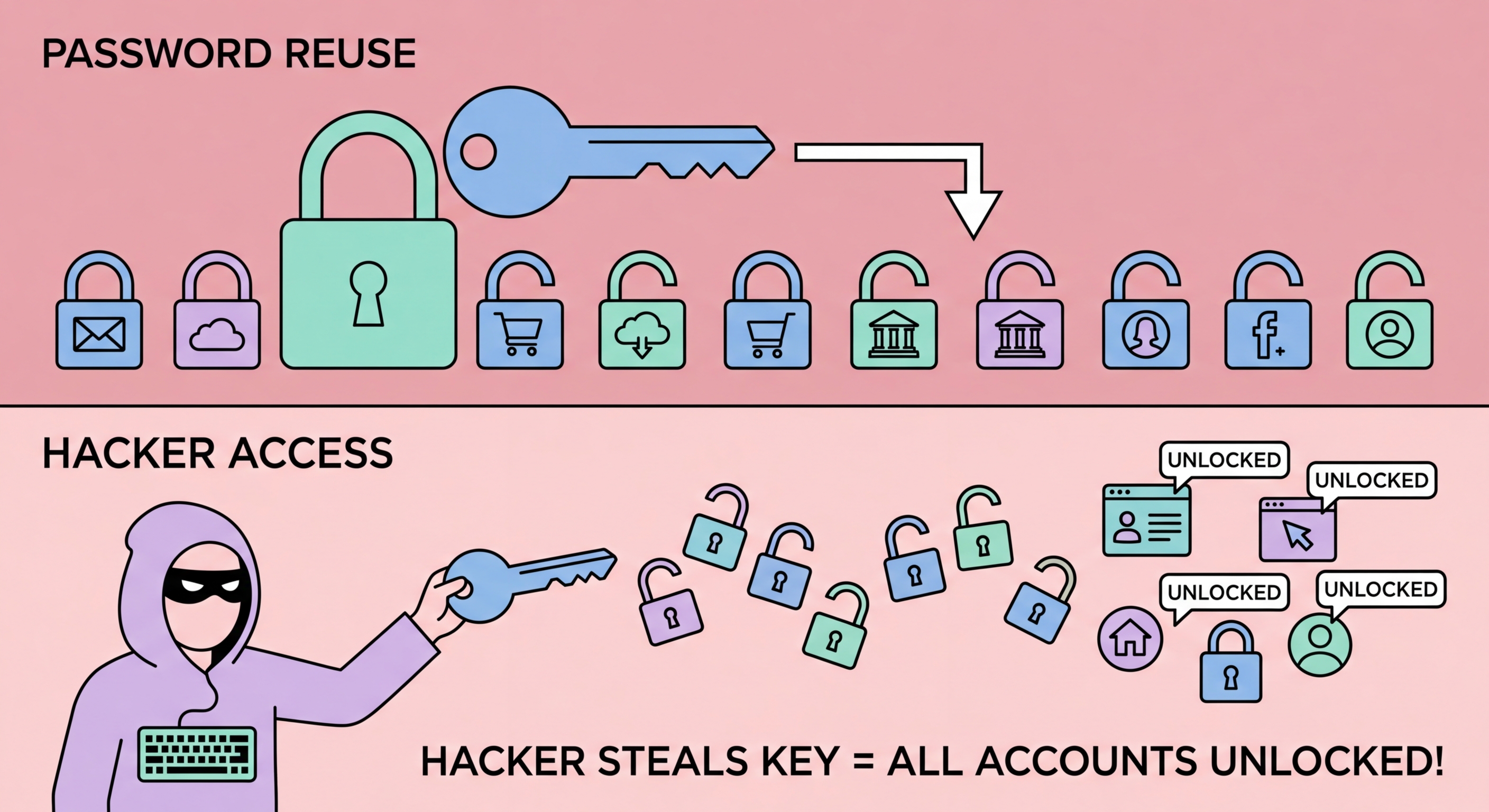
The most damaging aspect of password reuse is the cascade effect: a single compromised credential can unlock access to multiple accounts simultaneously. Consider a typical scenario: you create an account on a small online shopping site and use the same email and password as your Gmail account. The shopping site is breached six months later. Attackers run the leaked credentials through automated tools and successfully log into your Gmail account. From Gmail, they can reset passwords for every other account linked to that email address — your banking app, your social media, your cloud storage. Within minutes, a breach on an unimportant site becomes a full account takeover.

Email accounts are particularly dangerous as reuse targets because they serve as password recovery hubs for most other services. Once an attacker has your email credentials, they do not need to know any other passwords — they can use "Forgot Password" to reset every other account. This is why your email account password should be the most carefully protected credential you have — absolutely unique, very long, protected by 2FA, and not reused anywhere else under any circumstances.

Social media account takeovers are another common cascade outcome. Compromised Instagram or Facebook accounts are used to send convincing scam messages to all of the victim's contacts, dramatically increasing the reach and success rate of subsequent scams. The attacker appears to be a trusted friend or family member, making investment scam approaches or request-for-money messages far more likely to succeed. In Hong Kong, where WhatsApp is nearly universally used, a compromised WhatsApp account becomes a tool for scamming everyone in the victim's contact list.

  • Email as master key: A compromised email account enables password reset on every linked service
  • Banking takeover: Attackers immediately attempt financial account access when they successfully compromise credentials
  • Social media hijacking: Compromised accounts used to scam contacts — damages both victim and their network
  • Identity theft: With email, social media, and financial access, attackers can commit identity fraud in the victim's name
  • Speed of cascade: Account takeover cascades can complete in minutes using automated tools
  • HK-specific risk: PayMe, banking apps, and government service accounts are high-value targets in Hong Kong
What happens to your credentials after a breach →
Account takeover cascade from reused passwords
3Why People Reuse

Why People Reuse Passwords and How to Break the Habit

Password reuse is not the result of carelessness but of a genuine cognitive limitation: the human brain is simply not designed to reliably store and recall dozens of arbitrary, complex character strings. Research in human memory suggests people can reliably maintain four to seven distinct items in working memory. Asking individuals to maintain 100+ unique complex passwords without assistance is asking the impossible, which is why even security-conscious people fall back on a small set of memorised passwords.

Partial reuse strategies — where people add a suffix or prefix based on the site name — are a common attempt to solve this problem without a password manager. "Netflix123", "Facebook123", "Banking123" might seem like distinct passwords but represent a pattern that is trivially detectable in breach data and can be automatically extended by attackers to other services. These "keyboard walk" and site-specific suffix patterns are well-documented in cracking research and provide minimal additional protection over simple reuse.

The only sustainable solution to password reuse at scale is a password manager. It removes the memory burden entirely: you generate a unique random password for each service, save it to the vault, and never need to remember it. The manager handles all recall via auto-fill. This makes using unique 20-character random passwords for every account no more cognitively demanding than using the same simple password everywhere — which is exactly what is needed to permanently break the reuse habit.

  • Memory limitation: Humans genuinely cannot reliably recall 100+ unique complex passwords — this is a cognitive fact, not laziness
  • Partial reuse patterns: Site-name suffixes like "Netflix123" are easily detected and extended by attackers in breach data
  • The only solution: A password manager removes the memory burden — unique passwords become as effortless as reused ones
  • Gradual transition: Start with critical accounts (email, banking) and work through the rest as you naturally visit sites
  • Security audit: Use manager's built-in tool to identify all remaining reused passwords for systematic replacement
  • Immediate benefit: Even transitioning your top 10 most-used accounts to unique passwords provides significant risk reduction
Set up a password manager to end reuse →
Breaking the password reuse habit with a manager
4Additional Defences

Two-Factor Authentication as a Backstop Against Credential Stuffing

While unique passwords are the primary defence against credential stuffing, two-factor authentication (2FA) provides an essential backstop for the scenario where a credential is exposed. With 2FA enabled, an attacker who successfully obtains your email and password still cannot access your account without also having your second factor — typically a time-based one-time password (TOTP) from an authenticator app, or a hardware security key. This completely neutralises credential stuffing attacks against 2FA-protected accounts.

Not all 2FA is equal in its protection against sophisticated attacks. SMS-based 2FA (receiving a text message code) is the most widely deployed but also the most vulnerable — SIM swapping attacks can redirect your phone number to an attacker's device, allowing them to receive your SMS codes. TOTP authenticator apps (Google Authenticator, Authy, Aegis) are significantly more resistant to remote attacks. Hardware security keys (YubiKey, Google Titan) provide the strongest protection, requiring physical possession of the device for every login.

For Hong Kong users, enabling 2FA on email accounts, banking apps, government services like eTax, PayMe, and all major social media platforms should be treated as a priority action — ideally completed before working through the transition to unique passwords, since 2FA can protect existing weak or reused passwords while the transition is in progress. Many HK banks now provide their own authenticator apps or hardware tokens for corporate accounts — check with your bank about the options available for your account type.

  • 2FA neutralises stuffing: Even with correct credentials, attackers cannot access 2FA-protected accounts without the second factor
  • Avoid SMS 2FA: SMS codes are vulnerable to SIM swapping — use authenticator apps or hardware keys instead
  • TOTP apps: Google Authenticator, Authy, Aegis (Android) — significantly more secure than SMS
  • Hardware keys: YubiKey provides the strongest 2FA — requires physical possession for every login
  • HK bank 2FA: Most HK banks provide 2FA options — check your bank's security settings and enable it
  • Priority accounts for 2FA: Email, banking, PayMe, social media, and work accounts — enable 2FA on these first
How a password manager eliminates the reuse problem →
Two-factor authentication as defence against reused passwords

Stop the Cascade — Use Unique Passwords for Every Account

A password manager generates and stores unique passwords for every site automatically — the only sustainable way to end password reuse for good.

Related VPN Articles