Mobile Phishing: How to Spot and Avoid Attacks on Your Phone

Smishing, vishing, WhatsApp scams, and fake websites — a complete guide to recognising and defending against the phishing attacks targeting Hong Kong smartphone users.

Mobile phishing attacks Hong Kong
1Smishing — SMS Phishing

Smishing: How Fake SMS Messages Steal Your Credentials

Smishing (SMS phishing) is the most prevalent form of mobile phishing in to Do If Your Phone Is Lost or Stolen in Hong Kong">Hong Kong and has caused billions of dollars in losses to HK residents. Attackers send mass SMS messages impersonating trusted organisations — HSBC, Hang Seng Bank, Hongkong Post, DHL, the Immigration Department, and even the Hong Kong Police Force — creating false urgency to pressure recipients into clicking malicious links. The links lead to convincing clones of legitimate websites designed to harvest login credentials, credit card numbers, or one-time passwords.

Modern smishing campaigns use SMS spoofing technology to display the message in the same conversation thread as genuine messages from the spoofed institution. This means a fake HSBC message may appear directly in the thread containing your real HSBC transaction notifications — making visual verification extremely unreliable. The HKMA (Hong Kong Monetary Authority) has issued multiple warnings about this specific technique, known as "SMS insertion," where fraudulent messages are injected into legitimate sender threads.

The anatomy of a typical HK smishing attack: the message creates urgency ("Your account will be suspended in 24 hours"), provides a shortened or lookalike URL, and the destination site collects your username, password, and often prompts you to enter a one-time SMS code "for verification" — which the attacker simultaneously uses to complete a fraudulent transaction in real time. This process, known as a real-time phishing proxy, is highly sophisticated and happens within minutes of the victim providing their credentials.

  • Never click SMS links: Regardless of how legitimate a message appears, access banking and government sites directly by typing the URL or using your saved bookmark.
  • Check the sender thread: Even if a fake message appears in a legitimate conversation thread, verify any urgent action by calling the institution directly.
  • Inspect URLs carefully: Before entering any credentials, verify the full URL in your browser — look for extra characters, hyphens, or subdomains (e.g., hsbc-secure.com vs hsbc.com.hk).
  • One-time codes: Banks will never ask you to enter an OTP on a website to "verify" your account — this is always a real-time phishing attack.
  • Report smishing: Forward suspicious SMS messages to your carrier and file a report at cybercrime.police.hk or call 18222.
  • Enable SMS spam filtering: iOS Settings → Messages → Unknown & Spam → Filter Unknown Senders; Android Messages has a built-in spam protection feature.
Protect your mobile banking in Hong Kong →
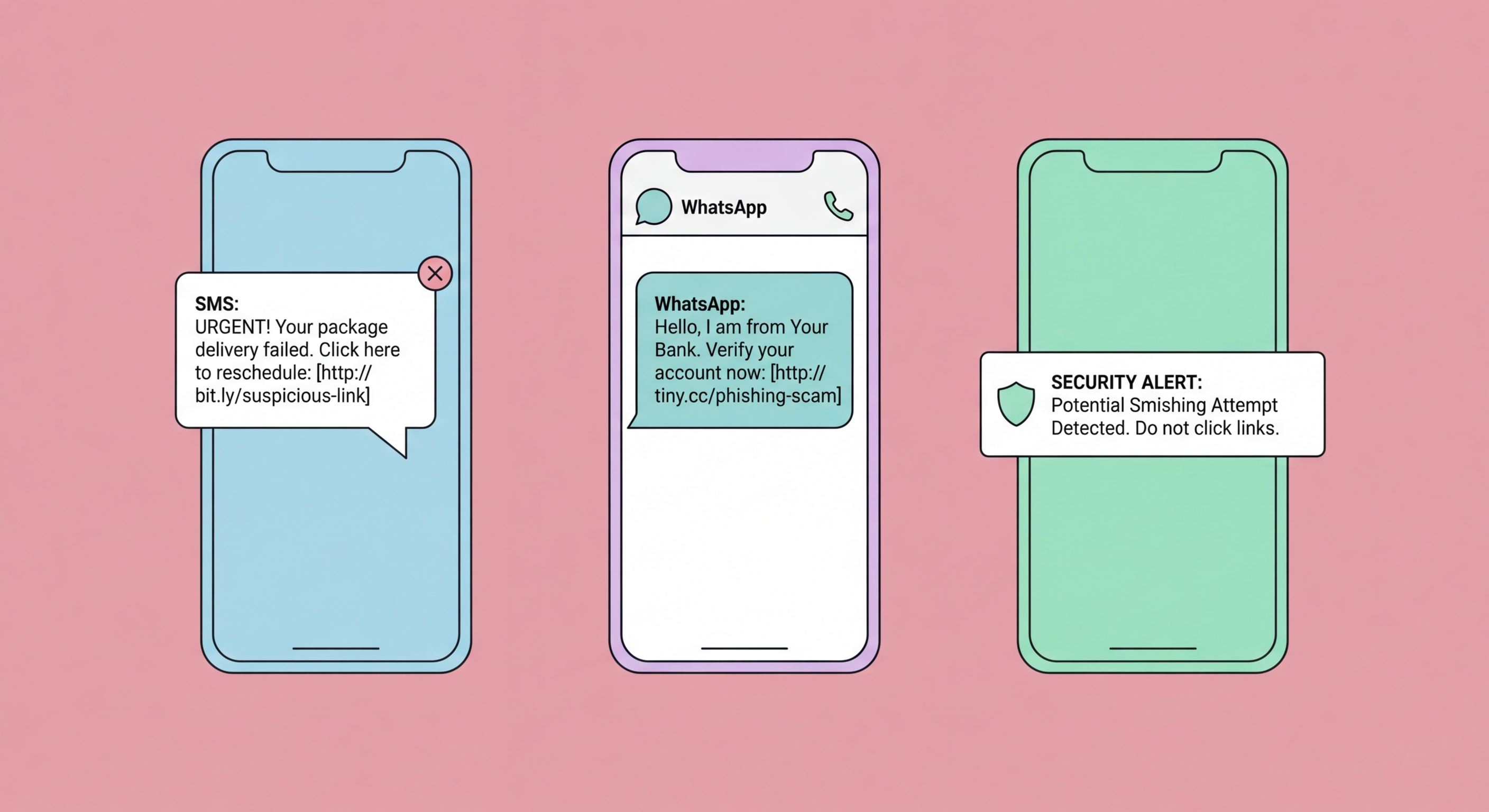
Smishing SMS phishing examples Hong Kong
2Messaging App Phishing

WhatsApp and Telegram Phishing: The New Frontier

As people become more suspicious of unsolicited SMS messages, attackers have shifted their operations to messaging apps where users may maintain a false sense of security from being in a "known" environment. WhatsApp and Telegram phishing attacks in Hong Kong take several forms: fake customer service impersonation, group chat infiltration, compromised account exploitation, and elaborate social engineering scenarios that unfold over days or weeks before a financial request is made.

The most financially devastating form is pig butchering (杀猪盘 — shā zhū pán), which typically begins with a WhatsApp message from an unknown number claiming to have the wrong contact. After establishing a friendly conversation over days or weeks — sometimes developing into an apparent romantic interest — the attacker introduces a "profitable" investment opportunity, often a fake cryptocurrency platform. Victims invest progressively larger sums, see apparent profits, then find they cannot withdraw their money. The HKPF reports that pig butchering is now the single most financially damaging scam type in Hong Kong, with individual losses frequently exceeding HK$1 million.

WhatsApp account hijacking is another significant vector. Attackers first obtain your phone number, then call you claiming to need to send a verification code for a legitimate purpose. The verification code you receive and share is actually the WhatsApp 2FA code that allows the attacker to register your WhatsApp account on their device. They then use your account — with your real contact list and message history — to scam your friends and family while impersonating you.

  • Never share verification codes: No legitimate service will ever call you to request a verification code you've received — this is always an account hijacking attempt.
  • Enable WhatsApp two-step verification: Settings → Account → Two-step verification — adds a PIN that prevents account registration even with your phone number.
  • Be sceptical of unknown contacts: Unsolicited contact from unknown numbers — regardless of how friendly — should be treated with maximum suspicion in Hong Kong.
  • Investment offers from strangers: Any investment opportunity presented by an online contact you've never met in person is almost certainly a scam.
  • Verify friend requests out-of-band: If a "friend" contacts you unexpectedly on WhatsApp asking for help or money, call them on their known number to verify it's really them.
  • Report suspicious contacts: Use WhatsApp's built-in Report feature on any suspicious contact — this helps WhatsApp identify and shut down scam operations.
Compare secure messaging apps for Hong Kong →
WhatsApp Telegram phishing scams
3Fake Websites on Mobile

How to Spot a Fake Website on Your Smartphone

Fake phishing websites are significantly harder to identify on mobile devices than on desktop computers. The mobile browser's address bar is smaller and often hides the full URL; HTTPS padlock icons have become ubiquitous (including on phishing sites, which routinely obtain SSL certificates); and the full domain name is frequently obscured by the mobile browser's UI. Attackers specifically design phishing sites to be mobile-optimised, knowing that most victims will be viewing them on their phones.

The most reliable indicator of a phishing site is the domain name itself — not the padlock, not the appearance of the page, and not the presence of logos and branding. Attackers use several techniques to create convincing fake domains: typosquatting (hsbc-onlinebanking.com), subdomain spoofing (hsbc.com.hk.login.fake.com — where "fake.com" is the actual domain), IDN homograph attacks (using visually identical characters from other Unicode scripts), and legitimate services like Google Sites, Notion, and Netlify to host phishing pages under trusted domains.

To verify a website's domain on mobile: tap the address bar in Safari or Chrome to expand the full URL and read the actual domain carefully. The real domain is always the last two parts before the first single slash — for example, in "login.hsbc.com.hk/account", the domain is "hsbc.com.hk". If you're unsure whether a URL is legitimate, close the page and navigate directly to the known official website by typing it yourself.

  • Expand the full URL: Always tap the address bar to reveal the complete URL before entering any credentials on a website.
  • Read the actual domain: The real domain is the last two (or three for .co.uk, .com.hk) parts before the first slash — ignore subdomains.
  • HTTPS doesn't mean safe: A padlock icon only means the connection is encrypted — it does not verify the site is legitimate.
  • Use a password manager: Password managers only autofill credentials on the exact registered domain — they won't fill your bank password on a phishing clone.
  • Type URLs directly: For banking, government, and financial sites, always type the URL directly or use a saved bookmark rather than following any link.
  • Google Safe Browsing: Enable Safe Browsing in Chrome and Safari settings — it provides warnings for known phishing sites based on Google's database.
Protect yourself when banking on mobile →
Fake website detection on mobile
4If You've Been Phished

What to Do If You've Fallen for a Mobile Phishing Attack

If you suspect you've been phished — you clicked a link, entered credentials on a suspicious site, or provided a verification code to an unknown caller — act immediately. Time is the critical variable: most financial fraud occurs within minutes of credential theft, as attackers have automated systems that immediately attempt to use stolen credentials to transfer funds. Early action can be the difference between preventing a loss and trying to recover one.

Your first call should be to your bank. Most Hong Kong banks have 24-hour fraud hotlines (HSBC: 2233 3000; Hang Seng: 2822 0228; Bank of China HK: 3988 2388). Tell them you've been phished and ask them to immediately place a hold on outgoing transfers from your account. If you've already seen unauthorised transactions, ask for an immediate account freeze. While on hold, change your online banking password from a different, uncompromised device — do not use the same phone or computer you used when you were phished, as it may be compromised.

After securing your accounts, file a police report. The Hong Kong Police Force Cyber Security and Technology Crime Bureau can be reached at 18222, or you can report online at cybercrime.police.hk. Having a police report number is often required by banks when processing fraud claims. Keep all evidence — screenshots of the phishing message, the URL you visited, any receipts or confirmation messages from the fraudulent transaction — as these will be needed for the investigation and any insurance claims.

  • Call your bank immediately: Every minute counts — contact your bank's 24-hour fraud line and request an emergency transfer hold on your account.
  • Change passwords from a clean device: Use a different device to change passwords for any accounts whose credentials you may have entered on a phishing site.
  • Revoke active sessions: Log out of all active sessions on compromised accounts via account settings — this invalidates any session tokens the attacker may have captured.
  • Enable 2FA immediately: If the phished account didn't have 2FA, add it now using an authenticator app — this limits the attacker's ability to reuse stolen credentials.
  • Report to HKPF: File a police report at cybercrime.police.hk or call 18222 — obtain a report number for bank fraud claims.
  • Monitor credit and accounts: Watch all financial accounts carefully for the next 90 days for delayed fraudulent activity.
Prevent mobile banking fraud in Hong Kong →
Phishing response and reporting Hong Kong
Stay One Step Ahead of Phishing in Hong Kong

Stay One Step Ahead of Phishing in Hong Kong

Understanding phishing tactics is your best defence. Explore the full mobile security library for all the tools and knowledge you need to stay protected.

Related VPN Articles