eSIM SIM Swap Protection: How to Prevent Number Hijacking

A complete guide to SIM swap attacks in Hong Kong — how they work against both physical SIM and eSIM users, how to add carrier account protections, and how to migrate away from SMS-based 2FA to eliminate the core vulnerability.

SIM swap protection eSIM Hong Kong
1Understanding SIM Swap

How SIM Swap Attacks Work and Why They Target Hong Kong Users

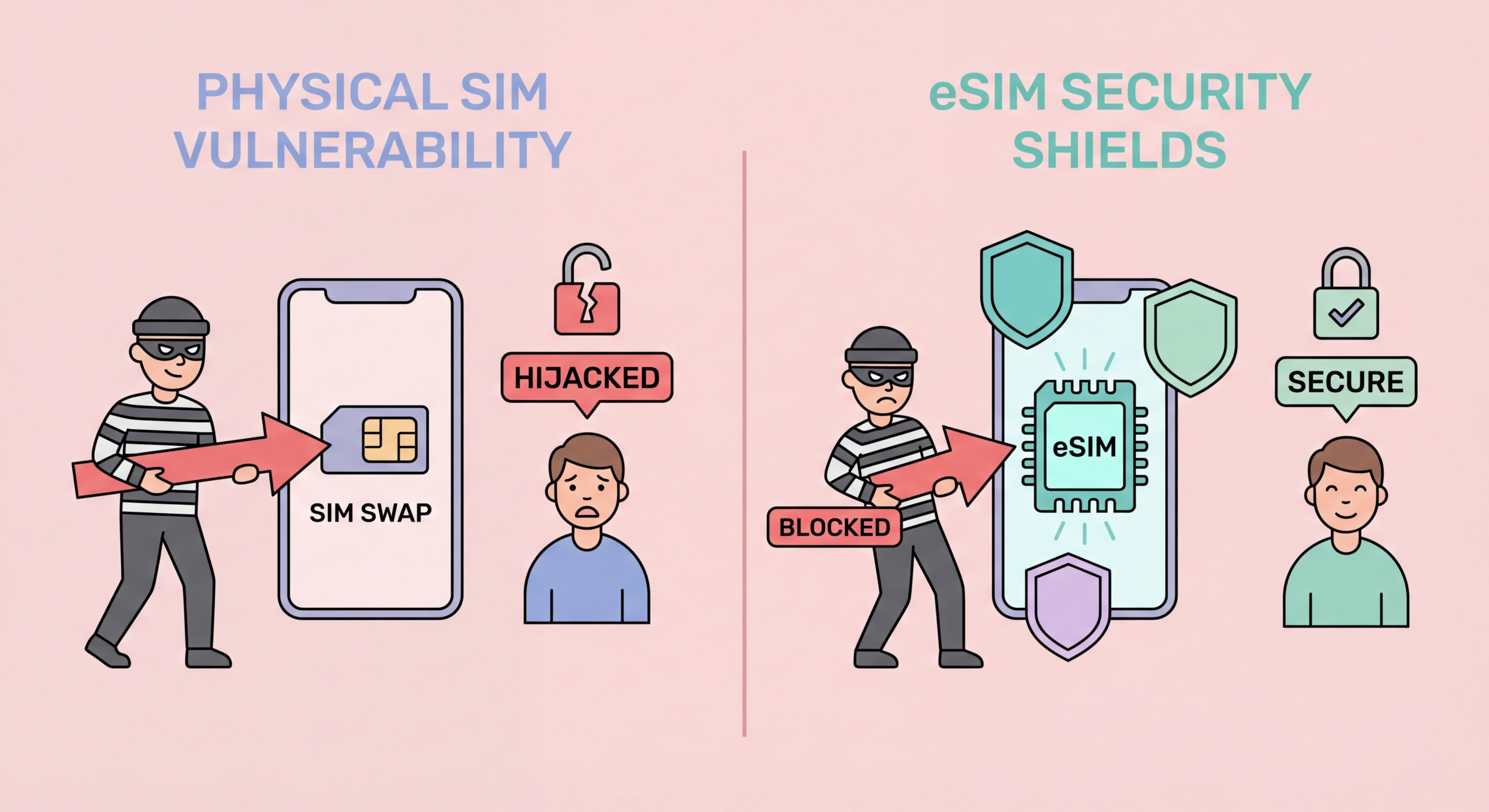
A SIM swap attack occurs when a criminal convinces your mobile carrier to Transfer Your eSIM to a New Phone">to transfer your phone number to a SIM card (or eSIM profile) that the criminal controls, effectively taking over to Spot and Avoid Attacks on Your Phone">your phone number. Once they control your number, they can receive all SMS messages sent to it — including the one-time passcodes (OTPs) that banks, cryptocurrency exchanges, email providers, and financial platforms send to your phone for account verification and password reset. This is the core danger: in an era where SMS-based 2FA is widely used for financial account access, number hijacking gives an attacker the ability to bypass 2FA on virtually every account linked to that number, potentially enabling bank transfers, cryptocurrency theft, and complete account takeover across multiple platforms simultaneously.

Hong Kong is an attractive target for SIM swap attacks due to its high concentration of digital banking users, cryptocurrency holders, and mobile payment service users — all of whom use their phone numbers as part of their account security. Major Hong Kong banks including HSBC, Hang Seng, Bank of China (HK), and Standard Chartered all use SMS OTPs for transaction verification. Cryptocurrency platform users — a significant demographic in Hong Kong given the HKMA's licensing framework for virtual asset platforms — frequently rely on SMS 2FA as a fallback authentication method. Attackers who successfully execute a SIM swap in Hong Kong can potentially access multiple high-value financial accounts simultaneously, making the expected return high enough to justify the effort of the attack.

The SIM swap execution method differs for physical SIM versus eSIM users, though both are vulnerable. For physical SIM, the traditional attack involves the attacker visiting a carrier store with fraudulent identity documents claiming the victim's SIM was lost or damaged and requesting a replacement. The carrier issues a new SIM, the victim's original SIM is deactivated, and the attacker has the number. For eSIM users, the equivalent attack is executed remotely: the attacker first compromises the victim's carrier account credentials (through phishing, data breach, or credential stuffing), then logs into the carrier's online portal or app and initiates an eSIM transfer to a device they control. eSIM swap does not require a physical store visit, but it does require prior carrier account credential compromise — a higher technical bar than the physical SIM social engineering approach.

  • SIM swap transfers your number to the attacker's device: They receive all your SMS OTPs — bypassing SMS-based 2FA on all linked accounts.
  • Hong Kong is a high-value target: Dense concentration of digital banking, cryptocurrency, and mobile payment users.
  • HK banks use SMS OTPs for transaction verification: HSBC, Hang Seng, BOCHK, Standard Chartered — all use SMS 2FA.
  • Physical SIM swap via carrier store: Fraudulent ID presented at store — social engineering attack against carrier staff.
  • eSIM swap via compromised carrier account: Online portal/app used to transfer eSIM — requires prior credential compromise but no store visit.
  • Attacker can access multiple accounts simultaneously: Single number hijacking enables bank, crypto, and email account compromise in minutes.
SIM swap attack explained Hong Kong
2Carrier Account Protection

How to Protect Your Carrier Account Against SIM Swap

The most effective protection against SIM swap attacks specific to your carrier account is adding a carrier account PIN or verbal security password that must be verified before any SIM-related changes are processed. All four major Hong Kong carriers — 3HK, CMHK, SmarTone, and csl/HKT — allow you to set this protection. For 3HK, log into the Three HK app or website, navigate to Account Security, and set a PIN (typically 6 digits) or security question that must be answered at any store visit or account change request. For CMHK, SmarTone, and csl, the equivalent setting is found in the Account or Security section of each carrier's app or online account portal. If you cannot find the setting, call the carrier's customer service line and request that a verbal security PIN be added to your account.

Securing your carrier account login credentials is equally important. Your carrier app login password should be unique — not reused on any other service — and should be a strong password stored in a password manager rather than a memorised simple password. Enable 2FA on your carrier account itself using an authenticator app (Google Authenticator, Microsoft Authenticator, Authy) rather than SMS — the irony of protecting your carrier account with SMS 2FA sent to the same number is that an attacker who has already compromised your number can bypass that SMS 2FA. Authenticator app 2FA on your carrier account means that even if an attacker has your carrier account password, they cannot log in without physical access to your authenticator app.

Monitor your phone service for sudden loss of signal as an early warning indicator of a SIM swap in progress. When a SIM swap is executed, your legitimate SIM or eSIM profile is deactivated — your phone loses carrier signal and shows "No Service" or "SOS Only" even in areas with normal coverage. If you experience sudden, unexplained loss of carrier signal that does not resolve after restarting your device and persists for more than a few minutes, immediately call your carrier's customer service line from another phone or WiFi-based call to report a suspected SIM swap and request an emergency freeze on your account while you verify whether an unauthorised transfer has occurred. Time is critical — acting within minutes of a SIM swap can limit the attacker's window for fraudulent transactions.

  • Add carrier account PIN immediately: Contact all four HK carriers support to add verbal security PIN — must be verified before any SIM changes.
  • 3HK PIN setup: Three HK app > Account Security > set PIN — required for all account changes and store visits.
  • Unique strong password for carrier account: Password manager-stored, not reused anywhere — carrier account credentials as sensitive as banking.
  • Authenticator app 2FA on carrier account: Not SMS 2FA — app-based authenticator protects carrier login even if number is compromised.
  • Sudden signal loss is a SIM swap warning: "No Service" persisting after restart — call carrier immediately from another device.
  • Time-critical response: Attacker has a narrow window after SIM swap — acting within minutes limits potential financial damage.
Carrier PIN account protection against SIM swap
3Migrating Away from SMS 2FA

Migrating from SMS 2FA to Authenticator Apps

The most durable long-term protection against SIM swap impact is migrating your critical accounts away from SMS-based 2FA to authenticator app-based 2FA or hardware security keys. As long as your phone number is used as an authentication factor for critical accounts, number hijacking through SIM swap or porting remains a meaningful attack vector regardless of how well you protect your carrier account — a sufficiently motivated attacker may still find ways to manipulate carrier processes. Authenticator apps (Google Authenticator, Authy, Microsoft Authenticator) generate time-based one-time passwords (TOTP) that are generated locally on your device and are not transmitted through the phone network — a SIM swap does not give the attacker access to TOTP codes because those codes are generated by software on your specific device, not delivered by SMS to a number.

To migrate a critical account from SMS 2FA to authenticator app 2FA: log into the account, navigate to Security or Two-Factor Authentication settings, select "Authenticator App" or "TOTP" as the 2FA method, scan the QR code displayed with your authenticator app, enter the 6-digit code generated by the app to verify the setup, and save the backup codes provided. Priority accounts to migrate in Hong Kong: email (Gmail, Outlook — the master account for password recovery), banking apps (HSBC, Hang Seng, BOCHK, Standard Chartered — check if each supports authenticator app vs SMS only), cryptocurrency exchange accounts (Binance, OKX, HashKey — these almost universally support TOTP authenticator), social media accounts (Instagram, Facebook, Twitter/X — all support authenticator app 2FA), and password manager accounts.

Some Hong Kong banking apps do not offer authenticator app 2FA as an option — they require SMS OTP for transaction verification as a regulatory compliance measure under HKMA guidance. For these accounts, the pragmatic approach is to maximise carrier account protection (carrier PIN, 2FA on carrier account) and accept the residual SMS dependency while it cannot be eliminated. Hardware security keys (YubiKey, Google Titan) provide the strongest possible 2FA protection for accounts that support them — resistant to phishing, SIM swap, and malware — and are increasingly supported by major platforms. For Hong Kong users with high-value accounts or elevated threat profiles (executives, crypto holders), hardware keys for email and cryptocurrency accounts provide security that exceeds what authenticator apps can offer.

  • TOTP authenticator codes are device-generated: SIM swap cannot intercept authenticator codes — generated locally, not delivered via SMS.
  • Migrate email first: Email is the master account for password recovery — securing it with authenticator app is the highest-priority migration.
  • Cryptocurrency accounts support TOTP: Binance, OKX, HashKey — all major crypto platforms support authenticator app 2FA.
  • Some HK banking apps SMS-only: Maximise carrier account protection for banks that cannot migrate from SMS OTP due to HKMA requirements.
  • Save backup codes securely: Store TOTP backup codes in password manager or printed offline — needed if authenticator device is lost.
  • Hardware keys for highest-value accounts: YubiKey for email and crypto accounts provides strongest anti-phishing and anti-SIM-swap protection.
Migrate from SMS 2FA to authenticator app SIM swap protection
4If a SIM Swap Happens

What to Do If You Are a Victim of a SIM Swap Attack

If you suspect a SIM swap has occurred — your phone suddenly shows "No Service" or "SOS Only" without an obvious network outage explanation, or you receive security alerts from your accounts about unexpected login attempts or 2FA requests — act immediately and methodically. First, attempt to contact your carrier using another phone (borrow from family or colleague) or through your carrier's app over WiFi while your regular phone still has WiFi connectivity. Report the suspected unauthorised SIM swap and request an emergency freeze on your account. If you can access the carrier's online account on WiFi, change your carrier account password immediately to lock out anyone who may have compromised it. Request that the carrier reverse the unauthorised SIM transfer and reinstate your SIM or eSIM profile.

While awaiting carrier resolution, focus on securing your financial accounts. Using WiFi on any device available (a tablet, laptop, or another phone), log into your banking apps and enable additional security restrictions — some HK banking apps allow you to temporarily disable mobile banking access or set a daily transaction limit. Check your banking and investment accounts for any unauthorised transactions that may have been initiated in the window between the SIM swap and your response. For cryptocurrency accounts, immediately revoke all active API keys, disable withdrawals if the platform supports it, and check recent transaction history for unauthorised outflows. Change passwords on all critical accounts using a device and network that have not been compromised.

After the immediate response, report the incident to the Hong Kong Police Force Cyber Security and Technology Crime Bureau (CSTCB) at 2860 5012 or through the CyberDefender portal. File a report with your carrier documenting the unauthorised SIM swap for their fraud investigation. If financial losses occurred, file a report with the Hong Kong Monetary Authority (HKMA) for banking-related losses or the Securities and Futures Commission (SFC) for investment account losses. Review the sequence of events to understand how the attacker obtained your carrier account credentials — whether through a phishing email, a data breach of a service using your carrier account email, or another vector — and address the underlying vulnerability to prevent recurrence. Consider a credit monitoring service to watch for fraudulent credit applications that may result from the identity compromise.

  • Borrow a phone or use WiFi immediately: Call carrier from another device — do not wait to resolve "No Service" before acting.
  • Request emergency account freeze: Carrier can freeze account and reverse unauthorised transfer — time is critical.
  • Change carrier account password on WiFi: Lock out the attacker from your carrier account while the SIM swap is being reversed.
  • Check financial accounts for unauthorised transactions: Banking, investment, and cryptocurrency accounts — document all suspicious activity.
  • Report to HKPF CSTCB: Cyber Security and Technology Crime Bureau — 2860 5012 or CyberDefender portal for cybercrime reporting.
  • Investigate the attack vector: Understand how credentials were compromised and address the underlying vulnerability to prevent recurrence.
What to do if SIM swap happens recovery steps

Protect Your Number Against SIM Swap

Add a carrier account PIN, migrate critical accounts from SMS 2FA to authenticator apps, and know the warning signs — three steps to meaningful SIM swap protection.

Related VPN Articles