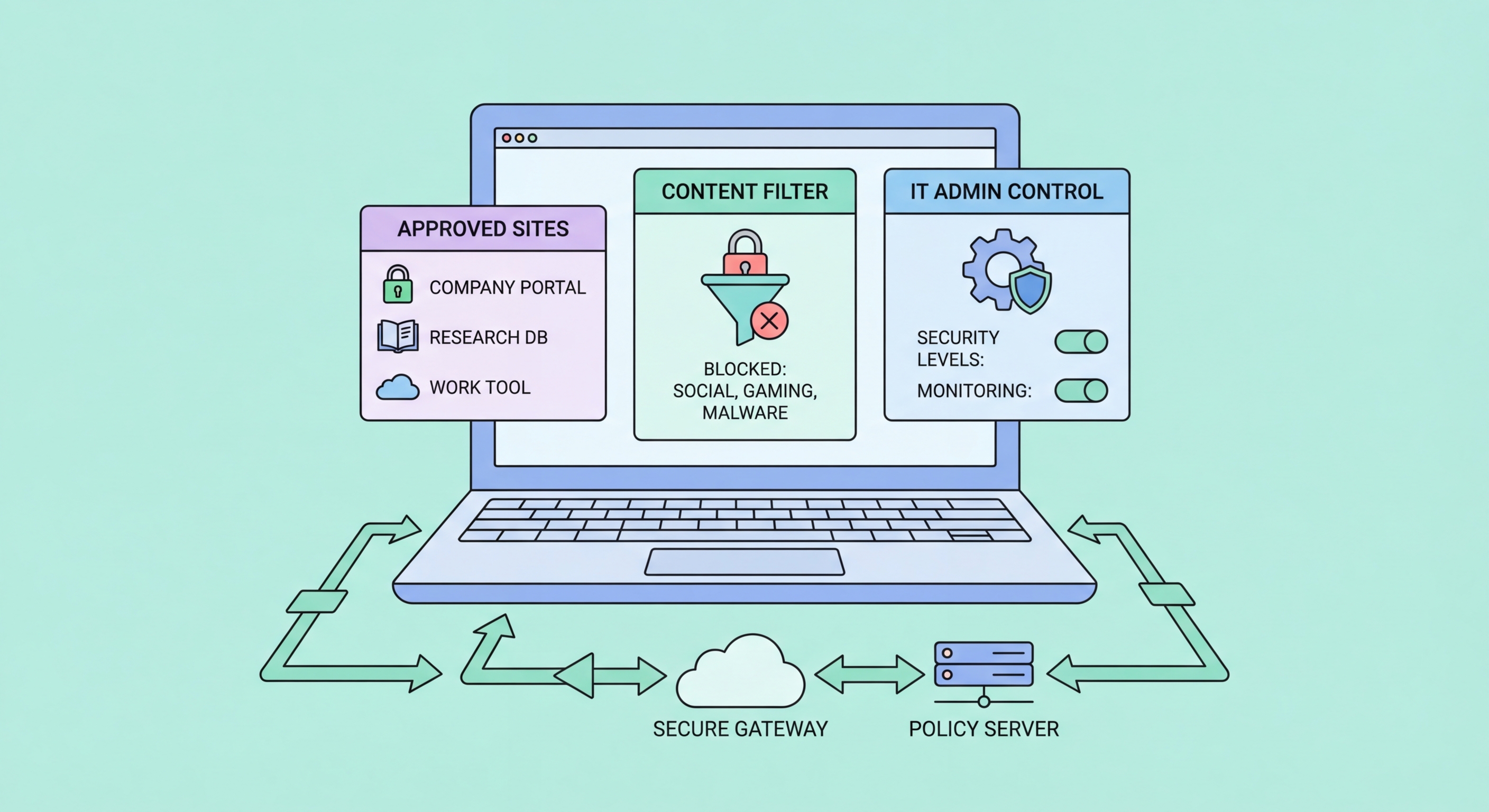
Implementing secure browsing standards across your Hong Kong organisation — browser policies, DNS filtering, employee training, and compliance considerations under Hong Kong law.
The browser is the single most used application in any modern workplace, and it is the primary attack surface through which cybersecurity incidents enter organisations. Industry data consistently shows that 80–90% of successful malware infections originate from web browsing — either through drive-by malware downloads, phishing pages, or malicious JavaScript served through advertising networks on legitimate sites. In Hong Kong, where ransomware attacks on businesses have increased significantly since 2022, securing the browser is one of the most high-impact security investments an organisation can make relative to its cost.
Hong for Hong Kong SMEs: Where to Start">for Hong Kong Businesses">Kong businesses are subject to the Personal Data (Privacy) Ordinance (PDPO), which imposes obligations on how personal data is collected, used, and protected. A security incident resulting from poor browser security — such as employee credentials stolen through a phishing attack, leading to unauthorised access to customer data — can trigger PDPO notification obligations and potential regulatory action. The Privacy Commissioner's Office has increasingly focused enforcement on organisations that suffered preventable data breaches. Implementing a coherent browser security policy is both a risk reduction measure and a compliance due diligence step.
Remote work patterns established since 2020 have created additional browser security challenges for Hong Kong businesses. Employees working from home or cafés use their browsers on potentially insecure networks and may be using personal devices with personal browsers lacking corporate security configurations. Cloud-based work — Microsoft 365, Google Workspace, Slack, Salesforce — is overwhelmingly accessed through browsers, meaning that the security of browser sessions directly determines the security of corporate data in cloud platforms. A stolen session cookie from an employee's home browser can provide complete access to corporate cloud applications without requiring the attacker to know the employee's password.
Browser policies allow IT administrators to enforce security settings across all corporate devices without relying on employees to manually configure their own browsers. On Windows environments, Chrome and Edge support Group Policy Objects (GPOs) that can be deployed through Active Directory or Microsoft Intune. Firefox supports enterprise policies through a policies.json file or GPO via Mozilla's Enterprise Policy Generator. These policies can enforce HTTPS-only mode, block specific categories of websites, require specific security settings, prevent the installation of unapproved extensions, and force the use of specific DNS servers — all without requiring any action from end users.
The most important browser policies for Hong Kong businesses to consider deploying include: SafeBrowsingProtectionLevel (force Enhanced Protection in Chrome), HomepageIsNewTabPage (control default page), ExtensionInstallAllowlist (restrict extension installation to pre-approved list), DefaultCookiesSetting (enforce cookie management), DnsOverHttpsMode (force DNS-over-HTTPS), DnsOverHttpsTemplates (specify approved DoH resolver), and PasswordManagerEnabled (optionally enforce or disable built-in password manager in favour of enterprise password manager). These policies transform browser defaults from user-controlled variables into enforced security baselines.
Mobile device management (MDM) solutions including Microsoft Intune, Jamf (macOS/iOS), and VMware Workspace ONE allow browser policies to be extended to mobile devices. For Hong Kong companies with BYOD (Bring Your Own Device) policies, enforcing browser security on personal devices is more challenging than on corporate-managed devices. A practical approach for BYOD environments is to require that corporate email and cloud applications are accessed only through a specific managed browser or a managed browser profile, allowing corporate security policies to apply to work-related browsing without interfering with employees' personal use of their own devices.
Enterprise DNS filtering provides organisation-wide protection against malware, phishing, and inappropriate content at the network level, without requiring any client-side software beyond a DNS server configuration change. When a device on your network queries a domain that is classified as malicious in the threat intelligence database, the DNS resolver returns no result and the connection cannot be established — before any malicious code can reach the device. This network-level approach is particularly effective against malware command-and-control (C&C) communications, as malware invariably needs to resolve DNS to contact its control infrastructure.
Cloudflare Gateway (part of Cloudflare Zero Trust) is one of the leading enterprise DNS filtering solutions and is available for free for organisations with up to 50 users. It provides DNS filtering by category (malware, phishing, adult content, social media), a web dashboard for log review and policy management, and integration with Cloudflare's broader Zero Trust networking platform. For larger organisations, Cisco Umbrella, Palo Alto DNS Security, and Zscaler provide enterprise-grade DNS filtering with compliance reporting and integration with SIEM systems. NextDNS Business is a cost-effective option for small and medium-sized businesses seeking more control than the free tier provides.
Deploying DNS filtering in Hong Kong offices requires configuring your corporate network's DHCP server to push the DNS filtering service's addresses to all devices on the network. For remote employees, deploying the DNS filtering vendor's endpoint agent (a lightweight application that routes DNS through the filtering service regardless of the user's network) ensures protection extends to employees working from home or using mobile data. The combination of office-level DNS filtering and an endpoint agent for remote workers provides consistent protection across all work contexts — a significant security improvement over relying on endpoint security software alone.
Technical browser security controls are significantly more effective when combined with employee security awareness training. Phishing attacks that bypass technical controls — whether through novel domains not yet in threat lists or through highly targeted spear-phishing that exploits social context — ultimately depend on an employee making a poor decision. Training employees to recognise phishing attempts, verify unexpected requests through alternative channels, and report suspicious activity is the most cost-effective complement to technical browser security measures.
Phishing simulation platforms like KnowBe4, Proofpoint Security Awareness, and Microsoft Attack Simulator allow security teams to send realistic phishing emails to employees and measure who clicks, who enters credentials, and who reports the simulation. Employees who fail the simulation are enrolled in targeted training modules addressing their specific vulnerability. Regular simulation campaigns — monthly or quarterly — keep employees alert to evolving phishing tactics and provide metrics on organisational risk reduction over time. For Hong Kong businesses, localising simulations to use familiar local brands and context (HSBC, Octopus, MTR, government agencies) makes them more relevant than generic Western-focused templates.
A practical security awareness program for Hong Kong SMEs should cover: how to identify phishing URLs and sender addresses, what to do when in doubt (call the sender directly using a known number, not a number provided in the message), the importance of never bypassing browser security warnings, safe use of personal devices for work, and how to report security incidents. Combine this with an easy reporting mechanism — a dedicated email address or a phishing report button in the email client — to encourage employees to surface suspicious activity rather than ignoring it. The reporting culture this creates is more valuable than any single technical control because it provides early warning of active attack campaigns targeting your organisation.