Are Password Managers Safe? Understanding the Risks

Putting all your passwords in one place sounds risky — but the alternative (weak, reused passwords everywhere) is far more dangerous. Here is an honest assessment of password manager security.

Password manager security risks and protections illustration
1The Core Question

Is It Safe to Store All Your Passwords in One Place?

The "all eggs in one basket" concern about password managers is the most common objection to adopting them — and it is a legitimate question worth addressing honestly. The core concern is: if the password manager is breached, does an attacker gain access to every single account you have? The answer, for reputable managers using zero-knowledge architecture, is no — not without also having your master password, which the provider never possesses.

Here is what actually Data Breach? From Hack to Dark Web">happens in a password manager breach: the attacker obtains the encrypted vault database. This is a file containing your encrypted passwords, where the encryption is applied using a key derived from your master password. Without the master password, this file is computationally infeasible to decrypt. The attacker would need to brute-force your master password against the encrypted vault — which, for a strong master passphrase, would take billions of years with current hardware. LastPass's 2022 breach illustrates this precisely: attackers stole encrypted vault files, but users with strong master passwords were not immediately at risk, while users with weak master passwords faced genuine concern.

Compare this to the realistic alternative: no password manager, short reused passwords across all accounts. In this scenario, a single breach of any site you use exposes your password for every other site where you reused it — with no encryption protecting anything. The question is not "is a password manager perfectly safe?" but rather "is a password manager safer than the alternative?" The answer is emphatically yes for any reputable, audited manager with zero-knowledge architecture.

  • Zero-knowledge architecture: Your encrypted vault is useless without your master password — the provider cannot decrypt it
  • AES-256 encryption: Computationally infeasible to crack even with a stolen vault file and strong master password
  • LastPass precedent: 2022 breach stole encrypted vaults — users with strong master passwords remained protected
  • Compared to the alternative: Weak reused passwords offer far less protection than an encrypted vault
  • Attacker still needs master password: Encrypted vault file alone is useless without the decryption key
  • Risk is manageable: Choose a reputable manager, use a strong master passphrase, and enable 2FA on the account
How a strong master password protects your vault →
Password manager encryption and security architecture
2Choosing a Trustworthy Manager

How to Identify a Password Manager You Can Trust

Not all password managers are created equal, and trust must be earned through verifiable actions rather than marketing claims. The most important trust indicator is independent security audits by reputable third-party firms. Bitwarden, 1Password, Dashlane, and Keeper have all published results of audits by firms like Cure53, Trail of Bits, and Insight Risk Consulting. These audits examine the implementation of encryption, the security of the application code, and the server infrastructure. A manager that refuses to publish audit results or has never been audited should be avoided.

Open-source code is another strong trust indicator. Bitwarden publishes all of its source code publicly, allowing any security researcher in the world to examine the implementation and verify that the stated security properties actually exist in the code. This level of transparency is rare in commercial software but provides significantly higher assurance than closed-source alternatives. 1Password's encryption design is publicly documented and cryptographically verified, even though the full source code is not public.

Jurisdiction and legal obligations matter, though they are less important than the technical security architecture for zero-knowledge managers. Managers based in Switzerland, the EU, or the US can all face legal orders for user data — but if the architecture is truly zero-knowledge, there is nothing to hand over. The more important question is: has the provider ever complied with a government request in a way that required decrypting user data? Reputable providers publish transparency reports documenting any legal requests they receive and how they respond.

  • Independent security audits: Published third-party audit reports from Cure53, Trail of Bits — essential trust signal
  • Open-source code: Bitwarden publishes all code — community review provides highest transparency
  • Transparency reports: Reputable providers publish government data request statistics and responses
  • No "master password recovery": If a provider offers to help recover your master password, your vault is not truly zero-knowledge
  • Track record matters: 1Password has never suffered a significant breach; Bitwarden has maintained a clean record
  • Avoid unaudited alternatives: Free browser-based managers or obscure apps without audit history should be avoided for serious use
Trusted password managers for Hong Kong →
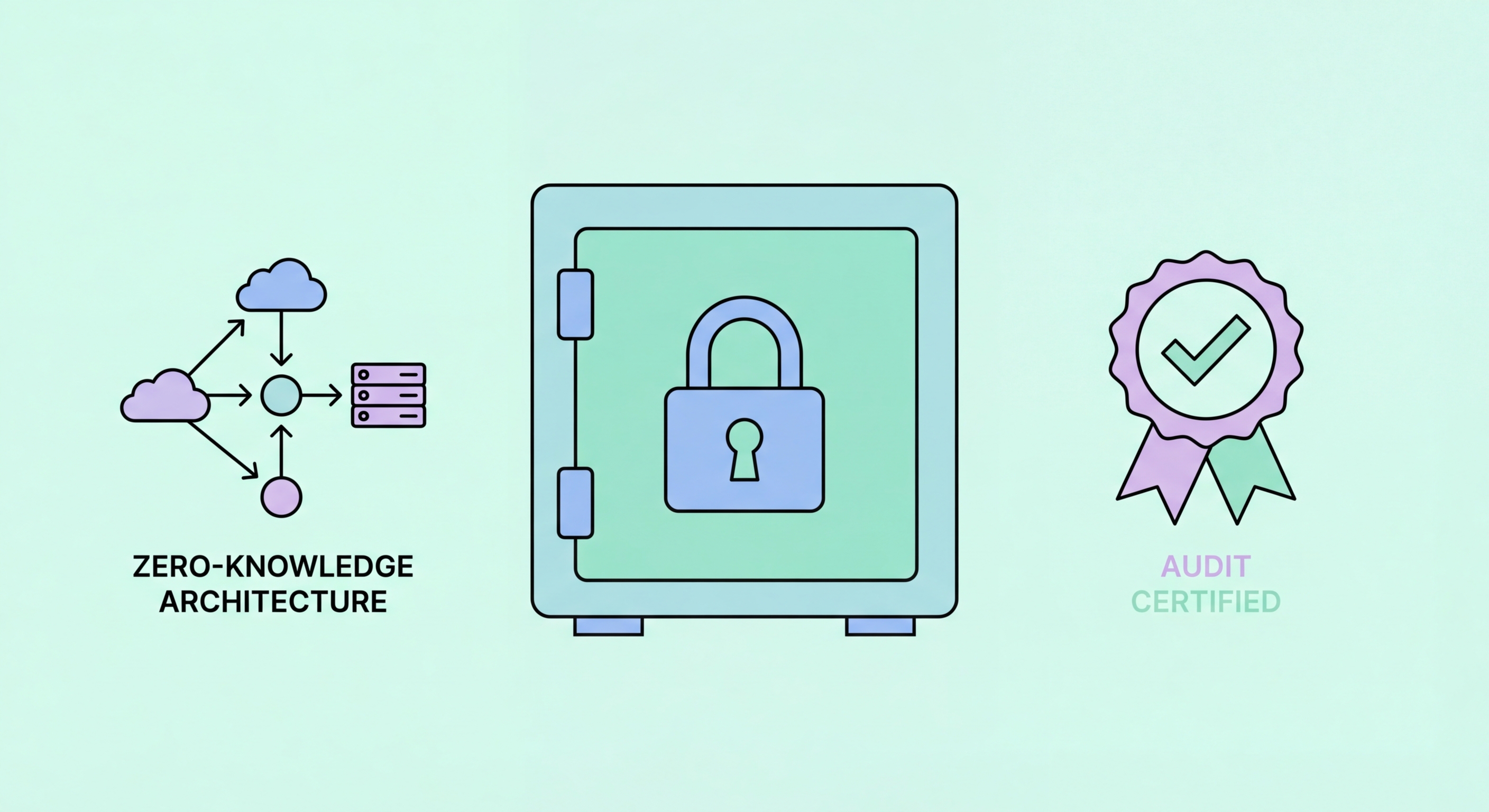
How to identify a trustworthy password manager
3Real Risks to Know

Genuine Risks of Password Managers and How to Mitigate Them

While password managers are far safer than the alternatives, they do have genuine risks worth understanding and mitigating. The most significant is the master password risk: a weak master password combined with a compromised vault file creates a realistic path to credential exposure. LastPass's 2022 breach resulted in genuine risk for users with short or common master passwords, while users with strong passphrases remained protected. Mitigation: use a Diceware passphrase of five or more random words as your master password.

Device compromise is a more immediate risk than server breach. If malware is installed on the device where you use your password manager, the attacker can potentially capture your master password as you type it, extract decrypted credentials from memory while the vault is unlocked, or intercept auto-filled credentials. This risk is mitigated by keeping devices clean (updated software, cautious about extension installations), using biometric unlock to reduce master password typing frequency, and configuring auto-lock timeouts so the vault is not persistently unlocked.

Browser extension vulnerabilities represent a specific attack surface. Password manager browser extensions have occasionally contained bugs that allowed malicious websites to trigger unintended auto-fill into hidden form fields. Reputable managers address these promptly and audit their extensions regularly, but no software is perfectly bug-free. The mitigation is to keep your password manager application and extensions updated to the latest version, and to be thoughtful about which sites you allow auto-fill on for your most sensitive credentials.

  • Weak master password risk: Mitigate with a strong Diceware passphrase — this is the most important mitigation
  • Device compromise risk: Keep OS and apps updated, avoid suspicious extensions, use endpoint security software
  • Extension vulnerability risk: Keep extensions updated, apply security patches promptly
  • Account hijack risk: Enable 2FA on your password manager account — protects against account takeover
  • Forgotten master password risk: Maintain a physically secure backup — prevent the data loss scenario
  • Residual risk vs alternative: These risks are real but far smaller than the risks of weak, reused passwords
Attack methods that target password managers →
Real risks of password managers and mitigations
4The Bottom Line

The Verdict: Are Password Managers Worth Using?

The security community's consensus is clear and well-supported: using a reputable, audited password manager with a strong master password is dramatically safer than any realistic alternative for most users. The risks of password managers are real but manageable; the risks of not using one — widespread credential reuse, weak passwords, exposure in every breach — are both more probable and more severe. Major security organisations including NCSC (UK), NIST (US), and ENISA (EU) all recommend using a password manager.

The key conditions that make a password manager genuinely safe are: choosing a reputable provider with published security audits and a clean track record; using a strong, unique master passphrase (not a weak memorable password); enabling two-factor authentication on the manager account; keeping the manager application and extensions updated; and maintaining a physically secure backup of the master passphrase. With these conditions met, a password manager is among the most effective individual actions you can take to improve your digital security.

For Hong Kong users specifically, the local threat landscape — frequent phishing campaigns, credential stuffing attacks targeting local banking portals, and the availability of HK resident personal data in breach databases — makes the case for adopting a password manager even stronger than the global average. The combination of a good manager, strong unique passwords, and 2FA on critical accounts provides a defence profile that is substantially more resilient than anything achievable without a manager.

  • Security community verdict: NCSC, NIST, and ENISA all recommend using a password manager
  • Safer than alternatives: The documented risks are manageable; the risks of reused weak passwords are immediate and severe
  • Key safety conditions: Reputable provider + strong master passphrase + 2FA + updated software = genuinely safe
  • HK threat landscape: Local phishing and credential stuffing activity makes the manager case even stronger for HK users
  • Start today: The risk of further delay is greater than the residual risks of a properly configured manager
  • Bitwarden recommendation: Free, open-source, audited — lowest barrier to entry with highest transparency
Set up your password manager safely today →
Password manager safety verdict for Hong Kong users

The Safest Choice Is a Reputable Password Manager

With a strong master passphrase and 2FA enabled, a password manager dramatically reduces your risk compared to the alternative of reused, weak passwords across all your accounts.

Related VPN Articles