How to Secure Your Cryptocurrency Wallet in Hong Kong
Complete crypto wallet security for HK investors — hardware wallets, software wallets, seed phrase protection, and the principles of hot versus cold storage.
Complete crypto wallet security for HK investors — hardware wallets, software wallets, seed phrase protection, and the principles of hot versus cold storage.
A cryptocurrency wallet does not store your coins in the way a physical wallet stores cash. Instead, it stores the cryptographic private keys that give you the right to spend coins recorded on the blockchain. Whoever controls the private key controls the cryptocurrency — a fact that makes key security synonymous with asset security. Understanding the different wallet types and their security trade-offs is essential before holding any meaningful cryptocurrency value in Hong Kong.
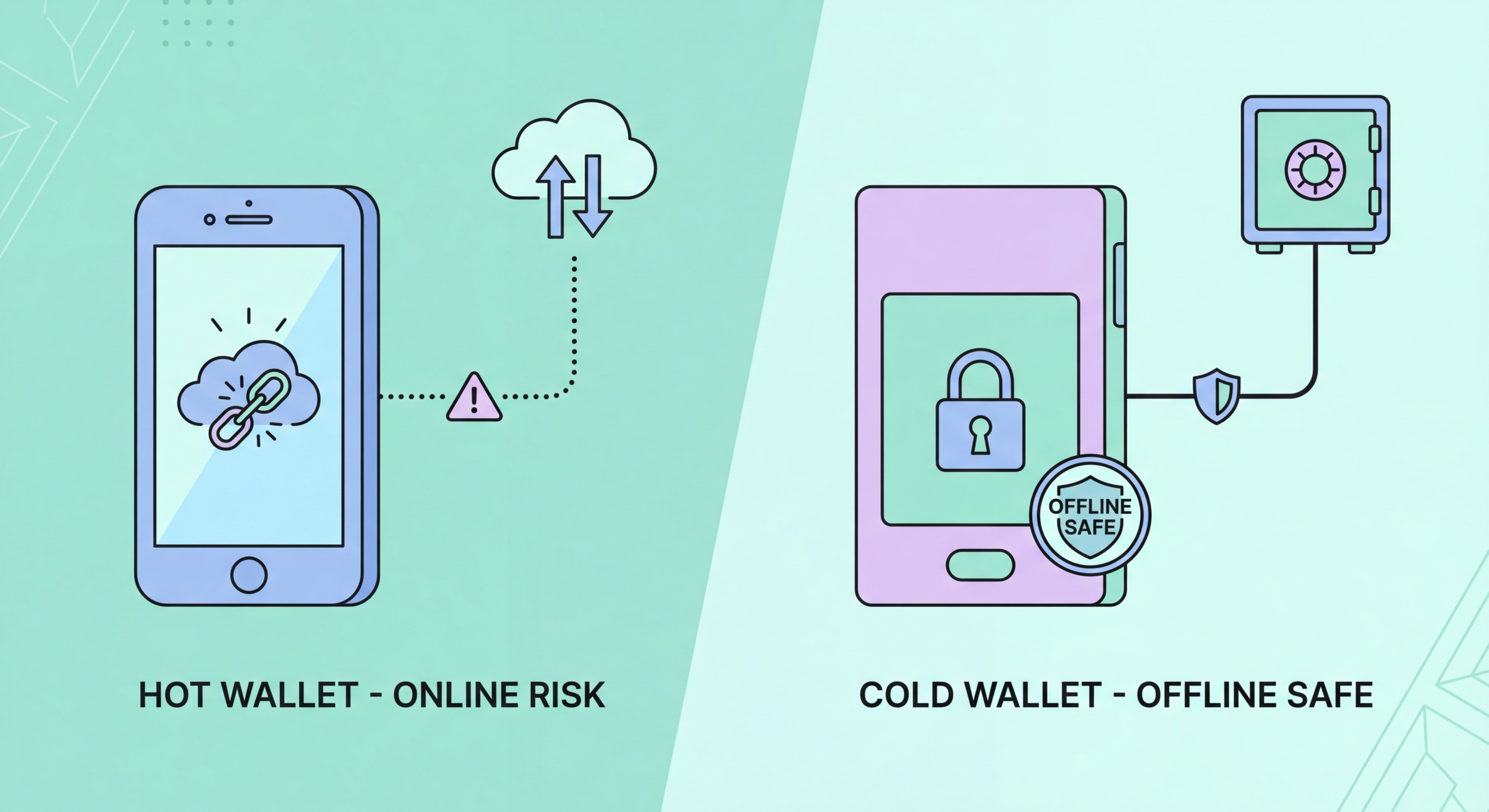
Hot wallets are constantly connected to the internet. Exchange accounts, web wallets, and most mobile wallet apps are hot wallets. Their internet connectivity makes them convenient — transactions can be sent immediately without additional steps — but also permanently exposed to all online threats: exchange hacks, phishing attacks targeting your account credentials, malware on your device, and vulnerabilities in the wallet software itself. Exchange wallets add a further risk: the exchange controls the private keys, not you. The principle "not your keys, not your coins" captures the fundamental custody risk of exchange wallets — if the exchange is hacked or becomes insolvent, your coins may be lost.
Cold wallets — hardware wallets and paper wallets — store private keys completely offline. A hardware wallet (Ledger Nano X, Trezor Model T, Coldcard) is a dedicated device that generates and stores private keys in secure, tamper-resistant hardware that never exposes the keys to the internet. To sign a transaction, the hardware wallet is connected to a computer, the transaction details are displayed on the device's screen, and the user physically approves on the device — meaning malware on the connected computer cannot steal the keys or alter the transaction without the user's physical intervention. This architecture makes hardware wallets dramatically more secure than any hot wallet for long-term holdings.

Setting up a hardware wallet for the first time is straightforward but requires careful attention to each step — errors in the setup process, particularly in seed phrase recording, can result in permanent loss of access to funds. Purchase your hardware wallet directly from the manufacturer's website (ledger.com or trezor.io) or from their authorised resellers list. Never purchase second-hand hardware wallets or units from third-party marketplaces — these may have been tampered with to expose private keys to the previous owner or seller.
The most critical step in the setup process is recording your seed phrase — the 12 or 24 words generated during wallet initialisation. These words are the master backup of all private keys in your wallet. Write each word carefully, in exact order, on the supplied recovery card. Verify the recorded words against the device display before proceeding. Never photograph the seed phrase, store it in a digital file, or enter it into any website or app — the only legitimate use of your full seed phrase is to restore access to your wallet on a replacement device after loss or failure. Any request to enter your seed phrase for any other reason is a scam.
Store your hardware wallet and seed phrase separately. The hardware wallet should be treated like a valuable physical item — stored securely at home, in a safe or secure drawer, protected from physical damage and theft. The seed phrase should be stored in a different location — a fireproof safe, a bank safe deposit box, or with a trusted family member — because a fire or theft that destroys or steals both the device and the seed phrase simultaneously means permanent loss of all funds. For large holdings, maintaining the seed phrase in two physically separate secure locations provides redundancy against single-location disasters.

Software wallets on mobile devices — Trust Wallet, MetaMask Mobile, Phantom, and others — provide the convenience of hot wallets with self-custody (you hold the private keys). For amounts actively used for DeFi, trading, or regular transactions, software wallets strike a reasonable balance. However, they inherit all the security vulnerabilities of the device they run on: malware, compromised device access, phishing sites requesting wallet connections, and malicious smart contract approvals are all live risks for software wallet users.
Device hygiene is the primary software wallet security measure. The device running your primary crypto wallet should have: a strong unlock PIN or biometric lock, full disk encryption (enabled by default on modern iOS; configurable on Android), automatic lock set to a short timeout, and only essential apps installed. Avoid installing unknown apps from unofficial sources on a device running crypto wallet software. Do not use the same device for accessing risky websites, downloading unofficial content, or installing apps from third-party sources. For significant software wallet holdings, a dedicated device used only for crypto wallet management substantially reduces the attack surface.
Smart contract approvals — grants you give to DeFi protocols to spend tokens from your wallet — are a significant and often underappreciated risk. When interacting with DeFi protocols, users commonly approve unlimited token spending permissions to save gas fees on future transactions. These approvals remain active indefinitely unless explicitly revoked. If the approved smart contract is later exploited or if malicious permissions were obtained through a phishing DeFi site, these unlimited approvals allow attackers to drain your wallet. Regularly reviewing and revoking unnecessary approvals at Revoke.cash or Etherscan's token approval checker is essential maintenance for active DeFi users.

One of the most overlooked aspects of cryptocurrency security is ensuring your holdings can be accessed by your heirs in the event of your death or incapacitation. Unlike bank accounts, which have established inheritance processes under Hong Kong probate law, cryptocurrency held in self-custody wallets is only accessible to whoever has the seed phrase. If you die or become incapacitated without providing a trusted person access to your seed phrase and wallet access instructions, your cryptocurrency holdings are permanently inaccessible — a growing problem as the first generation of significant crypto holders ages.
Cryptocurrency inheritance planning must balance two competing risks: providing your heirs with enough information to access holdings (which requires sharing sensitive key material) while avoiding creating security vulnerabilities during your lifetime (which argues against sharing keys widely). Several approaches exist on this spectrum. A letter to your executor, stored with your will, describing the existence and approximate value of cryptocurrency holdings and the location of the seed phrase (without including the seed phrase itself in the will, which is a public document after probate) is a reasonable starting point.
More sophisticated approaches include using Shamir's Secret Sharing to split a seed phrase into multiple shares (e.g., any 2 of 3 shares reconstruct the full seed) — allowing trusted parties to hold individual shares without any single person having full access during your lifetime. Multi-signature wallets provide similar properties: requiring M-of-N signatories to approve transactions, with a surviving trustee having sufficient keys to recover the estate. For significant holdings, engaging a solicitor experienced in cryptocurrency estate planning in Hong Kong — an emerging speciality — can provide legally structured solutions appropriate to the value at risk.
