VPN for Business: What Hong Kong Companies Need to Know
A complete guide to business VPN for Hong Kong organisations — comparing remote access VPN, site-to-site VPN, and zero-trust network access, with vendor selection guidance.
A complete guide to business VPN for Hong Kong organisations — comparing remote access VPN, site-to-site VPN, and zero-trust network access, with vendor selection guidance.
Business VPN differs fundamentally from consumer VPN in purpose and architecture. Consumer VPNs (NordVPN, ExpressVPN) are designed to protect individual internet privacy and bypass geographic restrictions. Business VPNs are designed to provide secure access to internal company resources — file servers, internal applications, databases, printers, and on-premises systems — and to secure traffic between office locations. The two product categories are not interchangeable, and deploying consumer VPN for business access control purposes creates security gaps that attackers actively exploit.
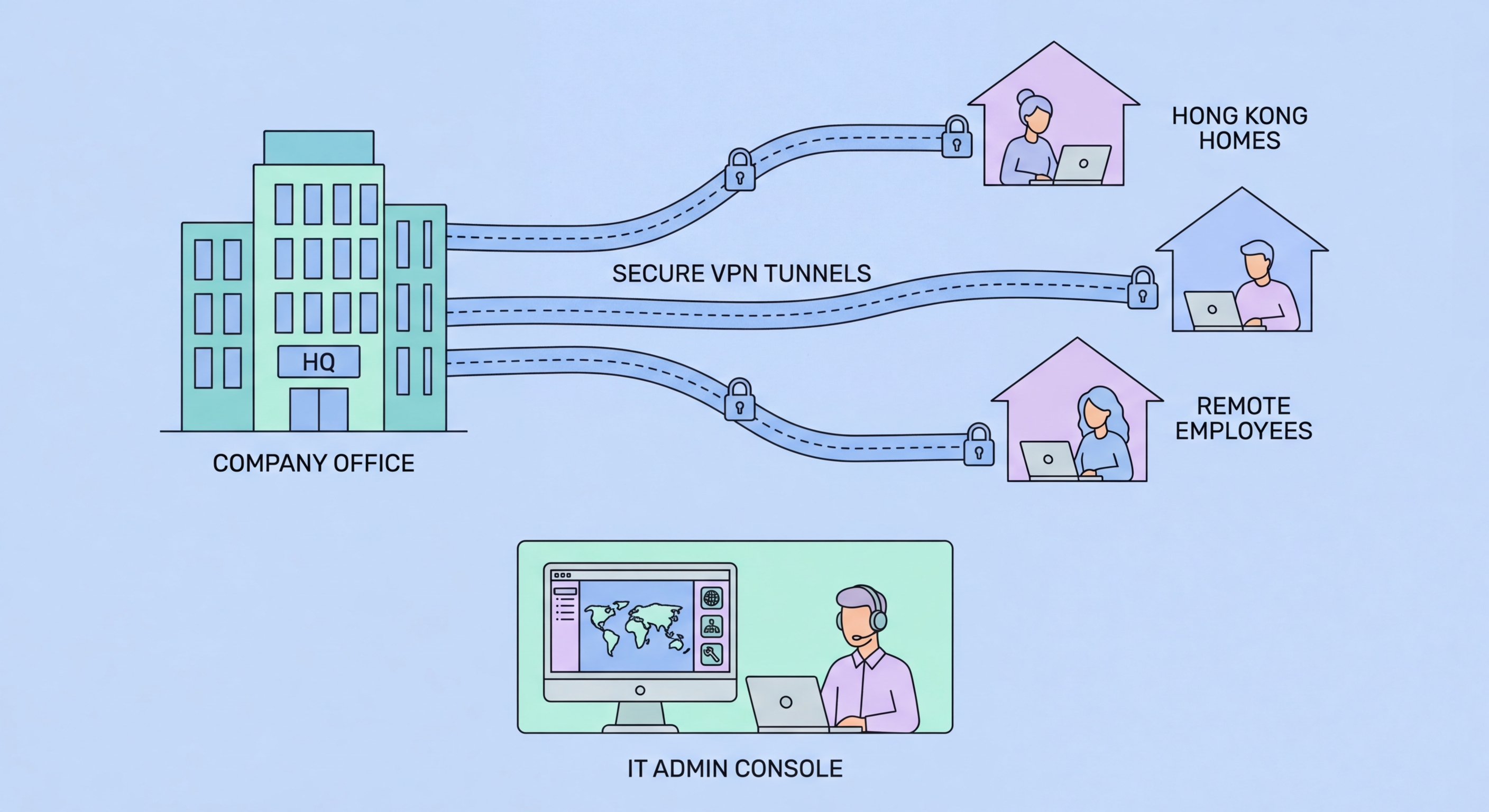
Remote access VPN (also called client-to-site VPN) allows individual remote users to securely connect to the company network as if they were physically in the office. When an employee working from home connects via remote access VPN, their device joins the company network segment, gaining access to internal resources while their traffic is encrypted through the VPN tunnel. This is the primary VPN type needed for hybrid work security. Remote access VPN can be implemented on a dedicated VPN appliance, as a feature of the company's firewall, or through cloud-delivered VPN services that are easier to manage for organisations without networking expertise.
Site-to-site VPN connects two or more office locations into a unified network, allowing staff at each location to access resources at any other location securely. For Hong Kong businesses with multiple offices — perhaps a Hong Kong headquarters, a Mainland China office, and a Singapore regional presence — site-to-site VPN enables seamless resource sharing across locations without exposing services to the public internet. Modern alternatives include SD-WAN (Software-Defined Wide Area Network) solutions that provide more intelligent traffic management than traditional site-to-site VPN for multi-location deployments.

Selecting a business VPN for a Hong Kong organisation requires evaluating several criteria: the number of concurrent users (determines licencing costs and gateway capacity), whether the deployment is on-premises or cloud-managed, integration with your existing identity provider (Microsoft Active Directory, Entra ID, Google Workspace), latency to HK-based servers (important for performance), local support availability, and total cost of ownership including hardware, licensing, and management overhead.
For SMEs without dedicated networking staff, cloud-managed VPN solutions significantly reduce operational complexity compared to traditional hardware VPN appliances. Cisco Meraki, Sophos, and WatchGuard offer cloud-managed security appliances with integrated VPN that non-specialist staff can manage through web-based consoles. Meraki's dashboard-based management is particularly accessible for SME IT generalists. For pure software-defined solutions, Tailscale and Cloudflare Access offer modern, simple deployment appropriate for smaller HK businesses migrating away from traditional appliance-based VPN.
For larger organisations or those with more complex requirements, enterprise VPN vendors including Palo Alto Networks GlobalProtect, Fortinet FortiClient, and Check Point Remote Access VPN provide more comprehensive security integration, better large-scale management, and advanced features like endpoint health checks (verifying a connecting device meets security requirements before granting access). These enterprise platforms are more expensive and require more sophisticated management but provide substantially stronger security architecture for organisations that can support them.

A business VPN that is poorly configured can create worse security than no VPN at all — by providing an authenticated but inadequately controlled access path to internal network resources. Several configuration practices are essential for secure business VPN deployment. First, MFA must be required for all VPN authentication — username and password alone is insufficient given the prevalence of credential theft. Integrating VPN authentication with Microsoft Authenticator, Google Authenticator, or hardware security keys through your RADIUS or SAML identity provider enables MFA without requiring separate authentication infrastructure.
Network access segmentation through VPN means not all VPN users should access all network resources. Role-based VPN access policies — where finance staff can reach accounting systems, IT staff can reach server infrastructure, and general staff can reach only shared file stores and printers — implement the principle of least privilege even within the VPN context. If a VPN-connected device is compromised, lateral movement is restricted to the resources accessible to that user's VPN role rather than the entire corporate network. Most business VPN platforms support this through access policy groups or VLAN assignment based on user identity.
Monitoring VPN access logs for anomalous activity — unusual connection times, unexpected source countries, unusually large data transfers — provides an early warning system for compromised VPN credentials. Many organisations treat VPN connectivity as trusted and apply less scrutiny to activity originating from VPN connections than to external internet access. This assumption is dangerous — VPN credentials are stolen and abused, and unusual VPN activity patterns are frequently the first indicator of account compromise. Routing VPN-connected traffic through the same security monitoring infrastructure as internal network traffic maintains appropriate visibility.

Zero-trust network access (ZTNA) represents a fundamental architectural shift from traditional VPN-based remote access. Traditional VPN models grant broad network-level access to authenticated users — once connected, users can typically access everything their role permits on the connected network segment. ZTNA instead provides application-level access — users are granted access to specific applications they are authorised to use, with continuous verification of identity, device health, and behavioural context, rather than trusted network access that relies on perimeter security.
For Hong Kong businesses already operating primarily in cloud environments — with most applications in Microsoft 365, Google Workspace, and cloud-hosted business systems — traditional VPN may not be the right architectural choice for new deployments. ZTNA products from vendors including Cloudflare Access, Zscaler Private Access, and Microsoft Entra Private Access connect users directly to specific applications rather than granting network access, work seamlessly regardless of the user's location, and eliminate the VPN concentrator as a single point of failure and attack target.
Migration from traditional VPN to ZTNA is a multi-step process that need not happen all at once. A pragmatic approach for HK businesses is to continue using existing VPN for current use cases while adopting ZTNA for new application deployments. Over time, as ZTNA covers more applications, VPN usage diminishes. Complete the migration to ZTNA by consolidating the remaining VPN use cases. This phased approach avoids a disruptive simultaneous cutover while progressively improving the security architecture. HKPC and cybersecurity consultants in Hong Kong can assist with zero-trust architecture planning appropriate to specific business contexts.
