How to create and implement a Bring Your Own Device security policy for Hong Kong businesses — balancing employee privacy, operational flexibility, and corporate data security with practical BYOD management solutions.
Bring Your Own Device programmes — where employees use personal smartphones, tablets, and laptops for work purposes — are widespread among Hong Kong businesses, driven by operational convenience, cost savings on device procurement, and employee preference for their chosen devices. Many HK SMEs have defaulted into de facto BYOD without a formal policy simply because employees began using their iPhones for business email and WhatsApp for client communication. This unmanaged BYOD state — where personal devices access corporate data without any security controls — combines the risks of BYOD with none of its governance benefits, creating significant data exposure that most businesses are unaware of.
The security risks of unmanaged BYOD are substantial. Personal devices access corporate Microsoft 365 or Google Workspace accounts — downloading emails, attachments, and documents locally — without the organisation having any visibility into what data is stored on those devices. When an employee's personal phone is lost or stolen (or when they leave the company), that locally stored corporate data is outside the organisation's control. Personal devices may have weaker security configurations than corporate-managed devices: older iOS or Android versions not receiving security updates, third-party app stores with malicious applications, missing screen locks, or no encryption. The malware risk profile of a device used for personal gaming, social media, and web browsing is higher than a dedicated corporate device used only for work applications.
The PDPO implications of unmanaged BYOD are significant for Hong Kong businesses. When employee personal devices store customer personal data — in email, CRM applications, or downloaded files — those devices become repositories of personal data held by your business. PDPO Principle 4 requires appropriate technical and organisational measures to protect personal data. Personal devices used without security controls — no encryption, no remote wipe, no access control beyond a weak PIN — may not meet this standard. If a personal device containing customer data is lost, the resulting data breach may generate PCPD complaints and regulatory scrutiny of your data protection practices, even though the device was technically the employee's personal property.
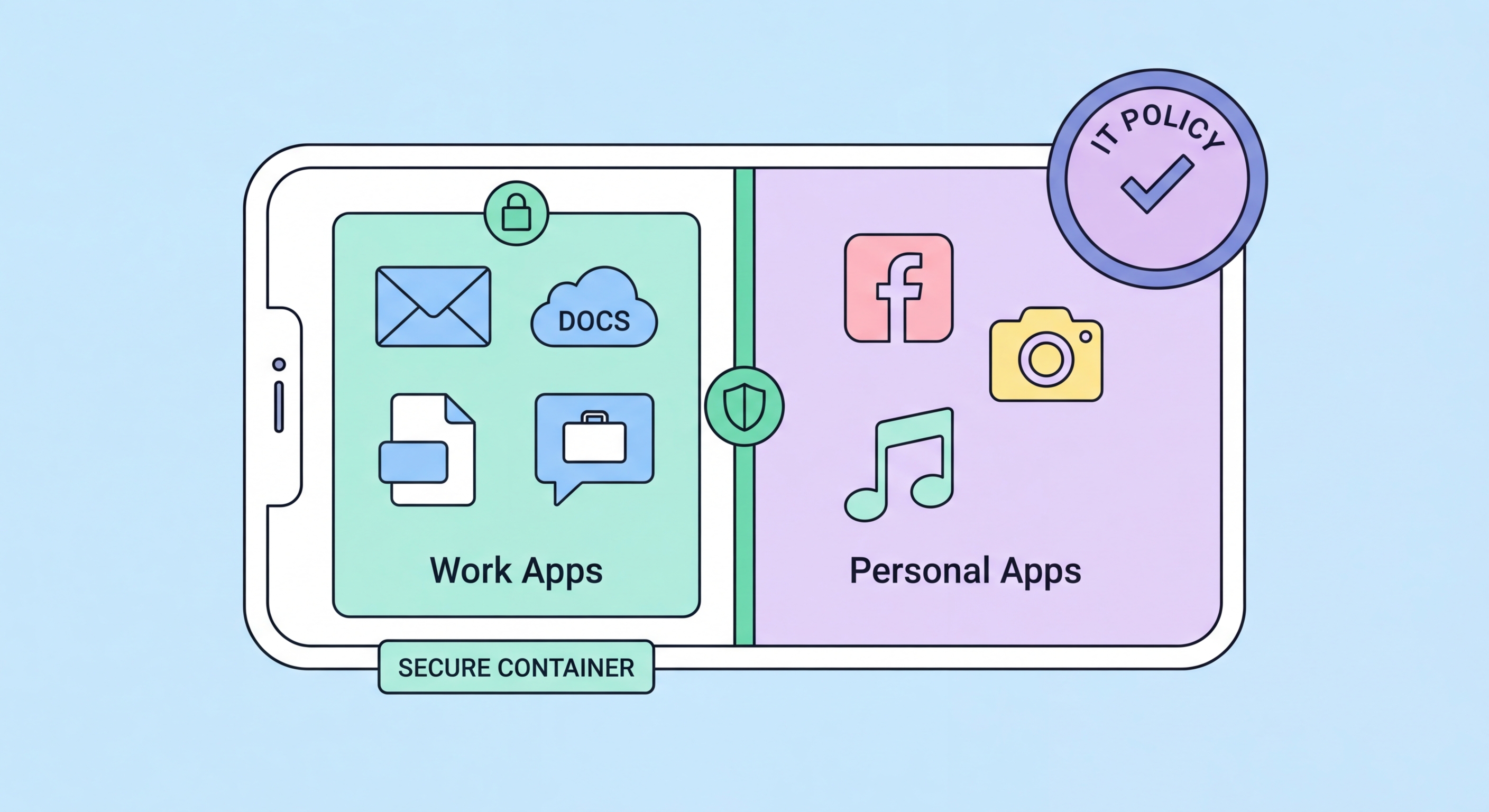
Mobile Application Management (MAM) provides a privacy-respecting approach to BYOD security that addresses corporate data protection without requiring full device management. Where full MDM applies controls to the entire personal device (which raises legitimate employee privacy concerns), MAM manages only the corporate applications and the data containers they create on the device, leaving personal applications, photos, and communications entirely untouched. Microsoft Intune App Protection Policies and Google Workspace MAM provide MAM capability as part of the platforms most HK businesses already use, making MAM deployment practical without additional licensing costs for Microsoft 365 or Google Workspace subscribers.
MAM capabilities that protect corporate data on personal BYOD devices include: requiring a PIN or biometric for corporate application access separate from the device lock; preventing copy-paste from corporate applications to personal applications (preventing corporate emails from being pasted into personal WhatsApp); blocking screenshots within corporate applications; requiring corporate applications to encrypt their data containers locally; preventing corporate application data from being backed up to personal cloud services (iCloud, Google Drive personal accounts); and enabling selective remote wipe that removes only corporate application data and containers from the device, leaving personal data completely intact. This selective wipe capability is critical for BYOD — it allows corporate data to be removed from a departed employee's device without the employee's personal photos and messages being affected.
For Hong Kong businesses where employees must use personal devices for work, Microsoft Intune App Protection Policies can be deployed without enrolling the device in full MDM — employees install the Microsoft Authenticator app and the corporate applications they need (Outlook, Teams, OneDrive) from the App Store, and Intune MAM policies are applied to those applications automatically when the employee authenticates with their corporate credentials. The employee's device is not enrolled, personal applications are not visible to IT, and only the corporate application containers are managed. This architecture is acceptable to most employees because it clearly separates their personal privacy from corporate data governance — they can see exactly what the IT policy manages and verify it touches nothing personal.
A BYOD policy must define the rules governing personal device use for work clearly enough to be enforceable while remaining reasonable enough to achieve employee acceptance. A policy that employees perceive as surveillance or privacy invasion will be worked around — employees will access corporate data through unauthorised channels to avoid onerous BYOD requirements. The policy should clearly explain the business rationale for each requirement (protecting customer data to meet PDPO obligations, enabling remote wipe in case of loss) rather than simply mandating compliance, which increases employee understanding and acceptance.
Key elements of a BYOD policy for Hong Kong businesses include: eligible device types and operating system version requirements (organisations may require iOS 16+ or Android 12+ to ensure current security update coverage); required security configurations on the personal device (screen lock, PIN/biometric, encryption, no jailbreaking or rooting); which corporate applications are permitted or required on personal devices; the corporate applications that are prohibited from personal devices (highly sensitive applications may be restricted to corporate-owned devices); employee consent to MAM deployment on personal devices and disclosure of exactly what the organisation can and cannot see on personal devices; and the conditions under which selective remote wipe may be performed.
The PDPO implications of BYOD programmes require specific policy provisions regarding personal data on personal devices. Employees should understand that personal data belonging to customers that is stored on their personal devices is subject to PDPO obligations — they cannot use customer data on personal devices in ways that would violate PDPO. The policy should prohibit employees from downloading customer personal data to personal devices except as specifically required for approved work purposes, and require reporting of lost or stolen devices containing corporate data as a potential data breach triggering PDPO considerations. Legal review of the BYOD policy by a lawyer familiar with Hong Kong employment law and PDPO is recommended before implementation — both to ensure PDPO compliance and to address employment law considerations around monitoring and privacy.
BYOD is not always the appropriate solution — for certain roles, data access levels, and risk profiles, providing company-owned and fully managed devices is the better security choice. Employees with access to highly sensitive data (financial data, legal files, personal data of many individuals), employees with privileged system access (IT administrators, developers with production system access), and roles in highly regulated industries (HKMA-licensed firms, SFC-regulated entities, healthcare) may require corporate devices with full MDM management rather than personal devices with MAM-only controls. The additional control provided by full MDM — remote wipe of the entire device, application allowlisting, enforced encryption settings, and certificate-based authentication — justifies the hardware cost for these higher-risk roles.
The economics of company-owned devices versus BYOD have changed significantly with the rise of mobile device leasing and managed service provider device-as-a-service programmes. Rather than outright purchasing devices for all employees, HK businesses can lease devices through Apple Business Manager or Samsung Knox-based programmes that include device management and refresh cycles at predictable monthly per-device costs. This reduces the upfront capital cost of company-owned devices and ensures devices are refreshed on a regular schedule rather than remaining in service past their security-supported lifecycle. The cost premium over BYOD may be offset by the security, compliance, and support simplicity benefits for higher-risk roles.
A hybrid approach — BYOD with MAM for general staff and company-owned devices with full MDM for higher-risk roles — is practical for most Hong Kong businesses and matches security investment to actual risk profile. General staff accessing email and documents on personal phones through MAM are an acceptable risk for most organisations. Finance staff with access to banking platforms and payment systems, and IT staff with admin credentials, warrant corporate devices. Implementing this tiered approach requires clearly defining which roles are in which tier, communicating the rationale to employees, and managing the BYOD enrolment and device provisioning processes through your MDM platform. Microsoft Endpoint Manager (Intune) and Jamf support mixed environments with both MAM-only and full MDM enrolled devices managed from the same console.