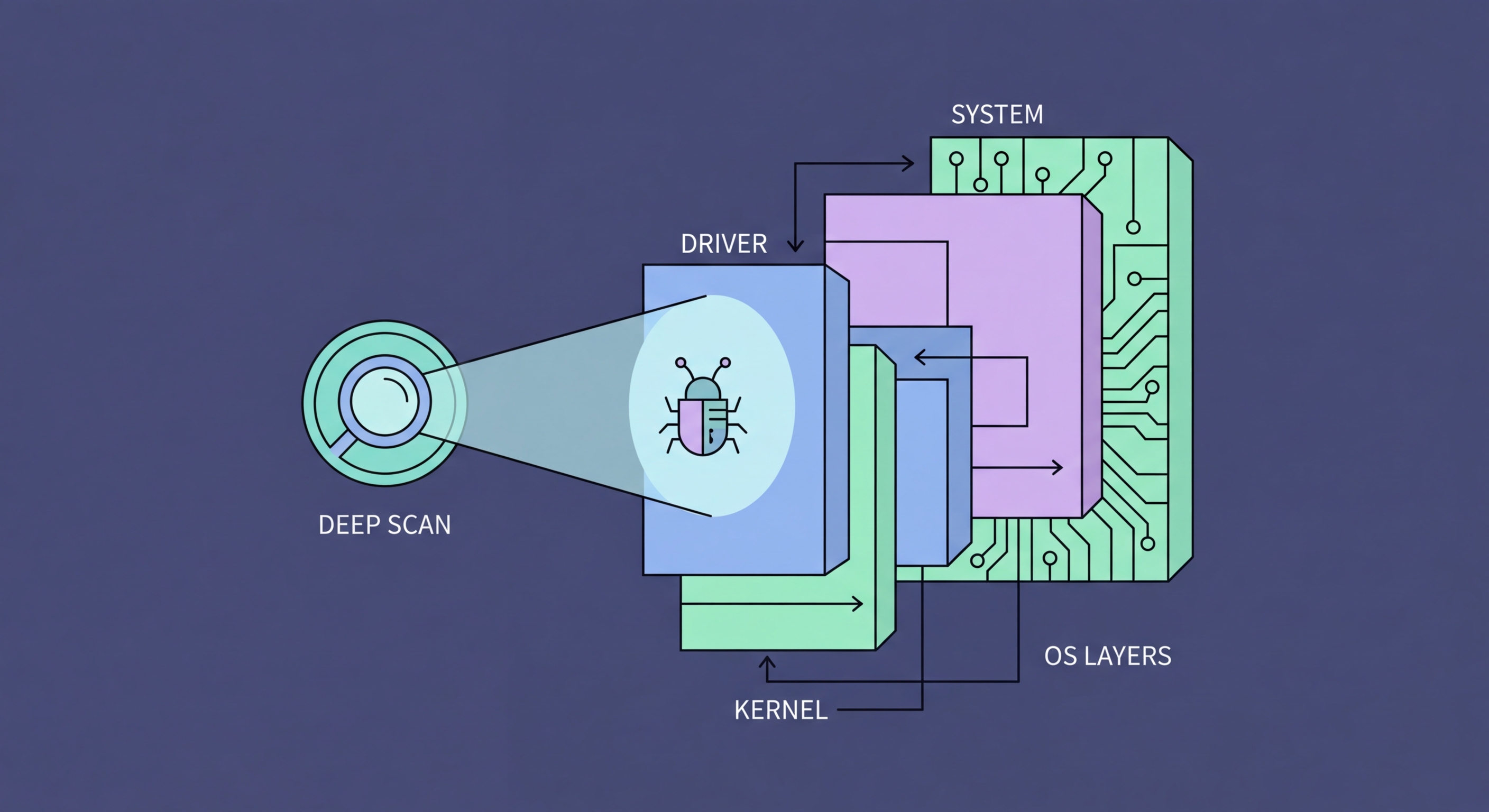
Rootkits are among the most dangerous malware because they operate at the deepest levels of a system, hiding themselves and other malware from detection tools. Understanding them is essential to combating advanced threats.
A rootkit is malware designed to gain privileged access to a computer system while actively concealing its presence from the operating system, security tools, and users. The name derives from Unix terminology — "root" being the highest-privilege system account, and "kit" referring to the collection of tools used to maintain that access. The defining characteristic of rootkits is not just what they do, but how they hide: rootkits modify the operating system's own reporting mechanisms so that the malware files, processes, registry entries, and network connections it creates are invisible to standard system queries. When you list running processes, the rootkit isn't shown. When you search for its files, they aren't returned.
Rootkits are classified by the privilege level at which they operate. User-mode rootkits operate at the application layer, intercepting API calls between applications and the OS kernel. They're easier to implement but also easier to detect. Kernel-mode rootkits — the more dangerous category — run at ring 0, the same privilege level as the operating system kernel itself, allowing them to modify kernel data structures directly and intercept any system call at the lowest level. Bootkits (boot-sector rootkits) infect the Master Boot Record or UEFI firmware, executing before the operating system loads — making them particularly difficult to remove as they operate before antivirus software even initialises. Hypervisor rootkits attempt to load the operating system as a virtual machine under a malicious hypervisor they install.
The practical impact of a rootkit infection goes beyond the rootkit itself. Rootkits are typically installed as part of a broader attack to maintain persistent, hidden access to a compromised system. Once a rootkit is in place, the attacker can install additional malware, steal credentials, use the system as part of a botnet, exfiltrate data, or conduct lateral movement through a network — all while the rootkit's concealment capabilities ensure detection is minimised. Some of the most significant advanced persistent threat (APT) campaigns attributed to nation-state actors have used sophisticated rootkits as core persistence mechanisms. In criminal malware, rootkits are often used to hide cryptocurrency mining software or botnet agents that provide ongoing value to the attacker.
The evasion techniques employed by kernel-mode rootkits are what make them uniquely dangerous. Direct Kernel Object Manipulation (DKOM) modifies operating system data structures — specifically, the linked list of process objects that the OS maintains in kernel memory — to remove the rootkit's processes from the list. When any application (including Task Manager or antivirus) asks the OS "what processes are running?", the OS traverses this list and returns the results. A process removed from the list via DKOM simply isn't returned, becoming effectively invisible to any tool that relies on standard OS APIs. The same technique can hide files, registry keys, and network connections.
System Service Descriptor Table (SSDT) hooking was a classic kernel-mode rootkit technique where the rootkit replaced pointers in the table that maps system call numbers to their handler functions. When any application made a system call (to list files, for example), the rootkit's hook intercepted the call, called the legitimate handler, and then filtered the results before returning them — removing rootkit files from the listing. Modern 64-bit Windows includes Kernel Patch Protection (KPP, also called PatchGuard) specifically to detect and respond to SSDT hooking and other kernel data structure modifications. PatchGuard checks kernel integrity periodically and triggers a system crash (BSOD) if unauthorised modifications are detected — which is why modern rootkits use more sophisticated techniques to evade PatchGuard itself.
Detecting rootkits requires taking a different approach than standard antivirus scanning. Since rootkits subvert the OS reporting mechanisms that most security tools rely on, effective detection must use independent, out-of-band methods. Comparing the OS's view of the system against a direct view of disk and memory data (bypassing OS APIs) can reveal discrepancies caused by rootkit concealment — if the OS reports 50 files in a directory but direct disk sector reading shows 53, the three hidden files are suspicious. Scanning from a bootable rescue environment (where the potentially infected OS is offline) eliminates the rootkit's ability to intercept scan queries. UEFI Secure Boot, when properly configured, prevents bootkits by cryptographically verifying boot components before they execute.
Dedicated rootkit detection tools use the out-of-band comparison techniques that standard antivirus may not. GMER (Windows) is a long-standing rootkit detection tool that compares OS-visible processes, services, and files against direct system data, highlighting discrepancies that indicate hooking. Kaspersky TDSSKiller is specifically designed to detect and remove bootkits and TDSS-family rootkits. Malwarebytes Anti-Rootkit (a separate tool from the standard Malwarebytes) uses direct memory and disk scanning to detect kernel-mode rootkits. These tools complement rather than replace traditional antivirus — they're specialised for a specific, narrow threat class.
Antivirus products with strong kernel-level integration have advantages in rootkit detection. ESET's anti-rootkit technology uses its own kernel driver to cross-check OS-reported data against raw disk and memory data, operating at the same privilege level as the rootkits it's designed to detect. Bitdefender and Kaspersky both invest heavily in anti-rootkit research and include dedicated detection modules. Windows Defender Advanced Threat Protection (part of Microsoft Defender for Endpoint, the enterprise product) includes kernel-level sensors and Memory Integrity (HVCI — Hypervisor-Protected Code Integrity) that uses virtualisation to protect the kernel from modification, making kernel-mode rootkit installation significantly more difficult.
For suspected bootkit infections, the most reliable detection and removal approach is a bootable rescue environment. Kaspersky Rescue Disk, Bitdefender Rescue Environment, and ESET SysRescue are free tools that boot from USB into a clean Linux environment with an updated antivirus scanner, examining the installed Windows system while it's completely offline. Since the potentially compromised Windows kernel isn't running, rootkit concealment mechanisms are inactive — the scan sees the true state of the disk. ESET's LiveGuard and Bitdefender's rescue environment are particularly well-regarded for thoroughness. These are also the tools to use when normal Windows antivirus scans fail to detect a suspected infection that symptoms suggest is present.
Rootkit removal is significantly more complex than standard malware removal, and for kernel-mode and bootkit infections, the recommended approach is often a complete OS reinstall rather than attempted in-place removal. The reason is reliability: even after an antivirus successfully removes the rootkit's files and hooks, it's difficult to be certain that all persistence mechanisms have been cleaned, that the kernel hasn't been further modified in ways that aren't detected, or that additional malware installed under the rootkit's concealment has been fully removed. A clean OS reinstall from known-good media, followed by application reinstalls and data restoration from a pre-infection backup, provides certainty that the compromised OS components are gone.
For bootkit removal specifically, the process requires rewriting the infected boot sector or UEFI firmware. Specialist tools like Kaspersky TDSSKiller handle many common bootkit variants. For UEFI-level infections, the remediation may require flashing the firmware back to factory state — a process specific to the motherboard manufacturer. Enabling UEFI Secure Boot after remediation prevents bootkit reinfection by verifying the cryptographic signature of all boot components before they execute. On modern Windows 11 hardware, Secure Boot is required and enabled by default; on older hardware, verify Secure Boot is enabled in UEFI settings and consider upgrading hardware that doesn't support it if handling sensitive data.
Preventing rootkit infection follows the same principles as general malware prevention but with emphasis on the attack vectors that rootkits specifically use. Rootkit delivery typically requires some form of elevated privilege — either the rootkit exploits a vulnerability to gain kernel access, or the user (or an initial-stage malware) has administrator rights that allow kernel driver installation. Keeping accounts as standard users rather than administrators, enabling User Account Control (UAC) on Windows with prompts for all elevation requests, and promptly applying OS and driver updates (kernel-level exploits are the premium target for rootkit delivery) substantially reduce rootkit installation risk. Hardware-based security features like Trusted Platform Module (TPM) and Microsoft Secured-core PC specifications provide additional rootkit resistance at the firmware level.