Antivirus vs Anti-Malware: What's the Difference?

The terms "antivirus" and "anti-malware" are often used interchangeably, but they describe tools with different strengths. Understanding the distinction helps you build the right protection for your devices.

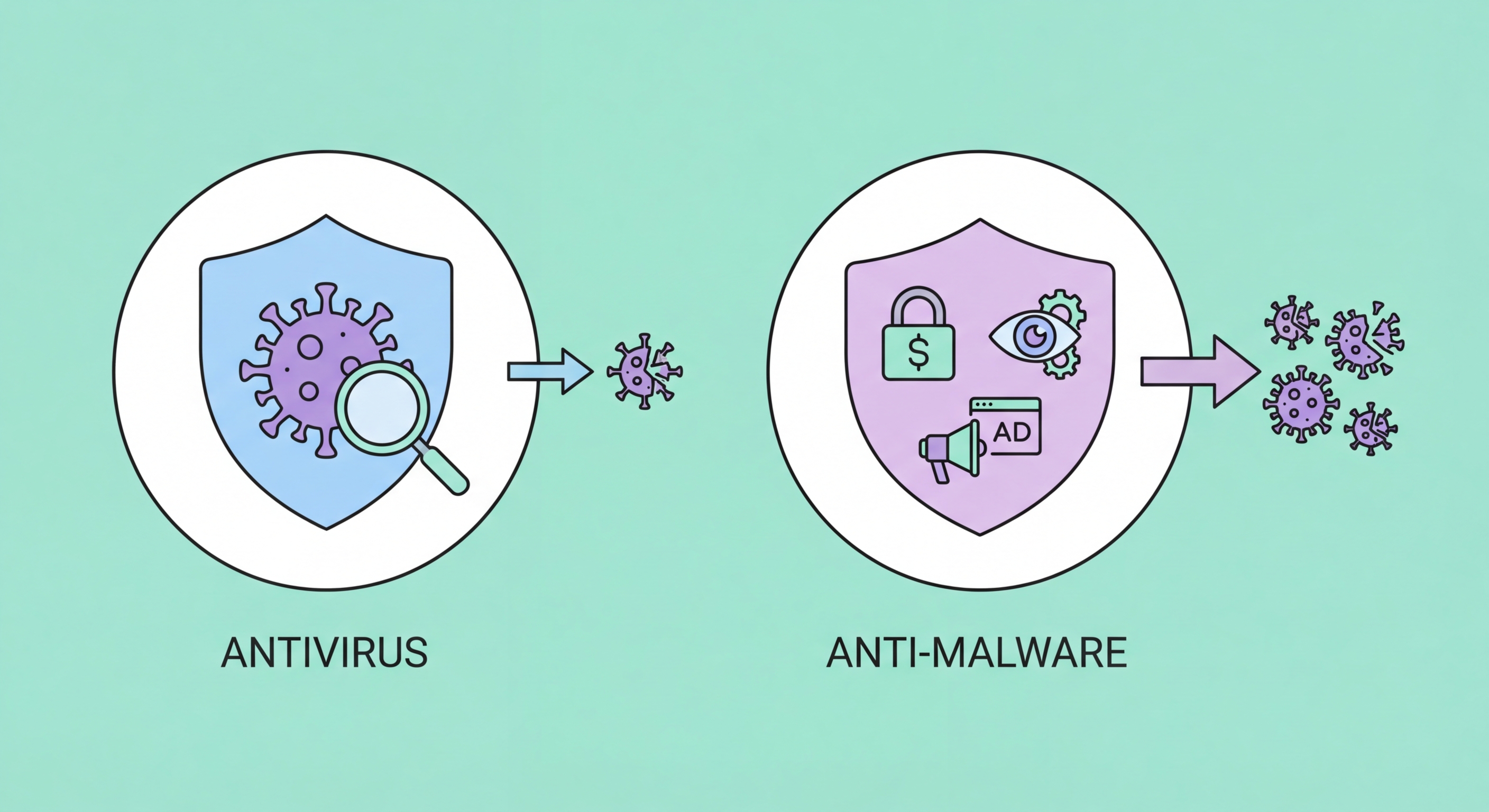
Antivirus vs anti-malware comparison
1Historical Distinction

How the Terms Evolved and What They Originally Meant

The distinction between "antivirus" and "anti-malware" has its roots in the evolution of computer threats. Antivirus software was created specifically to detect and remove computer viruses — self-replicating programs that attached to legitimate files and spread from computer to computer. In the 1990s, "virus" was essentially synonymous with "malicious software," so "antivirus" was a complete description of the protection category. Products like Norton AntiVirus and McAfee VirusScan were authoritative tools for the threats of their era.

As the internet age brought new categories of malicious software — spyware that tracked users for advertising purposes, adware that generated unwanted pop-ups, trojans that opened backdoors for hackers, rootkits that hid themselves deep in operating systems — the term "malware" (malicious software) emerged as the umbrella term for all these threats. Traditional antivirus products, optimised for detecting file-based viruses, didn't always detect these newer threat types effectively. This created a market gap that dedicated "anti-malware" and "anti-spyware" products sought to fill — specialised tools optimised for detecting malware categories that traditional AV missed.

Today, the practical distinction has largely collapsed. Modern antivirus suites protect against the full spectrum of malware types — not just viruses but all the threats that originally justified the "anti-malware" category distinction. Simultaneously, "anti-malware" products like Malwarebytes have evolved to include real-time protection that overlaps completely with traditional antivirus functionality. When a vendor markets a product as "anti-malware" rather than "antivirus," it's often a differentiation strategy or brand positioning choice rather than a meaningful technical distinction about which threats the product addresses.

  • Historical AV: Designed specifically for file-infecting viruses — the dominant threat of the 1980s–1990s.
  • New Threats: Spyware, adware, trojans, and rootkits emerged in the 2000s — some early AV missed these categories.
  • Anti-Malware: Tools like Malwarebytes emerged to fill gaps in traditional AV coverage for non-virus malware.
  • Convergence: Modern AV products cover all malware types; modern anti-malware includes real-time AV protection.
  • Marketing vs Technical: The label difference today is often marketing differentiation, not technical capability distinction.
  • Practical Advice: Evaluate what a product actually detects, not whether it's labeled antivirus or anti-malware.
Antivirus vs anti-malware history
2Malwarebytes Use Case

Where Malwarebytes and Dedicated Anti-Malware Tools Fit

Malwarebytes occupies a unique position in the security market — it was originally designed as an on-demand malware removal tool for cleaning infections that traditional antivirus had missed, and built a strong reputation in this role. IT professionals routinely used the free version of Malwarebytes as a second-opinion scanner: after a suspected infection, run Malwarebytes to find threats that the resident antivirus might have missed due to the malware hiding from or disabling the installed AV product. This removal use case remains valid and valuable today.

Malwarebytes Premium has evolved into a full real-time protection product that can serve as a primary security solution rather than just a complementary tool. It includes real-time malware and ransomware protection, web protection (blocking malicious URLs), exploit protection (hardening against exploitation of browser and software vulnerabilities), and brute force attack protection. In independent testing, Malwarebytes performs competitively with traditional antivirus products. Its pricing is lower than many competitors, making it an attractive option for budget-conscious users who want paid-tier protection.

The question of whether to run both antivirus and anti-malware tools simultaneously is nuanced. Running two full real-time security products simultaneously can cause conflicts — both products try to scan the same files at the same time, leading to performance degradation and sometimes false detections where one product flags the other as suspicious. Modern Malwarebytes is explicitly designed to coexist with major antivirus products, and some security professionals recommend running a paid antivirus (Bitdefender, ESET) alongside Malwarebytes Free for on-demand scanning as a complementary second opinion layer, not as conflicting real-time protections.

  • Original Role: Malwarebytes began as a second-opinion on-demand scanner for infections traditional AV missed.
  • Malwarebytes Premium: Full real-time protection product competitive with traditional antivirus products.
  • Conflict Risk: Running two real-time security products can cause conflicts — check compatibility before deploying both.
  • Layered Approach: Primary AV (paid) + Malwarebytes Free (on-demand scanning) is a sound and low-conflict combination.
  • Removal Tool: Malwarebytes Free remains valuable for scanning suspected infections as a secondary diagnostic.
  • Cost Advantage: Malwarebytes Premium is typically cheaper than equivalent full-suite antivirus products.
Malwarebytes alongside antivirus
3Remaining Gaps

Genuine Coverage Gaps: Where Each Type Excels

Despite the convergence of the two categories, meaningful performance differences remain for specific threat categories. Traditional antivirus products — particularly those with deep integration with the operating system kernel, such as Windows Defender and ESET — have advantages in detecting rootkits and bootkits that operate at the OS level. Their long-running anti-rootkit capabilities and OS-level hooks provide detection depth that products focused primarily on user-space malware may not match.

Conversely, products with anti-malware origins tend to excel at detecting potentially unwanted programs (PUPs) and adware — the category of semi-malicious software that's not clearly criminal but degrades the user experience and privacy. These include browser hijackers, toolbar installers bundled with free software, aggressive ad networks embedded in freeware, and software that makes unwanted configuration changes. Traditional antivirus products have historically been conservative about flagging these grey-area programs — aggressive PUP detection increases false positive rates — while anti-malware products like Malwarebytes tend to be more aggressive about removing these nuisance programs.

Exploit protection — blocking attacks that take advantage of vulnerabilities in legitimate software rather than malware files — is an area where products diverge significantly. Some security suites include sophisticated exploit mitigation modules that add memory protection, behavior-based exploit detection, and vulnerability shielding. Malwarebytes Premium's exploit protection layer is particularly strong in this regard. For users who run older software versions or work in environments where software updates are delayed, dedicated exploit protection is a valuable capability that not all antivirus products provide.

  • AV Advantage: Deep OS integration for better rootkit and bootkit detection at the kernel level.
  • Anti-Malware Advantage: More aggressive PUP and adware detection — catches grey-area software traditional AV ignores.
  • Exploit Protection: A specific capability where products vary — Malwarebytes Premium excels in this area.
  • Browser Protection: Both categories offer web protection — evaluate quality by checking independent phishing detection tests.
  • Fileless Malware: Behaviour-based detection in both categories — memory scanning quality matters here.
  • Gap Resolution: Testing any specific product against your platform and threat environment is the only way to verify coverage.
AV vs anti-malware coverage comparison
4Practical Recommendation

What You Actually Need: A Practical Security Stack

For most Hong Kong individual users and households, a single quality paid antivirus/security suite from Bitdefender, Norton, or ESET provides comprehensive coverage without needing additional separate anti-malware tools. Modern suites cover all the malware categories that dedicated anti-malware tools were historically created to address. Choose based on your device ecosystem (Windows, Mac, Android, iOS), your budget, and which additional features you find valuable. Don't pay for two competing real-time protection products — the performance overhead and potential conflicts aren't worth the marginal protection benefit.

For small businesses, the right approach is evaluating whether consumer-grade antivirus or a dedicated business endpoint security product is appropriate. Consumer antivirus lacks centralised management, policy enforcement across employee devices, and threat detection reporting capabilities that businesses need. ESET Endpoint Security, Sophos Intercept X, or Microsoft Defender for Business (included with Microsoft 365 Business Premium) are well-suited small business options that provide business-grade features at more accessible price points than enterprise EDR platforms. The absence of centralised visibility is a significant security gap for any business with more than a few devices.

For the complementary anti-malware use case specifically, keeping Malwarebytes Free installed alongside your primary antivirus for on-demand scanning is a sound and low-overhead approach. When you suspect an infection — unusual system behaviour, unexpected network activity, suspicious processes — running a Malwarebytes scan provides a valuable second opinion without the conflicts that would arise from having two products providing real-time protection simultaneously. Many IT professionals and security-conscious users maintain this layered approach of primary paid AV plus Malwarebytes Free for scanning.

  • Individuals: One paid antivirus suite (Bitdefender/Norton/ESET) is sufficient — don't run two real-time products.
  • Complementary Tool: Malwarebytes Free for on-demand second-opinion scanning alongside primary AV is a sound approach.
  • Small Business: ESET Endpoint Security, Sophos Intercept X, or Microsoft Defender for Business for centralised management.
  • Enterprise: CrowdStrike, SentinelOne, or Microsoft Defender for Endpoint — full EDR capabilities required at enterprise scale.
  • Avoid Overkill: Two competing real-time protection products cause conflicts — one good solution is better than two conflicting ones.
  • Platform Matters: Ensure your chosen product genuinely covers all your device types — Windows, Mac, Android, iOS.
Build a complete layered security defence →
Recommended security stack

Build the Right Security Stack for Your Needs

Explore our antivirus reviews and layered defence guide to configure comprehensive protection for your devices.

Related VPN Articles