2FA for Hong Kong Online Banking: A Complete Guide
Understanding the different two-factor authentication methods used by Hong Kong banks and how to configure the strongest possible protection for your accounts.
Understanding the different two-factor authentication methods used by Hong Kong banks and how to configure the strongest possible protection for your accounts.
A password alone is no longer an adequate protection for online banking accounts. Passwords are routinely stolen through phishing attacks, compromised in data breaches at unrelated websites, guessed through credential stuffing using automated tools, or captured by malware on infected devices. Given that credential stuffing attacks — where stolen username/password combinations from one breach are tested against banking portals automatically — succeed in gaining access to accounts with alarming frequency, a compromised password without a second factor means complete account access for an attacker.
Two-factor authentication (2FA) requires possession of a second factor in addition to the password before access is granted. Even if an attacker obtains your banking password through any means, they cannot log in without also compromising the second factor. The strength of the protection depends entirely on which type of 2FA is used — not all second factors are equally resistant to attack. SMS-based OTPs, the most common form offered by HK banks, are significantly weaker than authenticator app TOTP codes or hardware security keys.
The Hong Kong Monetary Authority's Supervisory Policy Manual has progressively strengthened requirements for multi-factor authentication in retail banking, particularly for high-risk operations like large transfers and new payee additions. All major HK retail banks now mandate some form of 2FA for online banking access. However, the specific type offered varies by bank and the channel — mobile app, desktop browser, or telephone banking — and some 2FA implementations are substantially more secure than others. Understanding the spectrum is key to choosing the strongest available option for your accounts.

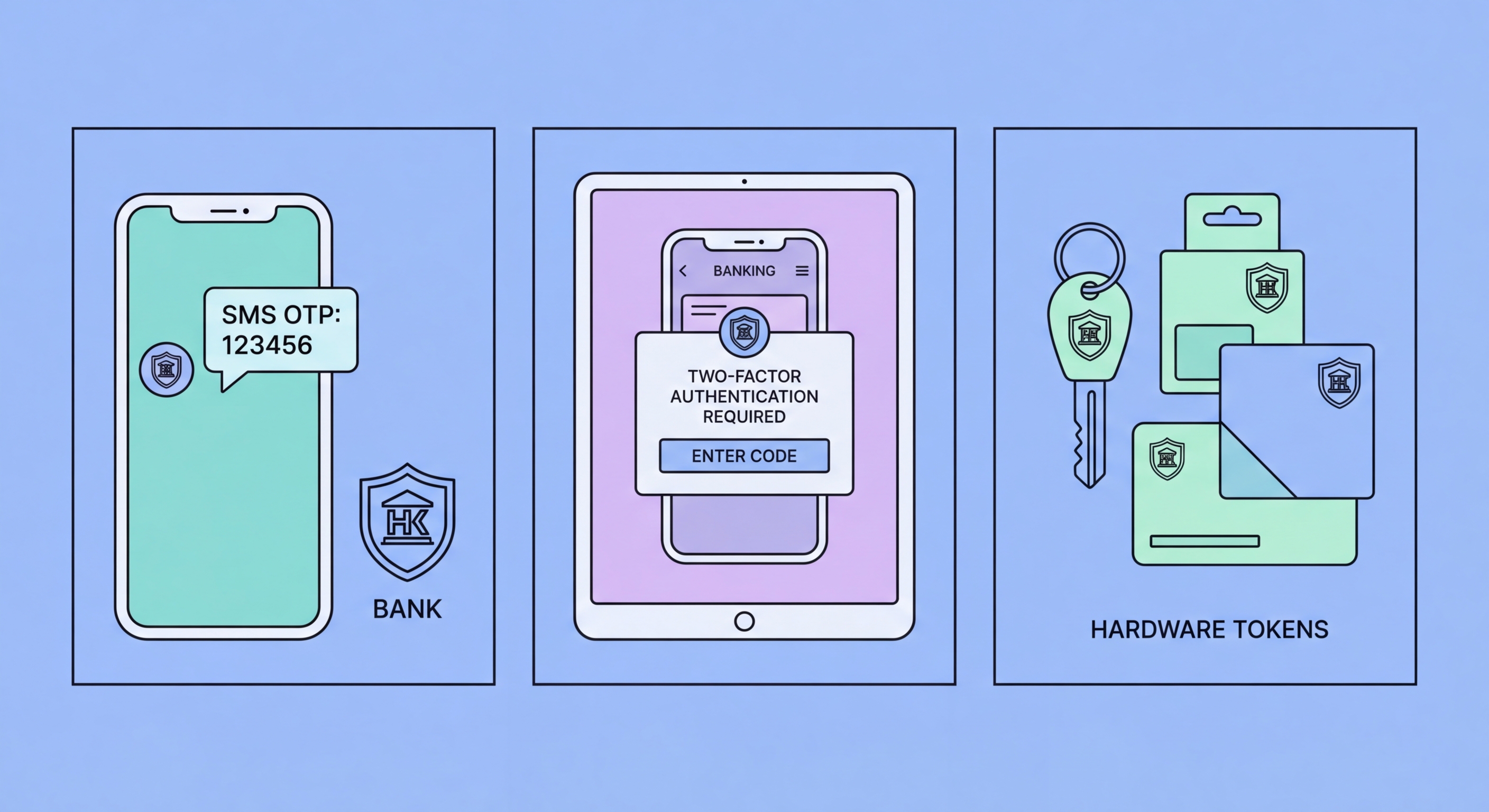
SMS OTP (One-Time Password) is the most widely deployed 2FA method by HK banks for its simplicity and accessibility. A six-digit code is sent to your registered mobile number whenever authentication is required. The weakness is the SMS channel: SIM swapping allows attackers to receive your SMS messages on a fraudster-controlled SIM; SS7 protocol vulnerabilities in the global telephone network allow sophisticated actors to intercept SMS messages in transit; and real-time phishing kits relay OTPs from victims to the genuine bank portal before the 30-60 second validity window expires. Despite these weaknesses, SMS OTP remains dramatically better than no 2FA.
Bank proprietary mobile tokens — such as HSBC's Mobile Security Key, Hang Seng's Mobile Security Token, and similar in-app authenticators — generate TOTP codes within the bank's own mobile app rather than via SMS. These are more secure than SMS because they do not traverse the insecure telephone network, are not vulnerable to SIM swapping, and require possession of the registered device. Many HK banks also offer push notification approval — where a login attempt triggers an in-app prompt requiring your approval — which is more resistant to phishing than code entry because the prompt shows the transaction details rather than just a code to copy.
Hardware security keys (FIDO2/WebAuthn), such as YubiKey, represent the strongest available 2FA for online banking and are immune to real-time phishing — the key's cryptographic challenge-response mechanism binds the authentication to the specific origin domain, meaning a phishing site cannot relay the authentication to the genuine bank portal. Currently, very few HK retail banks support FIDO2 keys for consumer banking; this is a market gap. Where unavailable, the bank's own mobile app token or push notification represents the next-best option and should always be preferred over SMS OTP.

HSBC's Personal Internet Banking and mobile app support the Mobile Security Key — an in-app TOTP generator within the HSBC HK mobile app — and biometric authentication for app login. HSBC customers should activate the Mobile Security Key in their app settings and disable SMS OTP fallback where possible, as the in-app token is substantially more secure. For HSBC Wealth and Personal Banking or Premier accounts, enquire about hardware token availability at your branch.
Hang Seng Bank's e-Banking uses the Mobile Security Token integrated into the Hang Seng Mobile App for transaction authentication. The token generates time-based OTPs displayed within the app and is tied to device registration. Hang Seng customers should ensure their app is registered on their primary device and that device registration requires notification if a new device is registered — this alerts you if an attacker attempts to register a new device using stolen credentials. Bank of China Hong Kong (BOCHK) similarly offers an eSecurity Token within its mobile app.
Standard Chartered Hong Kong uses in-app biometric authentication and its own mobile security key. DBS Hong Kong offers the DBS digibank app with biometric login and in-app OTP generation. For all HK banks, accessing the security settings section of your mobile banking app or contacting your relationship manager to request the strongest available 2FA upgrade is time well invested. Many banks also offer additional verification requirements for high-value or new-payee transactions that can be independently configured — requesting these enhanced controls adds friction only at moments of highest risk.

SIM swapping — also called SIM jacking or SIM splitting — is an attack where a fraudster convinces your mobile operator to transfer your phone number to a SIM card they control. Once successful, they receive all calls and SMS messages sent to your number, including bank OTPs, password reset codes, and verification messages for every service linked to that number. The consequences for banking security are severe: with your phone number and your stolen password (obtained via phishing or a data breach), an attacker has everything needed to access your accounts and bypass SMS-based 2FA.
SIM swap attacks typically exploit customer service processes at mobile operators — an attacker calls the operator claiming to be you, provides identifying information sourced from social media or dark web purchases (date of birth, HKID partial numbers, address), and requests a SIM replacement due to a "lost" or "damaged" phone. Operators vary in the verification standards they require for SIM replacement. To protect yourself, contact your mobile operator (SmarTone, HKT/PCCW, China Mobile HK, or others) to ask what verification is required for a SIM change and whether you can add a security PIN or password to your account that must be provided before any SIM-related changes are processed.
The most reliable defence against SIM swap attacks on your banking security is simply not to rely on SMS OTP for any banking authentication. Migrate to your bank's in-app authenticator as described above, and use the same approach for email accounts and other services that trigger banking-related notifications. If SMS 2FA is unavoidable for any service, monitor your mobile phone for unexpected loss of signal — if your SIM is swapped, your phone will show no network — and contact your operator immediately if you lose service unexpectedly.
