Remote Work Security for Hong Kong Companies in 2026

A comprehensive security framework for Hong Kong businesses with distributed or hybrid workforces — covering VPN policies, device management, secure collaboration, and the zero-trust approach.

Remote work security Hong Kong
1Remote Work Risks

Cybersecurity Risks of Remote and Hybrid Work in HK

Remote and hybrid work — now standard practice for many Hong Kong businesses — fundamentally expands the corporate attack surface. When employees work from the office, their devices are typically protected by corporate firewalls, network monitoring, and physical security controls. When those same employees work from home, serviced offices in Wong Chuk Hang, or cafes in Central, they are outside the corporate perimeter. Their home WiFi may be poorly secured; their personal devices may be used for work; and the corporate applications they access are now reachable directly from the internet, making them targets for credential-based and vulnerability-based attacks that office-based controls would previously have intercepted.

The most significant remote work security risk for Hong Kong SMEs is the exposure of cloud applications to the public internet without adequate authentication controls. Microsoft 365, Google Workspace, and other cloud productivity suites are the backbone of most HK business operations — and they are accessible from any browser worldwide with only a username and password by default. Credential stuffing attacks test thousands of username/password combinations against these services continuously. MFA on all cloud services is the single most critical remote work security control, yet many HK businesses have still not enabled it consistently across their workforce.

Data protection risks increase in remote work environments. Employees may print or save sensitive documents locally on personal devices or home computers outside the organisation's data classification and access control framework. Video calls in shared spaces create eavesdropping risks for sensitive business discussions. Home printers produce physical copies of sensitive documents outside secure document management systems. Understanding and articulating these risks to staff — and providing practical policies that protect data without making remote work impractical — is the challenge of remote work security governance.

  • Expanded attack surface: Remote workers extend the corporate perimeter to their home networks, personal devices, and public locations — all outside direct organisational control
  • Cloud application exposure: Corporate cloud applications accessible from the internet are continuously targeted by credential-based attacks — MFA is essential
  • Home network insecurity: Many Hong Kong home WiFi networks use default router credentials, old firmware, and insufficient encryption — a weaker perimeter than the office
  • Personal device mixing: Employees using personal devices for work commingling corporate and personal data creates data classification, malware, and access control challenges
  • Physical security gaps: Remote workers may discuss sensitive matters in shared spaces, print confidential documents, or leave devices unattended
  • Shadow IT proliferation: Remote employees solving productivity problems with personal cloud services (Dropbox, personal Gmail) create data governance blind spots
Remote work security risks
2VPN and Network Security

VPN Policy and Network Security for Remote Workers

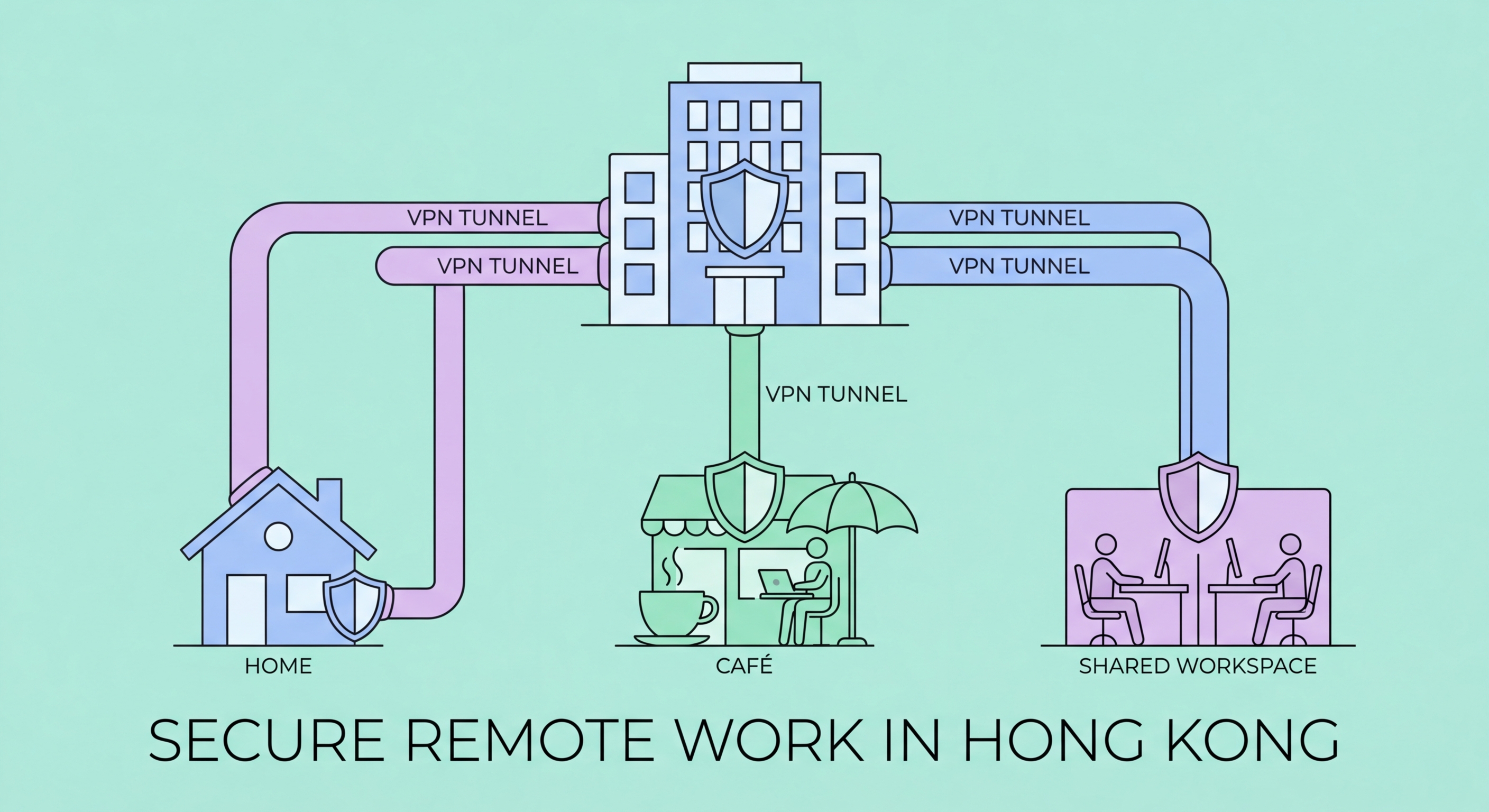
A corporate VPN creates an encrypted tunnel between remote workers' devices and the company network, protecting traffic from interception on insecure home or public networks. For organisations where employees need to access internal systems (file servers, internal applications, on-premises databases), a corporate VPN is essential. Remote access VPN solutions appropriate for Hong Kong SMEs include cloud-managed solutions from vendors like Cisco Meraki, Palo Alto Prisma Access, and more budget-friendly options from providers like Sophos and WatchGuard.

VPN policy should define when VPN use is required and when it is optional. For access to internal systems, sensitive cloud applications, or when working from public WiFi, VPN should be mandatory. For general internet browsing from home, VPN use is beneficial but may add latency that reduces productivity. Split-tunnel VPN configurations route only traffic destined for corporate systems through the VPN while other traffic goes directly to the internet — reducing bandwidth load on the VPN while maintaining protection for corporate application access. Always-on VPN configurations, where the VPN connects automatically whenever the device is outside the corporate network, provide the strongest protection but require robust VPN infrastructure to handle the load.

Zero-trust network access (ZTNA) represents a more modern alternative to traditional VPN for organisations modernising their remote access architecture. ZTNA treats every access request as untrusted by default, requiring continuous authentication and authorisation based on user identity, device health, and context rather than network location. This eliminates the implicit trust granted to everything inside the VPN tunnel that creates lateral movement risk when a VPN-connected device is compromised. For HK businesses already invested in cloud infrastructure, ZTNA solutions integrated with their existing identity provider (Microsoft Entra, Google Workspace) may be more appropriate than traditional VPN.

  • Corporate VPN for internal access: Require VPN for all access to internal systems, sensitive applications, and public WiFi connections
  • Split-tunnel configuration: Route corporate application traffic through VPN while allowing general internet traffic to go direct — balances security with usability
  • MFA on VPN access: Require multi-factor authentication for VPN access — credentials alone are insufficient for access to corporate systems
  • ZTNA as modern alternative: Consider zero-trust network access for organisations migrating away from traditional VPN — provides context-aware, identity-based access control
  • Home router security: Provide guidance for staff to secure their home routers — change default credentials, update firmware, enable WPA3 encryption
  • Guest network segregation: Advise employees to connect work devices to a dedicated home network or VLAN, separate from personal devices and IoT devices
VPN for remote workers
3Device Management

Securing Remote Work Devices with MDM and Policies

Mobile Device Management (MDM) solutions allow organisations to centrally manage and secure endpoints regardless of location. For Hong Kong businesses with remote workers, MDM enables: enforcing device encryption, requiring strong device PINs and biometric lock, remotely wiping lost or stolen devices, ensuring operating systems and applications are current, and deploying or removing applications remotely. Microsoft Intune, Jamf (for Apple devices), and VMware Workspace ONE are enterprise MDM solutions; simpler options like Hexnode and Scalefusion are more appropriate for SME budgets.

Company-owned vs bring-your-own-device (BYOD) policies have fundamental security implications. Company-owned devices can be fully managed by MDM and subject to the organisation's security policy without privacy complications. BYOD devices present a PDPO and privacy challenge — employees have legitimate expectations of privacy on their personal devices, limiting how aggressively MDM can be applied. Mobile Application Management (MAM) — managing only corporate applications and data containers on personal devices without controlling the device itself — is a pragmatic compromise for BYOD scenarios that respects employee privacy while protecting corporate data.

Endpoint security software on all remote work devices provides protection against malware, phishing, and other threats regardless of network location. Unlike network-based security controls that only protect devices on the corporate network, endpoint security travels with the device. For remote workers on macOS and Windows, reputable endpoint security platforms including Microsoft Defender for Endpoint, CrowdStrike Falcon, and SentinelOne provide cloud-managed protection without requiring devices to be on the corporate network for policy updates and threat intelligence.

  • MDM deployment: Deploy Mobile Device Management to enforce encryption, strong PINs, remote wipe, and patch compliance on all corporate devices used remotely
  • Full disk encryption: Require BitLocker (Windows) or FileVault (macOS) encryption on all devices — prevents data theft from physically lost or stolen devices
  • BYOD mobile application management: Use MAM to manage corporate application containers on personal devices without full device control — balances security with employee privacy
  • Cloud-managed endpoint security: Deploy endpoint protection that does not require corporate network connectivity for updates — essential for remote devices
  • Device inventory: Maintain a current inventory of all devices accessing corporate data — unknown or unmanaged devices are an uncontrolled access risk
  • Lost device procedure: Define and communicate a clear procedure for reporting lost or stolen devices — remote wipe must be initiated promptly to protect data
Mobile device management for remote work
4Secure Collaboration

Secure Collaboration Tools for Hong Kong Remote Teams

Collaboration tools — Microsoft Teams, Zoom, Google Meet, Slack, and others — are the foundation of remote work communication. Their security configuration is frequently overlooked, yet these platforms are the conduit for sensitive business discussions, document sharing, and decision-making. Each platform's default settings may not represent the most secure configuration for your organisation. Reviewing and hardening collaboration tool settings — particularly around external guest access, file sharing controls, and meeting link security — should be a standard element of remote work security governance.

Microsoft Teams and Google Workspace tenant configuration should restrict external sharing to known, verified external partners rather than allowing sharing with any external email address. Meeting links — particularly for recurring meetings — should require waiting rooms or authentication to prevent uninvited joining. Zoom's security settings have improved significantly since the "Zoom bombing" incidents of 2020, but meeting password requirements, waiting rooms, and participant controls should be configured as defaults rather than relying on meeting hosts to enable them each time. Document sharing platforms should enforce sensitivity labels and access expiry for externally shared links.

Cloud storage and document management security for remote teams requires a balance between accessibility and control. Personal cloud storage services (personal Dropbox, Google Drive, iCloud) are not appropriate for corporate documents — they exist outside the organisation's access control, backup, and data retention framework. Microsoft SharePoint, OneDrive for Business, and Google Shared Drives — all part of corporate Microsoft 365 or Google Workspace subscriptions — provide the accessibility of cloud storage with corporate access controls, audit logging, and data loss prevention (DLP) policy enforcement that consumer services lack.

  • Teams/Workspace external sharing controls: Restrict external sharing to verified partners — disable sharing with any arbitrary external email address by default
  • Meeting security defaults: Configure waiting rooms, meeting passwords, and participant controls as mandatory defaults for all video conferencing platforms
  • No personal cloud storage for work: Prohibit use of personal cloud storage (personal Dropbox, iCloud) for corporate documents — provide corporate alternatives
  • DLP policies on cloud platforms: Enable Data Loss Prevention policies on Microsoft 365 or Google Workspace to detect and block sensitive data being shared externally
  • Audit logging: Enable audit logging on all collaboration platforms — suspicious access patterns (unusual file downloads, external sharing spikes) indicate compromise
  • Clear acceptable use policy: Document which tools are approved for remote work communication and document sharing — reduce shadow IT by providing sanctioned alternatives
Secure collaboration tools

Secure Your Remote Team in Hong Kong

Explore our complete Business Cybersecurity guide for comprehensive coverage of every security challenge facing Hong Kong businesses.

Related VPN Articles