Complete Cybersecurity Checklist for Hong Kong Businesses

A comprehensive, actionable cybersecurity checklist for Hong Kong businesses — covering identity, endpoint, network, cloud, data protection, people, governance, and incident response controls that together form a robust security baseline for HK organisations.

Cybersecurity checklist Hong Kong businesses
1Identity and Endpoint

Identity, Access, and Endpoint Security Checklist

Identity and access management is the first priority in any Hong Kong business cybersecurity checklist because it addresses the most common attack vector: compromised credentials. The majority of cyberattacks against HK businesses begin with stolen or guessed login credentials, making authentication security the highest-leverage single investment available. MFA on every internet-facing account — Microsoft 365, Google Workspace, VPN, remote access, cloud applications — stops the majority of credential-based attacks regardless of whether the underlying password has been compromised. FIDO2/passkey authentication provides the strongest available MFA for highest-risk accounts. Legacy authentication protocols (SMTP AUTH, Basic Auth in Microsoft 365) that bypass MFA must be disabled.

Endpoint security on every device that accesses corporate data is the second foundational requirement. Every laptop, desktop, and managed mobile device should have active endpoint protection (EDR preferred over legacy antivirus), full-disk encryption enabled (BitLocker for Windows, FileVault for macOS), and a current operating system and application patch level. Devices running end-of-life operating systems that no longer receive security updates must either be upgraded or isolated from all corporate data access — continuing to use Windows 10 (EOL October 2025) or older without security updates creates systematic vulnerability. Device management through Microsoft Intune or equivalent MDM ensures consistent security configuration and provides the remote wipe capability needed when devices are lost or employees depart.

Password management for all staff eliminates the weak password practices that facilitate credential-based attacks. A business password manager — 1Password Teams, Bitwarden for Business, LastPass Teams — enables employees to use unique, complex passwords for every service without needing to remember them, eliminating password reuse that causes credential stuffing attacks to succeed. Password manager deployment combined with MFA and phishing simulation training creates the three-layer human factor defence that security-conscious HK businesses use to address the social engineering and credential compromise threats that technical controls alone cannot eliminate. Single Sign-On (SSO) configured for all business applications reduces the number of credentials employees manage and centralises access revocation for leavers.

  • MFA on all accounts: Multi-factor authentication enabled for all Microsoft 365, Google Workspace, VPN, cloud applications, and privileged accounts — no exceptions for senior staff
  • Disable legacy authentication: Block Basic Auth and SMTP AUTH in Microsoft 365 — these bypass MFA and are actively exploited for account compromise
  • EDR on all endpoints: Endpoint Detection and Response deployed on all Windows, macOS, and managed mobile devices — actively monitored with alerts reviewed
  • Full-disk encryption: BitLocker (Windows) and FileVault (macOS) enabled on all endpoints — prevents data theft from lost or stolen devices
  • Patch currency: All operating systems and applications patched within 14 days of critical security update release — verified through monthly patch compliance audit
  • Password manager deployed: Business password manager deployed for all staff — unique complex passwords for all services, MFA seed storage, and secure sharing for shared credentials
Identity and endpoint security checklist
2Network and Email Security

Network Security and Email Protection Checklist

Network security for Hong Kong businesses requires a business-grade firewall as the minimum perimeter control. The ISP-provided routers from HKT, HKBN, or SmarTone that many SMEs rely on are inadequate for business security — they lack intrusion prevention, web filtering, application control, and the security update cadence that business firewalls provide. Deploying a UTM firewall from Sophos, Fortinet, or WatchGuard creates the perimeter control needed to implement meaningful network security. The firewall must be actively maintained: firmware updates applied within 14 days of release, rules reviewed quarterly, and IPS and web filtering subscriptions renewed to maintain current threat intelligence.

Email security is critical given that phishing is the primary initial access vector for attacks against HK businesses. The three-layer email security stack — DMARC/DKIM/SPF authentication to prevent domain spoofing, email security gateway scanning for malicious attachments and links, and employee phishing simulation training — addresses the technical, procedural, and human dimensions of email threat. DMARC at p=reject enforcement prevents your domain from being used to send phishing emails impersonating your business. Microsoft Defender for Office 365 (included in M365 Business Premium) or a third-party email gateway provides sandboxing of attachments and time-of-click URL inspection. An external email warning banner on all inbound email helps employees visually distinguish external from internal senders.

Network segmentation limits the blast radius when a device is compromised. The flat network architecture common in many HK SME offices — where all devices can communicate with all other devices freely — means a single compromised workstation can reach every server, every file share, and every backup location on the network. VLAN-based segmentation separating workstations from servers, isolating backup infrastructure, and placing IoT devices on separate segments significantly limits lateral movement. DNS filtering — routing all DNS queries through Cloudflare Gateway or Cisco Umbrella — provides a network-level blocking layer for malware command-and-control communication and phishing site access, protecting all devices on the network without requiring per-device software changes.

  • Business UTM firewall deployed: Business-grade UTM firewall with IPS and web filtering replacing ISP router — firmware current, rules documented and reviewed quarterly
  • DMARC at p=reject: DMARC, DKIM, and SPF configured for all owned domains with DMARC progressed to p=reject enforcement — prevents domain spoofing
  • Email security gateway: Microsoft Defender for Office 365 or equivalent email gateway with attachment sandboxing and URL inspection — safe attachments and safe links enabled
  • External email banners: Visual warning banner on all externally-sourced email — helps employees identify non-internal senders
  • Network segmentation: VLANs separating workstations from servers — backup infrastructure isolated from workstation network access
  • DNS filtering: All network DNS queries routed through Cloudflare Gateway or equivalent — blocks malicious domains and phishing sites network-wide
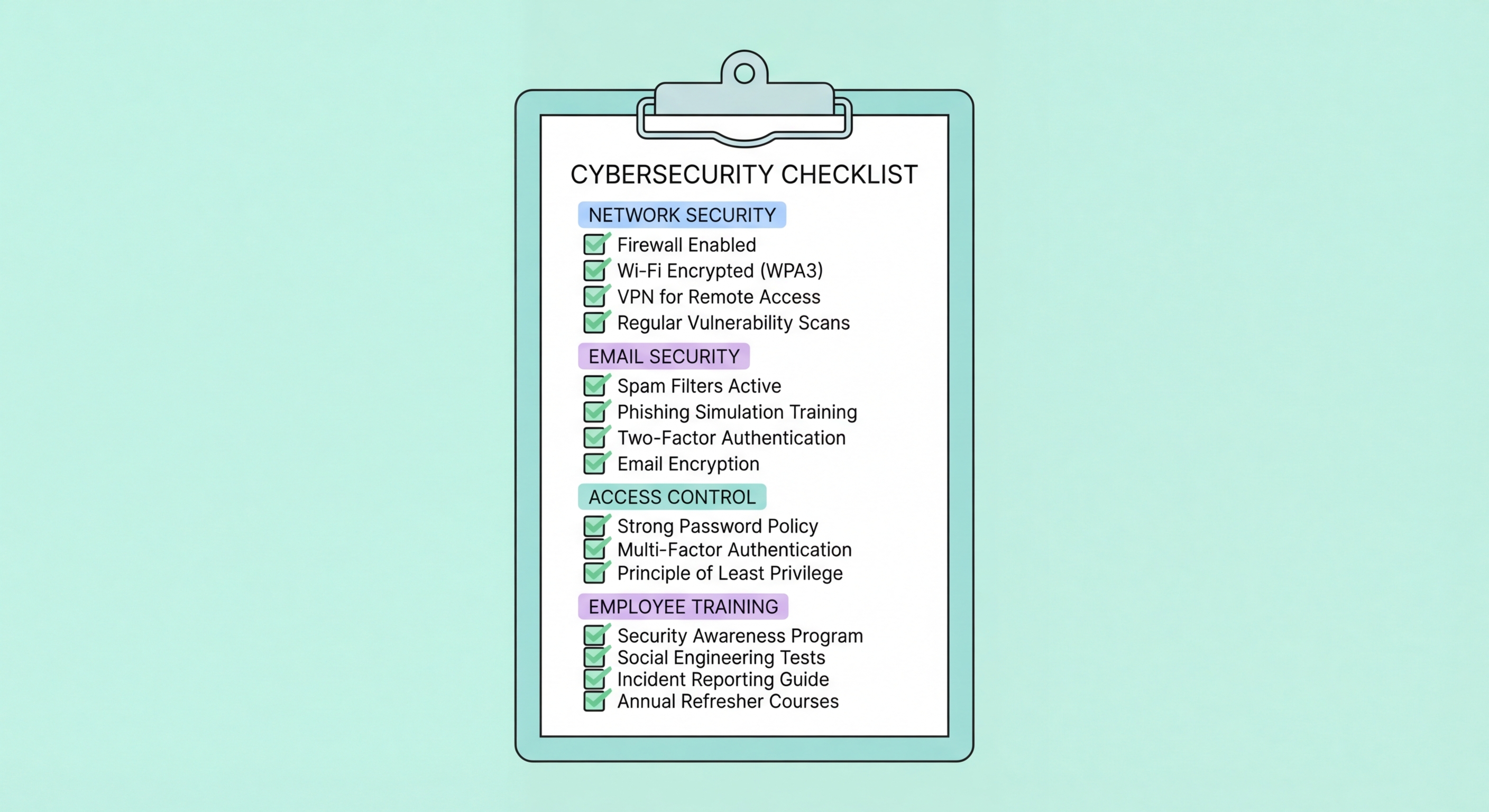
Network and email security checklist
3Data Protection and Backup

Data Protection, Backup, and Cloud Security Checklist

Data protection controls protect against the two primary data loss scenarios: external attack (ransomware encryption, data exfiltration) and internal error (accidental deletion, misconfiguration). The 3-2-1-1-0 backup rule — three copies, two media types, one offsite, one immutable, zero untested — provides the backup architecture that survives ransomware attacks that specifically destroy backup copies before encrypting production systems. Microsoft 365 and Google Workspace data require third-party backup because Microsoft and Google do not protect against user-initiated deletion, ransomware, or accidental overwrite. Cloud backup to storage with Object Lock or equivalent immutability enabled provides the ransomware-resistant offsite copy that modern ransomware defence requires.

PDPO compliance requires specific data protection controls for any Hong Kong business that holds personal data. Data minimisation — collecting and retaining only the personal data necessary for defined purposes — limits the breach impact when incidents occur. Data retention and deletion policies ensure personal data is not kept beyond its required retention period. Data processing agreements with all vendors who process personal data on your behalf satisfy PDPO Principle 4 obligations. Breach notification procedures ensure that PCPD and affected data subjects are notified promptly when a data breach occurs. A data inventory — mapping what personal data you hold, where it is stored, who has access, and how it is protected — is the foundation of effective PDPO compliance and should be reviewed annually.

Cloud security for Microsoft 365 and Google Workspace environments requires actively configuring the security settings that are not enabled by default. Microsoft Secure Score provides a prioritised improvement roadmap specific to your Microsoft 365 tenant. External sharing controls for SharePoint, OneDrive, and Google Drive should restrict sharing to known partner domains rather than any external email address. Third-party OAuth app authorisations — connections between SaaS applications that allow access to your cloud data — should be reviewed quarterly and unused connections revoked. Data Loss Prevention policies configured in Microsoft 365 or Google Workspace detect and block sensitive data (credit card numbers, HKID numbers, medical information) from being transmitted outside the organisation.

  • 3-2-1-1-0 backup strategy: Three copies, two media types, one offsite, one immutable — verified through tested restoration, not just assumed to be working
  • Microsoft 365/Google Workspace backup: Third-party backup solution for cloud productivity data — provider SLAs do not cover user-initiated deletion or ransomware
  • Immutable backup storage: S3 Object Lock or Azure Blob immutability for cloud backup — prevents ransomware operators from deleting backup copies
  • Monthly backup restoration test: Verify backup restoration works correctly monthly — silent backup failures are only discovered during actual recovery attempts
  • PDPO data inventory: Document all personal data holdings, storage locations, access controls, and retention periods — annual review required
  • Microsoft Secure Score review: Review Microsoft 365 Secure Score quarterly and implement prioritised recommendations — activates security features already included in your subscription
Data protection and backup checklist
4People and Governance

People, Governance, and Incident Response Checklist

People-focused security controls address the human attack surface that technical controls cannot eliminate. Security awareness training provides employees with the knowledge to recognise phishing, social engineering, and suspicious activity. Phishing simulation training — monthly simulated phishing emails with just-in-time feedback — builds the behavioural reflex of identifying and reporting phishing under realistic conditions. Finance and accounts payable staff require specific BEC training covering payment verification procedures, the bank detail change workflow, and the verification call procedure for all wire transfers above a defined threshold. New employee onboarding security briefings ensure that every person with access to corporate systems understands their security responsibilities from their first day.

Governance controls establish the policies, accountability, and oversight that make security controls sustainable rather than ad hoc. A written acceptable use policy documents expectations for appropriate use of corporate systems and data. Written security policies covering access control, data classification, password management, BYOD, and incident reporting provide the framework within which technical controls operate. Annual security risk assessment identifies the specific threats and vulnerabilities relevant to your business and informs security investment priorities. Board or senior management-level security reporting creates accountability and ensures security receives appropriate attention alongside operational and financial matters. Cyber insurance appropriate to your risk profile provides financial protection when controls fail.

Incident response preparedness ensures that when a security incident occurs — and for most Hong Kong businesses, this is a question of when, not if — your organisation responds effectively rather than ad hoc. A written incident response plan defining the response team, their roles, escalation paths, external resources, and communication procedures provides the framework for effective response under crisis conditions. The IRP must be tested through tabletop exercises at least annually — paper plans that have never been exercised fail under the stress of real incidents. Out-of-band communication methods (personal WhatsApp group, printed contact lists) ensure communication capability independent of corporate systems that may be unavailable during an incident. HKPF CSTCB contact details included in the IRP ensure law enforcement can be notified promptly when incidents warrant police reporting.

  • Monthly phishing simulation: Regular phishing simulations with just-in-time training for those who click — target below 5% click rate for realistic scenarios
  • BEC payment verification training: Finance staff specifically trained on verbal verification procedures for wire transfers — mandatory phone verification using known numbers
  • Written security policies: Documented acceptable use, access control, data classification, BYOD, and incident reporting policies — reviewed and updated annually
  • Annual security risk assessment: Identify the specific threats and vulnerabilities relevant to your business each year — informs security investment priorities
  • Incident response plan with tested procedures: Written IRP with defined team, roles, external contacts, and communication procedures — tested through annual tabletop exercise
  • Cyber insurance current: Cyber insurance appropriate to your risk profile and data holdings — reviewed and updated annually with broker who understands HK regulatory context
Governance and incident response checklist

Build a Secure Foundation for Your Hong Kong Business

Explore all 22 articles in our Business Cybersecurity guide for deep-dive guidance on every item in this checklist — from MFA to incident response for Hong Kong organisations.

Related VPN Articles