2026年香港用戶最佳反網絡釣魚工具
瀏覽器防護、電郵安全工具、DNS過濾及密碼管理器協同運作,共同攔截釣魚攻擊——適合希望建立多層技術防禦的香港個人及企業。
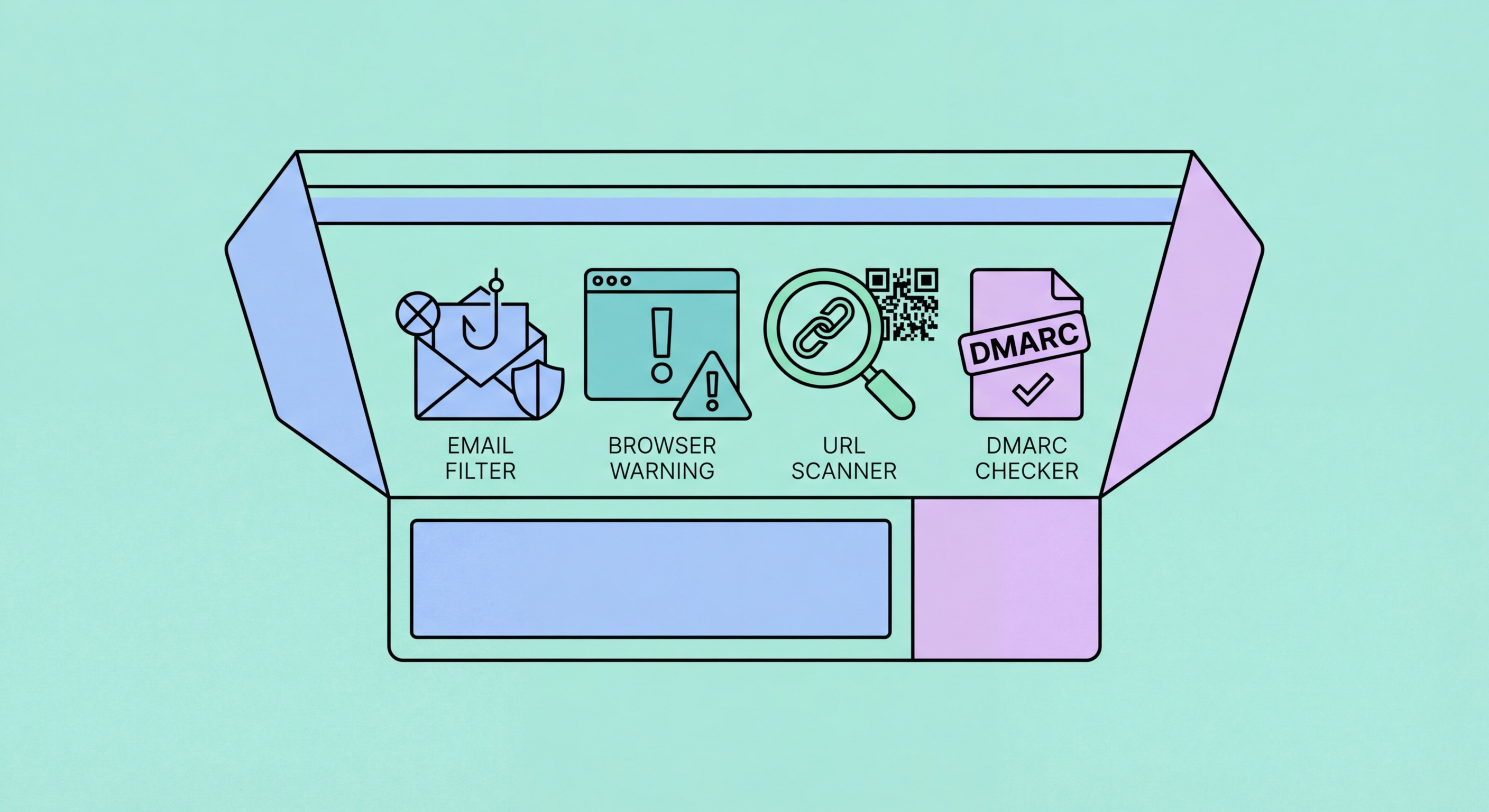
瀏覽器防護、電郵安全工具、DNS過濾及密碼管理器協同運作,共同攔截釣魚攻擊——適合希望建立多層技術防禦的香港個人及企業。
現代瀏覽器提供實質的基本釣魚防護,但許多用戶未必意識到這一點。Google安全瀏覽功能為Chrome、Safari、Firefox及Edge提供釣魚警告——當您瀏覽至Google已知釣魚及惡意軟件網站數據庫中的網址時,瀏覽器會在頁面載入前顯示全螢幕警告。所有主流瀏覽器均預設啟用此防護,用戶無需任何操作。保持瀏覽器更新,是確保獲得最新版本防護的最重要步驟,因為惡意軟件及釣魚網站數據庫會持續更新。
瀏覽器擴充功能在預設安全瀏覽數據庫之外,提供額外的防護層。uBlock Origin是廣受信賴的開源內容攔截器,在其廣告攔截功能之外,亦包含釣魚及惡意網站攔截——免費、適用於Chrome、Firefox及Edge,以透明度和有效性著稱。Bitdefender TrafficLight及Avast Online Security是在搜尋結果和網頁中對連結進行視覺安全評級的擴充功能,在您點擊前提供瀏覽器內建警告以外的額外參考。對於香港用戶而言,這些工具尤其有用,因為與主要國際目標相比,安全瀏覽數據庫在覆蓋本地香港釣魚域名方面可能存在滯後。
帶有自動填寫功能的密碼管理器,提供了一種常被忽視的反釣魚保護。密碼管理器只會在儲存憑證的確切域名上自動填寫——如果您在hsbc.com.hk儲存了匯豐銀行的憑證,密碼管理器不會在hsbc-security.com.hk或任何其他仿冒域名上自動填寫。這意味著即使您瀏覽至一個逼真的釣魚網站,密碼管理器拒絕自動填寫憑證,本身就是一個隱性警告,表明該網站並非您儲存憑證的真實網站。無論釣魚網站是否在安全瀏覽數據庫中,此防護均有效,使密碼管理器成為瀏覽器級釣魚偵測的重要補充。

電郵安全始於您電郵服務供應商的內建過濾功能。Gmail的垃圾郵件及釣魚過濾功能相當完善,利用以數十億封郵件為訓練基礎的機器學習模型,在送達前攔截大量大規模釣魚郵件。Microsoft 365 Defender(前身為Office 365進階威脅防護)為企業Microsoft 365帳戶提供類似功能,並包含企業級附加功能,包括安全連結(將電郵中的網址重寫,在用戶到達目的地前通過Microsoft即時掃描)和安全附件(在送達前在沙盒中引爆電郵附件以檢查惡意軟件)。這些內建防護往往未被充分利用,因為用戶並不知道它們可以進行設定。
對於自行管理電郵基礎設施或使用第三方電郵服務的企業,專用安全電郵閘道(SEG)提供企業級釣魚過濾。Proofpoint、Mimecast及Barracuda是香港大型企業常用的主要SEG供應商——它們採用多種技術分析入站電郵,包括發件人信譽、域名驗證檢查(DMARC/DKIM/SPF)、網址分析及附件沙盒。許多大型香港金融機構和專業服務公司將這些解決方案作為標準部署,且它們日益提供適合中小企的配置方案。供應商選擇取決於現有基礎設施、預算以及所需的報告和政策自定義程度。
DMARC和DKIM這兩種技術性電郵驗證標準,有助阻止釣魚攻擊者利用您的域名發送郵件。在您機構的電郵域名上設定DMARC,可防止攻擊者發送看似來自您合法域名的釣魚郵件——既保護您的收件人,亦維護您的品牌聲譽。這對香港金融、專業服務及零售業的企業尤為重要,因為這些品牌經常被冒充。以「reject」(拒絕)策略設定DMARC是最終目標;建議的實施方式是先從「none」(監控模式)開始,在驗證電郵發送基礎設施後逐步過渡至「quarantine」(隔離),再到「reject」。HKCERT ↗為香港機構提供DMARC實施指引。

DNS過濾在網絡層面攔截對已知惡意域名的存取,甚至在您的瀏覽器連接到釣魚網站之前便生效。當您輸入網址或點擊連結時,您的設備會查詢DNS解析器,將域名轉換為IP地址。DNS過濾服務維護著已知釣魚、惡意軟件及詐騙 ↗域名列表——如果請求的域名出現在這些列表中,DNS解析器會返回攔截頁面而非IP地址,從而阻止連接。此防護適用於網絡上的所有設備和所有應用程式,而不僅僅是瀏覽器流量,使其比單純使用瀏覽器擴充功能更為全面。
Cloudflare 1.1.1.1 for Families是一項免費的DNS過濾服務,可攔截惡意軟件及釣魚域名,在家庭和小型辦公室網絡上設定極為簡便。Quad9(9.9.9.9)是另一項免費、注重私隱的DNS解析器,利用多家安全供應商的威脅情報 ↗攔截已知惡意域名。對於企業,Cisco Umbrella及Cloudflare Gateway提供企業級DNS過濾,具備詳細報告、政策控制及與其他安全工具的整合能力。香港大型企業採用這些解決方案,為所有公司設備提供一致的防護,無論設備處於哪個網絡位置——這在香港分散化和移動辦公的工作環境中尤為重要。
流動設備需要針對DNS層面保護進行單獨考量。iOS和Android均支援加密DNS(DNS over HTTPS或DNS over TLS),Cloudflare的1.1.1.1應用程式或NextDNS等應用程式可直接在流動設備上設定惡意軟件及釣魚攔截DNS,即使未連接受保護的家庭或辦公室Wi-Fi網絡亦有效。對於大量使用流動數據連接上網的香港用戶,流動設備DNS保護確保在外出、在咖啡廳及其他非自行管控網絡環境下的覆蓋。香港政府運營的cyberdefender.hk平台為香港居民提供免費的基於DNS的網絡威脅攔截服務。

Two-factor authentication (2FA) significantly limits the damage when credentials are phished, because the attacker cannot access the account without the second factor even if they have the password. However, not all 2FA is equally resistant to phishing. SMS-based 2FA is the most common form but is also the most vulnerable: real-time phishing attack ↗s can intercept SMS OTPs by presenting them on a fake login page that simultaneously attempts login on the real site. Authenticator app-based TOTP (Time-based One-Time Password) codes are harder to intercept but still vulnerable to real-time relay attacks where the victim enters the code on a phishing site that immediately submits it to the legitimate site.
Hardware security keys (FIDO2/WebAuthn) are the only form of 2FA that is fully phishing-resistant. Keys like the YubiKey use cryptographic authentication that is domain-bound — the key will only respond to authentication requests from the exact domain it was registered for, and will refuse to authenticate on any lookalike domain. This means that even if a victim navigates to a convincing phishing site and attempts to log in, the security key will refuse to complete authentication because it detects the domain mismatch. Hardware keys are used by security-conscious organisations and individuals as the gold standard second factor; YubiKey 5 series and Google's Titan Security Key are widely available in Hong Kong through electronics retailers.
Passkeys — the emerging passwordless authentication standard based on FIDO2 — provide similar phishing resistance to hardware keys, implemented natively in iPhones (Face ID/Touch ID), Android devices, and Windows Hello. When you authenticate with a passkey, your device performs a cryptographic challenge-response tied to the specific domain you registered on — phishing sites cannot receive the passkey authentication response. Major services including Google, Apple, Microsoft, PayPal, and some Hong Kong banks are progressively rolling out passkey support. Where passkeys are available for services you use, enabling them provides both improved security and improved convenience — eliminating the password entirely removes the credential that phishing attacks are trying to steal.
