如何閱讀電郵標頭及偵測電郵欺騙
當一封網絡釣魚電郵看似真實卻感覺有異,電郵標頭便是揭露真相的關鍵。本實用指南示範如何在 Gmail、Outlook 及 Apple Mail 中存取並閱讀標頭,以識別偽冒寄件人及確認網絡釣魚行為。
當一封網絡釣魚電郵看似真實卻感覺有異,電郵標頭便是揭露真相的關鍵。本實用指南示範如何在 Gmail、Outlook 及 Apple Mail 中存取並閱讀標頭,以識別偽冒寄件人及確認網絡釣魚行為。
每封電郵均包含兩個部分:可見的郵件正文與標頭,以及記錄電郵從寄件人到收件人整個傳送過程的隱藏技術標頭。這些隱藏標頭包含實際發送伺服器的資訊、所執行的身份驗證檢查、原始寄件人的 IP 位址,以及郵件是否通過或未能通過 DKIM 及 SPF 驗證。由於大多數用戶並不需要這些資訊,它們不會顯示在一般電郵視圖中——但當您懷疑一封電郵是詐騙時,標頭能以一般電郵介面無法做到的方式,明確確認或否定所聲稱寄件人的真實性。
您在電郵客戶端所看到的「寄件人」欄位——顯示為寄件人的地址——可由發送電郵的人設定為任意值。這稱為顯示名稱或「寄件人」標頭欺騙,正是那些看似來自您的銀行、政府機構或熟識聯絡人的網絡釣魚電郵背後的手法。然而,電郵的實際路由資訊——來自哪個伺服器、使用了哪個 IP 位址、發送域名配置了哪些身份驗證——無法以同樣方式偽造。透過閱讀標頭,您可以將聲稱的「寄件人」地址與實際發送基礎設施進行比對,從而識別確認欺騙的差異。
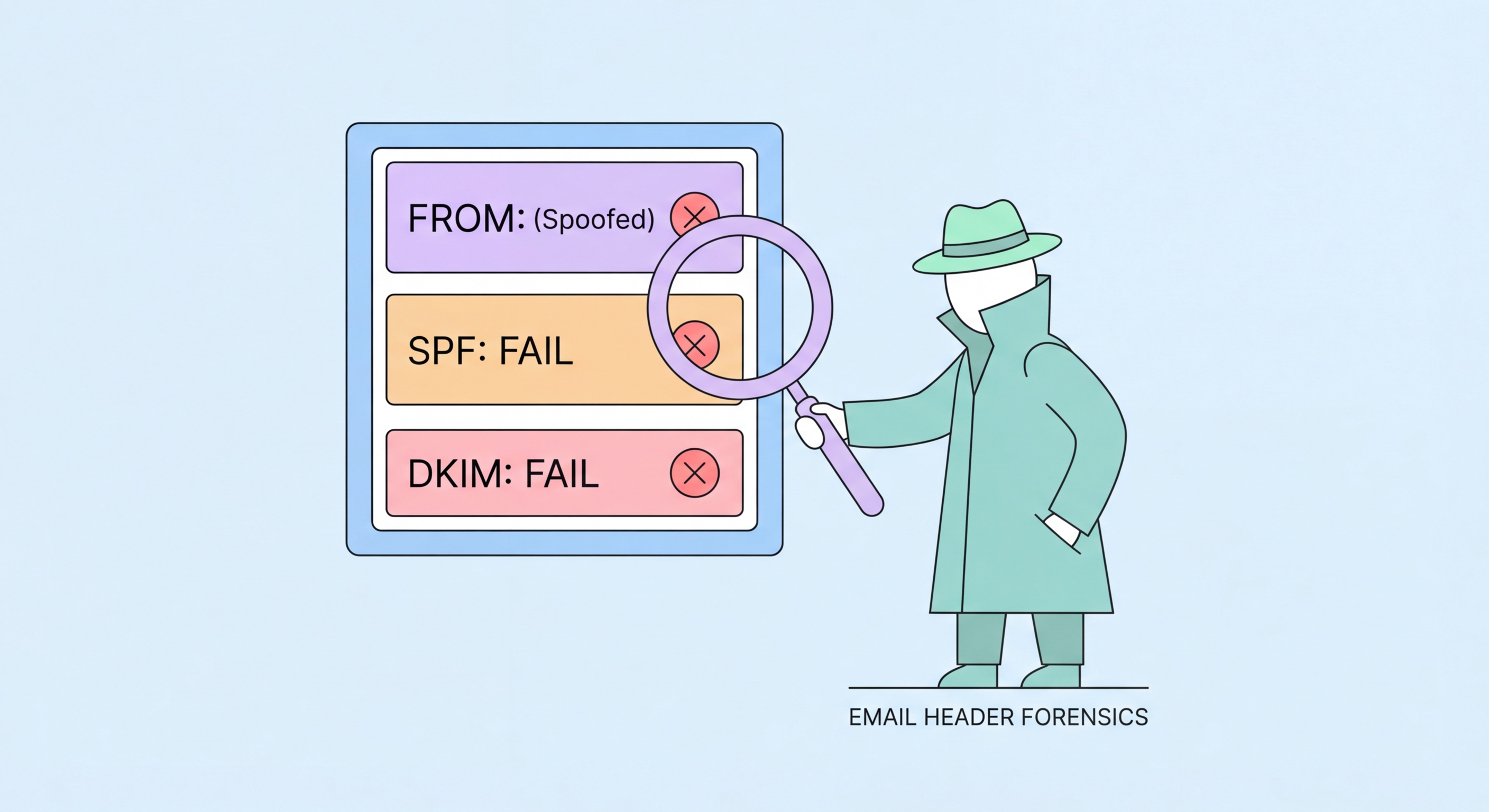
身份驗證結果標頭——SPF、DKIM 及 DMARC——提供了電郵是否通過寄件人域名所配置的身份驗證檢查的結構化摘要。SPF 驗證發送 IP 位址是否獲授權代表所聲稱的域名發送電郵。DKIM 使用加密簽名驗證郵件正文及關鍵標頭在傳輸過程中未被修改。DMARC 結合兩者,而一封聲稱來自滙豐銀行或政府部門的電郵若出現 DMARC「失敗」結果,則是強力技術確認,表明該電郵並非來自合法機構。包括 Gmail 在內的主要電郵服務提供商會在每封收到的郵件中加入這些身份驗證結果標頭,無需任何特殊工具即可查閱。

在桌面版 Gmail 中,開啟可疑電郵,點擊郵件右上角的三點選單(更多)。從下拉選單中選擇「顯示原始郵件」。這將開啟一個新分頁,顯示包含所有標頭的完整原始郵件。Gmail 在此頁面亦提供「複製到剪貼板」按鈕,頂部視圖清楚顯示 SPF、DKIM 及 DMARC 結果——以綠色「通過」或紅色「失敗」標示。此摘要視圖是在 Gmail 中無需手動閱讀原始標頭即可快速核查身份驗證結果的最快方法。或者,可使用 toolbox.googleapps.com 的「郵件標頭分析器」工具——貼上原始標頭即可獲得結構化分析。
在桌面版 Outlook(Windows)中,開啟電郵並點擊功能區的「檔案」,然後選擇「內容」。網際網路標頭顯示在「內容」視窗底部的文字框中。在網頁版 Outlook(OWA)中,開啟郵件,點擊三點選單(更多動作),並根據您的 OWA 版本選擇「查看郵件來源」或「查看郵件詳細資訊」。在 macOS 的 Apple Mail 中,開啟郵件並從選單列選擇「檢視」→「郵件」→「所有標頭」。在 iPhone 或 iPad 上,Apple Mail 不提供原生標頭存取功能——請使用第三方電郵客戶端(如 iOS 版 Outlook),或在桌面瀏覽器上透過網頁郵件存取郵件,在提供商介面中存取標頭。
獲取原始標頭後,需檢查的關鍵欄位包括:「From:」(聲稱的寄件人)、「Return-Path:」(投遞失敗通知的接收地址——對於合法電郵,應與 From 域名一致或密切相關)、「Received:」標頭(郵件傳送所經伺服器鏈——由下至上閱讀,最底部為原始發送伺服器),以及「Authentication-Results:」(SPF、DKIM 及 DMARC 結果)。對於聲稱來自滙豐銀行的郵件,Received 標頭應顯示 hsbc.com 的伺服器,Authentication-Results 應顯示 hsbc.com 域名的 SPF=pass 及 DKIM=pass。任何差異——Received 標頭顯示隨機 IP、SPF 失敗、DKIM 失敗——均確認該電郵並非真正來自滙豐銀行。

「Authentication-Results」標頭是網絡釣魚偵測中最直接有用的標頭。它出現在標頭頂部附近(由接收郵件伺服器添加),包含已執行身份驗證檢查的結構化摘要。尋找以「spf=」、「dkim=」及「dmarc=」開頭的行。等號後的值將為「pass」、「fail」、「softfail」、「neutral」或「none」。對於一封合法來自主要銀行或政府機構的電郵,三項均應顯示「pass」。對於聲稱來自已發布 SPF/DKIM/DMARC 記錄的機構的電郵,其中任何一項出現「fail」結果,均是欺騙或偽造的有力證據。
「Received:」標頭追蹤電郵的傳送路徑,揭露原始發送伺服器。標頭在每個節點添加,最新的在頂部,原始發送伺服器在底部。最底部的「Received: from」行應顯示屬於聲稱發送機構的伺服器——對於真正的滙豐銀行電郵,這應是滙豐銀行旗下域名或 IP 範圍上的伺服器。若最底部的 Received 標頭顯示與滙豐銀行毫無關係的 IP 位址或伺服器名稱(隨機託管服務商、住宅 IP 位址或地理位置異常的伺服器),即確認該郵件並非源自滙豐銀行的郵件基礎設施。IP 對機構的查詢可透過 MXToolbox 或 AbuseIPDB 等工具免費進行。
「Reply-To:」標頭有時被用於網絡釣魚,確保即使 From 地址已被欺騙以看似合法,回覆仍會發送到攻擊者控制的地址。若 From 地址看似來自銀行,但 Reply-To 顯示 Gmail 或通用電郵地址,則攻擊者希望您發送的任何回覆都能到達其收件箱,而非合法機構。同樣,「Return-Path:」標頭(控制退信發送地址)若與 From 域名有顯著差異,表明電郵是透過與聲稱寄件人無關的基礎設施發送的。這些是比明確的 DMARC 失敗更微妙的指標,但在評估可疑郵件時,它們能加強整體判斷。

Header analysis has meaningful limitations that are important to understand. The most significant limitation is that DKIM and SPF pass results do not guarantee the email is not phishing — they confirm the email was sent from infrastructure authorised for the domain, but that domain might itself be a lookalike domain registered by an attacker. An email from "[email protected]" might pass SPF and DKIM perfectly because the attacker configured SPF and DKIM for their own fraudulent domain — the authentication is technically valid, but the domain is fraudulent. In these cases, the From domain examination (not just authentication results) remains the critical check.
Account compromise-based attacks — where an attacker gains legitimate access to a real account and sends phishing messages from it — will pass all authentication checks because the email genuinely originates from the legitimate domain. A compromised HSBC employee's email account sending phishing to HSBC customers will show DMARC pass because it was genuinely sent from HSBC infrastructure. Against this attack type, header analysis provides no useful signal; the relevant detection method is examining the request itself — does this email ask for something a legitimate HSBC communication would ask for? — rather than analysing the technical sending infrastructure.
For most Hong Hong Kong Users">Kong users in most situations, the more accessible and practical detection approach is examining the visible sender address carefully and evaluating the nature of the request — both of which are described in the phishing email detection guide. Header analysis is most valuable as a confirmation tool when you have already assessed a message as suspicious and want to confirm this technically before reporting it, or when you are compiling evidence to include in a report to HKCERT ↗ or HKPF. Including the full headers in a report to HKCERT significantly improves the intelligence value of the report and helps the technical team identify the phishing infrastructure for takedown.
